
AI Sales Outreach: How It Works and What to Measure
By DMpro team
AI sales outreach explained simply: how AI helps with prospect research, personal messages, automated follow-ups and measurement, within platform rules.
In 2024, 22% of surveyed sales professionals reported using AI to personalize outreach, according to HubSpot's State of AI in Sales report. That's a minority of the field. Most founders running outbound on X are still writing every DM by hand, one tab at a time, and they're not behind. They're just working on the part of the problem that software hasn't solved well yet.
The scarce resource in outbound isn't message volume. It's the right moment and a credible reason to be worth answering. AI helps most when it sharpens both, and hurts when it just multiplies sends. So this is a practical map: what AI does at each step of AI sales outreach, where X's rules draw hard lines, what the platform limits really are, and which numbers tell you whether a campaign worked or merely ran.
What AI Sales Outreach Means in Plain Terms
Strip away the vendor language and AI sales outreach means using software for the slow, repetitive parts of prospecting on a platform like X. It finds people who fit your offer. It reads their profiles and recent posts. It drafts a first message. Then it runs the follow-ups on a schedule and stops when someone answers.

The closest everyday analogy is a research assistant plus a reminder system. The assistant reads everything about a person before you write a word. The reminder system never forgets a follow-up, and shuts off the instant the person replies.
Take a founder who spends two hours a day writing DMs by hand to 30 people. Most of that time goes to opening profiles, scanning the last few posts, and hunting for an angle. When research and drafting happen first, the same two hours go to the handful of replies that need a human, and to fixing the offer that isn't landing.
The boundary matters more than the benefit. Software speeds up the work. You still decide who is worth contacting and what you're selling them. A tool that picks the audience for you and never asks is a volume machine with a nicer interface.
The test for any tool: does it research the prospect, write from that research, and change its next step based on the reply? If it doesn't, it's automation with an AI label.
This isn't a niche workflow anymore. Salesforce reported in July 2024 that 81% of sales teams were either experimenting with AI or had fully implemented it, split between 40% experimenting and 41% implemented, and that 83% of sales teams using AI reported revenue growth during the year against 66% of teams not using AI, per Salesforce's sales AI statistics. That survey is observational, so the 17-point gap shows a difference between groups, not proof that AI caused the extra growth. Teams that adopt AI often have stronger data, budgets, and processes too.
Where AI Fits in Each Outreach Step
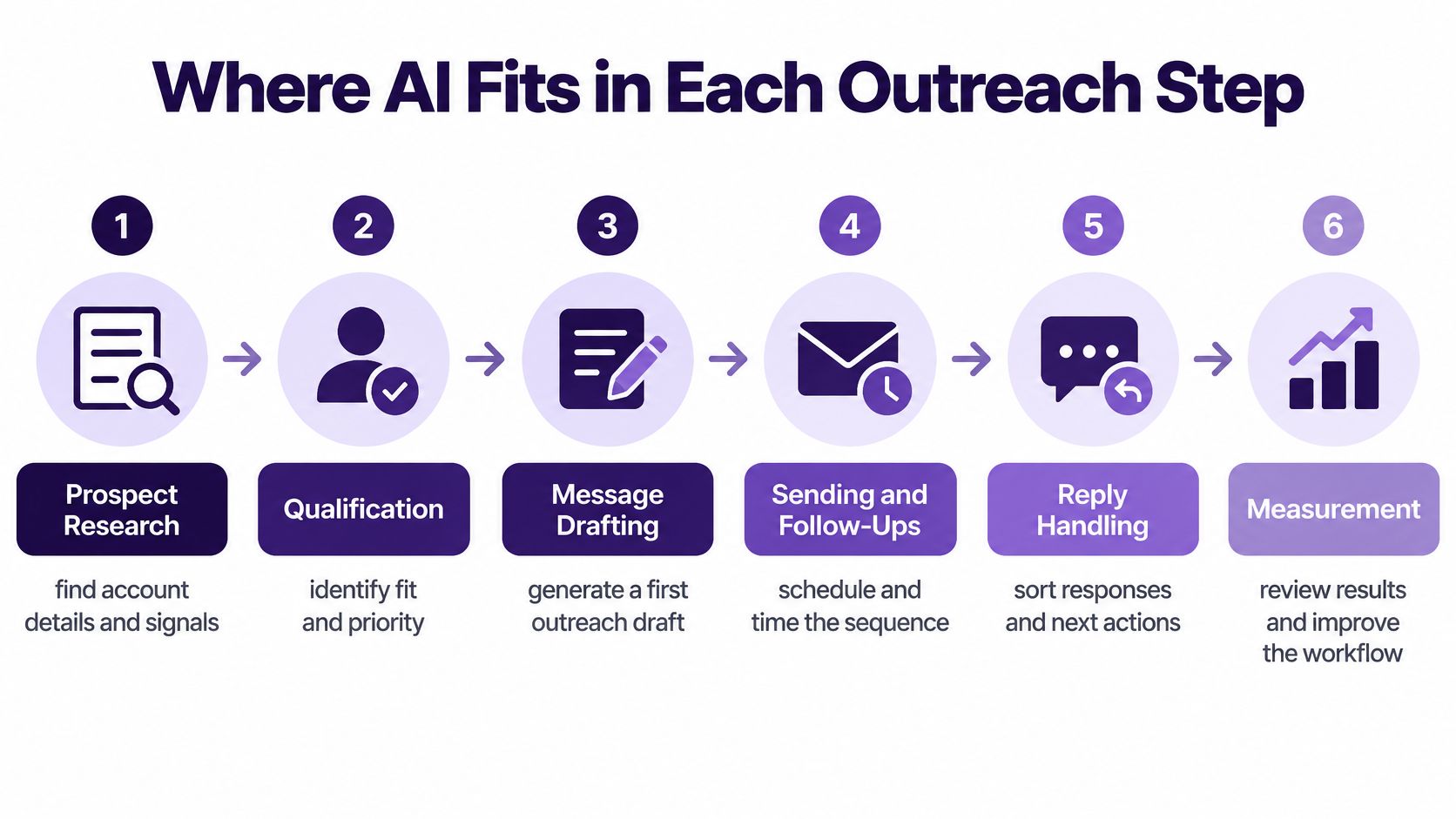
Six stages decide whether a campaign produces conversations or just a send log. The table splits each one into what software handles and what stays with you.
| Stage | What AI handles | What you still decide |
|---|---|---|
| Prospect research | Finds accounts from followers, communities, keywords and bios | Which audience fits your offer |
| Qualification | Scores leads against business criteria and activity patterns | Which score counts as a real conversation |
| Message drafting | Writes from profile details, recent posts and website context | Which claims are true and what tone fits |
| Sending and follow-ups | Runs sequences with delays and pauses when a reply arrives | Consent rules and opt-out handling |
| Reply handling | Sorts replies into categories and routes unclear ones | Who takes over each warm conversation |
| Measurement | Reports messages sent, queued, replies and response categories | Whether qualified replies matter more than volume |
The same six stages, in the order they run:
Where the software earns its keep
Discovery is the clearest win. Collecting leads from followers of relevant accounts, community members, people replying to a post, keyword-matched conversations, and profile bios takes hours by hand and seconds in software. If you're naming these steps for the first time, this guide to the outbound lead generation process is a solid reference before you automate anything.
Drafting is the second win, but only when it's grounded. A message built from a recent post and the person's apparent business problem reads like a human wrote it. A message built from a first name and a job title reads like a mail merge, because it is one.
Where your judgment decides the outcome
Qualification is where founders get lazy. A score is only as good as the criteria behind it, and no model knows that a marketing manager at a 10-person agency is a great fit while a marketing manager at an enterprise is a waste of a week. You set role, company stage, use case, and one observable buying signal. The software ranks against those.
Reply handling and measurement are the stages people skip. A sequence that keeps firing after someone says "not now" burns the relationship and your account reputation at the same time.
One platform can carry all six stages: discovery, message generation, campaign logic that branches on replies, and reporting. That's how DMpro is built, with leads collected into groups, scored, messaged, and tracked in one workspace.
<iframe width="100%" style="aspect-ratio: 16 / 9;" src="https://www.youtube.com/embed/cLDuDEe4MHA" frameborder="0" allow="autoplay; encrypted-media" allowfullscreen></iframe>Decisions to make before the first campaign launches:
- Target customer in one sentence, specific enough that a stranger could apply it.
- Qualification threshold that counts as a real conversation, not a polite reply.
- Claims you can prove and the ones the drafting step must never invent.
- Consent source for every contact, and the opt-out wording you'll honor.
- Owner for warm replies, with a time window for responding.
Staying Within X Rules Before Anything Sends
Automated DMs go only to people who asked to be contacted or clearly signaled they want to hear from you. A scraped profile is not permission. Neither is a follow, a like, or a reply to someone else's post.
That's the rule from X's automation rules, and it changes how you build. Consent becomes a field in your data, not a feeling in your gut. X also requires an easy opt-out on automated messaging that's honored promptly, and its developer policy prohibits spam, bulk or aggressive actions, and substantially similar content across accounts.
The line: variable delays and typing simulation reduce repetitive behavior. They do not turn unsolicited bulk outreach into permitted activity.
So build an eligibility gate that runs before anything sends. Store where each contact's consent or intent came from. Suppress opted-out users across every account, not just the one they replied to. Detect duplicate or near-duplicate text before it leaves. Branch or halt a sequence the moment a reply arrives. Cap activity per account.
Four rules cover most of the permission question. Respond to people who messaged you first. Follow up with anyone who asked for a DM. Reply to people who answered a relevant request of yours. Send everything ambiguous to a human reviewer instead of the queue.
Watching this at scale is its own job. Treat compliance monitoring as a standing report, not a one-time setup: attempted, blocked, opted-in, replied, and opted-out contacts counted separately, so an enforcement block never gets read as campaign performance.
How AI Personalizes Messages Without Sounding Generic
Two messages land in the same inbox. Message A says, "Hi Sam, love your work." Message B says Sam posted last week about onboarding dragging past three weeks, names one specific fix, and asks a single question about how their team handles it now.
Message B works for one reason. It connects a problem Sam already described to a reason to talk this week. Message A asks Sam to do the work of figuring out why you're in their DMs.
The principle: personalization is evidence selection, not better prose. The model's job is to find the right evidence, and your job is to decide what counts as evidence.
That distinction matters more than it sounds. A benchmark that evaluated large language models against roughly 50,000 customer-success stories found even the strongest models recovered only about half of the strategic content tied to historically successful outreach, as reported in this benchmark of personalization at scale. Extracting profile attributes and recent posts isn't enough on its own. A message also needs the prospect's likely business problem, a sign of current intent, and a credible reason to engage.
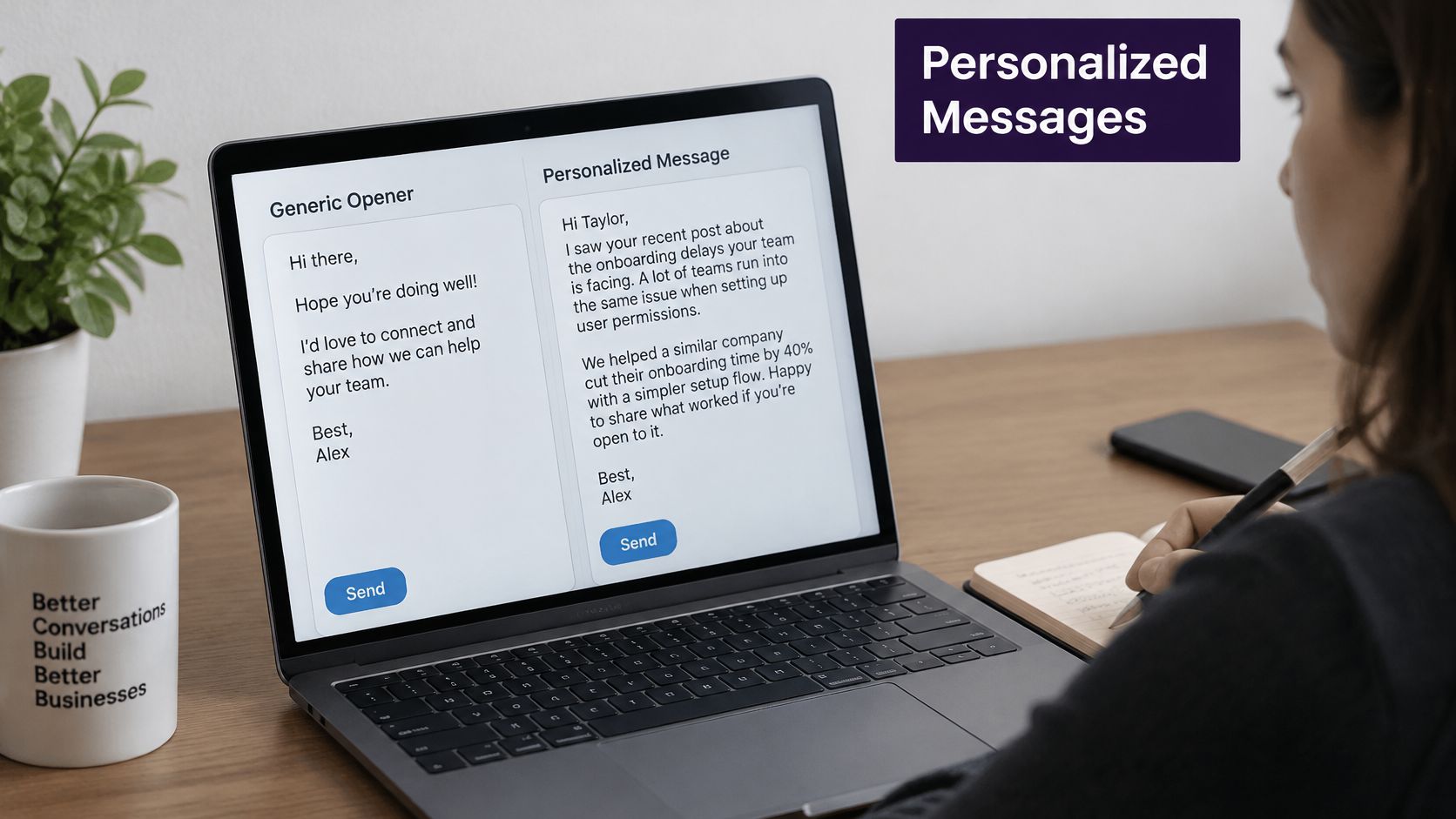
The practical answer is structured evidence plus rules. Feed the system the business criteria (role, company stage, use case, buying signal) and constrain generation so it can't make claims you haven't approved or personalize on details that don't matter. If you're assembling that stack, this roundup of AI personalization tools is worth a look before you buy.
Then test the right thing. Run a split where one variant uses surface attributes like name and job title, and the other uses recent activity and business context. Compare positive-reply rate and qualified-reply rate, not raw replies.
More fluency won't rescue weak targeting. Better signal selection, human review, and feedback from labeled outcomes do more than another thousand drafts. That's also why follow-ups should be conditional. A reply can trigger a next step designed for that situation. Someone who never answered should not receive a steadily more insistent version of the same message.
How AI Finds and Qualifies Prospects Worth Messaging
A founder selling a scheduling tool finds two people on X. The first posted this week asking for a better way to book calls without a back-and-forth. The second has a bio that says "marketer" and nothing else.
Only the first has an observable signal. The second is a guess wearing a job title.
Discovery tools can pull from followers of relevant accounts, community rosters, people replying to a specific post, keyword-matched conversations, bios and usernames, and CSV imports of names you already have. All of that is supply. None of it is intent.
Following an account or replying to a post does not establish that a person wants your offer, which is why profiles and qualification evidence get reviewed before anything is sent. A follow is a weak signal. A public complaint about the exact problem you solve is a strong one.
Set the criteria before the first message exists. Four fields do most of the work: role, company stage, use case, and one observable buying signal. AI scoring then ranks leads by activity and engagement patterns, but the ranking inherits whatever you defined. A vague criterion produces a confident, useless score.
Timing is the harder half
Even a perfect fit isn't ready. G2's April 2025 survey of more than 1,000 B2B software buyers found 60% were already using AI in sales departments and processes, and the same buyer research shows buyers most often prefer salesperson engagement during the decision stage rather than at the start of their research, per G2's AI in sales insights report.
Read that carefully. A public signal is a reason to start a relevant conversation, not proof someone wants a pitch today. Contacting every profile that trips a keyword creates the fatigue you're trying to avoid, especially when five competitors watch the same signal.
So let software flag who is showing interest and let a person decide when and whether to engage. If you're comparing platforms on that capability, this AI SDR shortlist from KeenVerdict sorts the options by category. And if your criteria are still fuzzy, work through a real lead qualification process before you buy anything.
Sending Limits to Plan Around When Scaling
Here's the lookup table I'd keep next to any sending schedule. Every row is a published limit, not a target.
| Limit | Value | What it means for your schedule |
|---|---|---|
| Platform daily DM ceiling | 500 messages per day | A maximum, not a safe target; real volume can be lower |
| API DM send limit per app | 1,440 requests per 24 hours | Shared across every account using the same app |
| API DM send limit per user | 15 requests per 15 minutes | Short rolling window; spread sends across the hour |
| API DM send limit per user | 1,440 requests per 24 hours | Daily quota that adding accounts does not remove |
| Exceeding an API limit | HTTP 429 error | Pause sending until the window resets |
Start with the headline number and then discount it. X's help documentation lists a daily Direct Message limit of 500 messages, per X's account limits documentation. That ceiling is a maximum, not a plan. API tiers, account history, recipient eligibility, and enforcement decisions can all pull the usable number down, which is why delivery, replies, and account health are the numbers to watch.
The API layer adds a second set of constraints. The message endpoint allows up to 1,440 requests per app over 24 hours, but only 15 requests per user in 15 minutes and 1,440 per user in 24 hours, according to X's API rate limits documentation. Two windows, one short and rolling, one daily. A scheduler has to respect both, and a 429 error means waiting for the window to reset rather than retrying.
Adding accounts does not remove per-user limits. It multiplies the number of places you can hit the same wall.
This is why account-level caps exist in practice. DMpro's per-account guardrails, 25 messages a day on Pro and 35 on Agency, are operating controls, not permission to route around X's limits. No setting on any tool changes what the platform allows.
How to scale without guessing:
- Run one small batch with a fixed audience and two message variants.
- Track delivery, reply categories, and any account warnings for a week.
- Increase volume only after qualified replies hold steady.
- Change one variable at a time, and stop the batch if opt-outs climb.
Measuring Outreach Beyond Reply Rate
Someone replies "not now, but thanks." Your dashboard logs a reply. Your pipeline gains nothing. That single example explains why reply rate alone will mislead you all quarter.
| Metric | What it tells you | Trap to avoid |
|---|---|---|
| Reply rate | Share of prospects who answered at all | Rewards curiosity, politeness and negative replies |
| Positive-reply rate | Share of replies that show interest | Needs tagging or labeling to count correctly |
| Qualified-reply rate | Share of replies that match your criteria | Only as good as the qualification rules behind it |
| Opt-out rate | Share of prospects who asked to stop | A rising rate usually means weak targeting or timing |
| Time to reply | How quickly interest shows up after a message | Long gaps can mean follow-ups arrive too early |
| Conversion by signal type | Which evidence leads to meetings | Needs enough volume before the pattern is reliable |
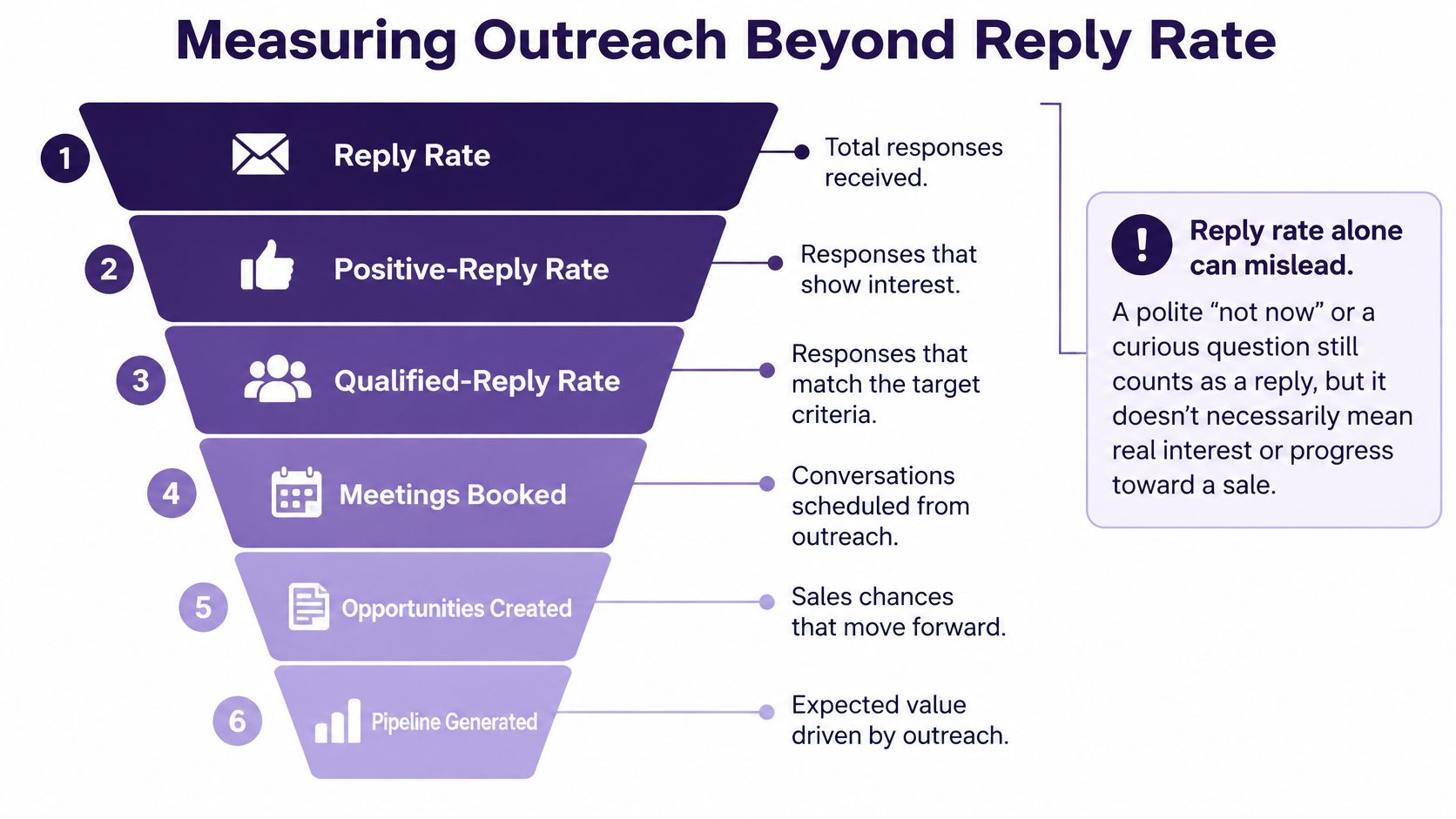
Walk the funnel from messages sent to conversations to meetings, and look for the leak. If reply rate is healthy but qualified replies are thin, your targeting is loose. If qualified replies are fine but meetings are rare, your offer or your handoff is the problem. If opt-outs climb while replies stay flat, you're reaching people too early or too often.
Timing shows up in two of these metrics. A short time to reply usually means the person was already thinking about the problem. A long gap followed by a burst suggests your first message arrived before they were ready and a later follow-up caught them. Neither is a reason to send more.
Practical rule: judge each campaign by qualified conversations per 100 messages, not by total sends. Pause when someone signals disinterest, route ambiguous replies to a person, and use public activity as an opening, never as proof of buying intent.
One more reporting habit keeps you honest. Count attempted, blocked, opted-in, replied, and opted-out contacts as separate numbers. Otherwise a compliance block looks like a deliverability problem, and you end up "fixing" the wrong thing. A clear framework for lead generation metrics helps here, because the definitions decide what the dashboard is telling you.
Start Your First Permission-Based Campaign
Small and specific beats broad and fast, every time. Here's the sequence I'd run first.
- Write one target customer in a sentence. Role, company stage, and the problem they already know they have.
- Build a lead group of 20 to 50 people who match and show a real signal, using the qualification criteria you set before drafting.
- Write two message variants grounded in each person's context. One can lean on their recent post, the other on their stated business problem. Neither leans on a first name.
- Confirm a consent or intent source for every contact, then set opt-out and stop rules before the first send.
- Run it for two weeks and track qualified replies, opt-outs, and time to reply.
Success at this stage looks like a short list of qualified conversations and two or three messages worth improving. It does not look like a big send count.
Setup itself is quick. You choose a paid plan, connect your X account, add a lead list, and create your first outreach campaign. In DMpro that's a four-step path: connect your account, build a lead group, create and review a campaign, then follow up in your inbox.
If you'd rather spend your time on the replies that matter than on opening profiles one by one, DMpro handles the discovery, the personalized first message, and the follow-up sequence that stops the moment someone answers. You keep the targeting rules, the offer, and every judgment call on a warm conversation. Connect your X account, build one small lead group, and see what your qualified-reply rate looks like after two weeks.
Put your outreach plan into practice
Find relevant leads on X (Twitter), personalize your messages, and manage the replies in DMpro.
Get started