
A Founder's Guide to Twitter Impressions
Unlock the power of impressions on Twitter. Learn what they are, why they matter for growth, and how to increase them for a predictable lead pipeline.
Let's cut to the chase: impressions on Twitter are just the total number of times your tweet has been seen. That's it.
One impression is one view. It doesn't matter if someone saw it on their timeline, in a search, or on your profile. If it appeared on a screen, it's an impression.
What Impressions on Twitter Really Mean
Think of impressions like a billboard on a highway. Every car that drives by and sees that billboard is one view.
Now, if the same person drives past that billboard five times, that’s five impressions. The billboard doesn't care if it's the same person; it just counts the views.
Your tweets work the same way. One person can generate multiple impressions on a single tweet.
This is the very first step in your Twitter lead generation funnel. Without impressions, you get zero clicks, zero replies, and zero leads. It's the starting line for everything else.
Impressions vs. Reach vs. Engagement
It's easy to mix up impressions, reach, and engagement. But as a founder trying to scale distribution, knowing the difference is key. Each metric tells you something different about your content's performance.
Here’s a quick breakdown of what they mean for your strategy.
Impressions vs. Reach vs. Engagement at a Glance
| Metric | What It Measures | Why It Matters for Founders |
|---|---|---|
| Impressions | The total number of times your tweet was displayed. | Your brand awareness metric. It shows how far the algorithm is pushing your content. |
| Reach | The number of unique people who saw your tweet. | The actual size of your audience. 100 impressions could be from 10 people or 100 people. |
| Engagement | The total number of interactions on your tweet (likes, replies, link clicks, etc.). | Shows if your content is resonating. Are people just seeing it, or are they acting on it? |
Nailing these three metrics helps you see where your content strategy is working—or falling flat.
In short: Impressions measure exposure, reach measures audience size, and engagement measures audience interaction.
If you have high impressions but low engagement, that's a red flag. It means people are seeing your stuff, but it isn't interesting enough to make them stop scrolling. Your message or your hook needs work.
You can get a deeper look at how these metrics play together in our guide to https://www.dmpro.ai/blog/twitter-account-analytics.
And if you want to see how this fits into the bigger picture, this article on What Are Social Media Impressions? is a great resource.
For founders, it comes down to this: impressions are the first signal that your message is even getting out the door.
Why Impressions Are a Founder's Secret Weapon
Let’s be real—as a founder, you don’t have time for vanity metrics. But impressions on X are anything but. Think of them as the top of your sales funnel. If no one sees your content, nothing else matters.
High impressions are the first sign you're breaking out of your bubble and reaching potential customers. Every impression is a seed of brand awareness. Someone might not click the first time, but they see your name. Then they see it again.
This builds trust over time. When you eventually send a cold DM, it feels warmer. It’s not from a stranger; it’s from that founder they’ve seen sharing good ideas in their feed.
Turning Visibility Into Actionable Data
For a founder, a steady flow of impressions is an early warning system. It tells you what’s hitting a nerve with your audience before you even get a like. See a spike in impressions on a specific topic? That’s gold. It’s the market telling you what it wants.
This isn't just about feeling good; it’s about gathering intelligence. You can use this data to sharpen your outreach. For instance, if a post about scaling SaaS distribution gets 10x your usual impressions, you've found a hot topic for potential leads.
That’s your cue to spin up a targeted campaign. Using a tool like DMpro, you can build an outreach list of people interested in that exact problem. The impressions validated your message before you invested time sending DMs.
The Foundation for Real Engagement
Impressions are the new baseline for success. Many people calculate engagement rates based on follower count, but using impressions as the denominator is far more telling. It gives you a clearer picture of how compelling your content is. For more on this, check out the Twitter engagement rate benchmarks from Social Status.
The key takeaway is simple: Impressions aren't the end goal, but they are the non-negotiable first step. They create the audience you can later convert into conversations, leads, and paying customers.
A healthy impression count proves your distribution strategy is working. It confirms your ideas are reaching new people—the only way to scale your pipeline on X.
How to Track and Understand Your Impression Data
Alright, let's get practical. Talking about impressions is one thing, but seeing your own data is where growth starts. The good news is X (formerly Twitter) gives you all the tools you need for free.
Your command center is the X Analytics dashboard. If you've never used it, just go to analytics.twitter.com and log in. This is where you stop guessing what works and start making decisions based on data.
The dashboard shows you how your tweets are performing, from high-level trends down to individual posts.

This top-level view gives you instant feedback, summarizing your impressions, profile visits, and new followers over the past 28 days.
Navigating Your Analytics Dashboard
When you land on the dashboard, you'll see your 28-day summary. Your impression count is front and center. For any sales team, this snapshot is pure gold, measuring your visibility directly.
But the real insights are in the "Tweets" tab. This is where you can analyze every single tweet you've sent.
Here’s what to look at:
- Impressions: The raw count of how many times your tweet was seen.
- Engagements: The total interactions—clicks, likes, replies, etc.
- Engagement rate: Total engagements divided by total impressions. A high rate means your content is hitting the mark.
This view also lets you sort by "Top Tweets," an easy way to see what gets the most eyeballs. To really master this, a solid guide to Twitter account analytics can offer deeper insights.
The goal isn’t just to stare at numbers; it's to find the patterns. Do threads outperform single tweets? Do images get more impressions? This is where your content strategy starts to take shape.
Spotting Actionable Patterns
As you review your data, start asking the right questions. Think like a founder. Which topics consistently pull the highest impressions on Twitter? Is there a time of day when your visibility peaks?
For example, if a tweet about "cold outreach automation" gets 50,000 impressions while your others hover around 5,000, that’s a huge signal. Your audience is telling you what they care about.
From there, you can use a tool like DMpro to find founders already talking about that topic and start a conversation. You've just turned a data point into a potential lead. That’s how you move from just looking at analytics to using them for active outreach.
How to Increase Your Twitter Impressions
Alright, let's get to work: making those impression numbers climb. Knowing the data is half the battle; moving the needle is what matters. As a founder, you need a playbook that gets you more eyeballs without sucking up all your time.
These are field-tested tactics that work, especially for SaaS founders who need to turn visibility into a pipeline.
Master the Art of the Thread
A single tweet is a jab. A thread is a full combination. It’s where you build authority and keep people hooked. A great thread tells a story, unpacks a complex idea, or shares a hard-won lesson. The algorithm rewards this because it keeps people on the platform.
Think about a recent customer win. Don't just post, "We love our customers!" Instead, spin it into a thread:
- Tweet 1 (The Hook): "Here's how our new customer slashed onboarding time by 75% in one week. A quick breakdown:"
- Tweet 2-4 (The Story): Walk through their pain point, how your tool solved it, and the results. Be specific.
- Tweet 5 (The CTA): "Think this could work for you? Check out the full case study or just DM me for a chat."
This format doesn't just rack up impressions; it qualifies people who are genuinely interested in what you do.
Join Conversations Strategically
Your ideal customers are already talking on X. Find those conversations and jump in. But don't just reply with "Great point!" Add real value. Share a unique perspective, a relevant stat, or a smart question.
One of the best ways to do this is to find tweets from big accounts in your space and leave a thoughtful reply early. You're borrowing their audience, exposing your profile and expertise to thousands of potential leads. The key is to be helpful, not salesy.
A high-value reply on a popular tweet can often get more impressions than your own original tweet. It's the ultimate leverage play.
Use Visuals to Stop the Scroll
Think about how you use X. You scroll and scroll. An image, GIF, or video acts like a speed bump in that text feed. It makes people pause.
You don't need a huge budget. A clean screenshot of a product feature or a simple chart can massively boost your impressions. A SaaS founder could post a short screen recording showing a "before and after" of a messy workflow their tool fixes. It’s fast and shows value better than words alone.
Consistency is Your Superpower
This might be the most overlooked tactic: just show up. The algorithm tends to favor active accounts. That doesn’t mean you need to be chained to your phone. It just means you need a plan.
This is where planning content and using a scheduler is a founder's best friend. You can learn how to schedule posts on Twitter in our guide. This rhythm builds momentum and steadily grows your impressions. The goal is a system you can stick with, even when you're busy building a company.
Using Automation to Create an Impression Flywheel
Great content is a good start, but it's only half the battle. The real challenge is getting it in front of the right people without burning out. This is where you shift from being a content creator to building a system that grows your visibility.
Smart, personalized outreach can create a powerful feedback loop—a flywheel—that gets your impressions on Twitter spinning. When you automate this process, you’re building a machine that drives highly relevant traffic back to your profile.
Think of it this way: every targeted DM you send is a polite tap on the shoulder of a potential customer. A good chunk of them will click over to your profile to check you out.
The Flywheel Effect in Action
This is where the magic happens. A prospect gets your DM, pops over to your profile, and sees all the helpful content you've been posting. Maybe they follow, like a few tweets, or reply to a thread.
Every one of those actions is a positive signal to the X algorithm. It tells the platform that people are interacting with your content, which boosts your profile's authority and prompts the algorithm to show your future tweets to a bigger audience.
This process usually combines a few core content strategies for the best results.
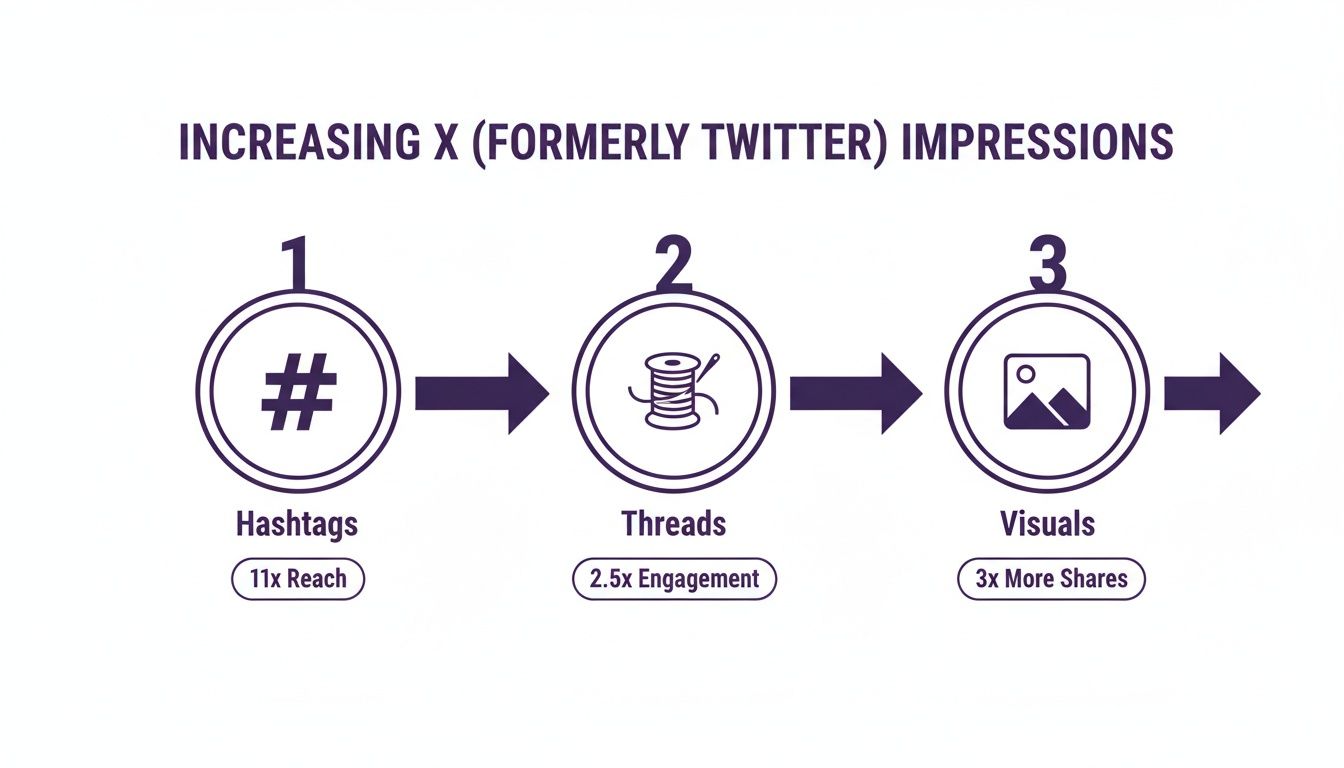
This simple flow—using hashtags, threads, and visuals—is the foundation. It creates content that pulls in initial engagement, which is then amplified by your outreach.
It creates a self-reinforcing cycle:
- Automated Outreach: You message hundreds of targeted leads.
- Profile Visits: A percentage of those leads check out your profile.
- Engagement: They interact with your content, boosting its visibility.
- Increased Impressions: The algorithm shows your content to more people.
The new impressions make your next outreach round even more powerful because your profile has more social proof. Your content is working for you 24/7, warming up leads before you even say hello.
Scaling Your Outreach Intelligently
Let's be real: no founder has time to manually send hundreds of DMs a day. That's where tools built for Twitter automation become essential. With a platform like DMpro, you can set up campaigns that find and message ideal customers based on keywords, interests, or recent activity.
The goal isn’t to spam. It’s to scale genuine connection. You're kickstarting relevant conversations that feed your impression flywheel and, ultimately, your sales pipeline.
Since its early days, Twitter has evolved its analytics to help users see what's working. The platform started offering analytics around October 2013, giving people the ability to analyze impressions across thousands of their tweets. This data is essential for tweaking strategies. By combining great content with smart automation, you turn your X account from a social profile into a predictable lead generation machine.
How to Turn Impressions Into a Predictable Pipeline
<iframe width="100%" style="aspect-ratio: 16 / 9;" src="https://www.youtube.com/embed/b0aEzb6NOXk" frameborder="0" allow="autoplay; encrypted-media" allowfullscreen></iframe>Getting tons of impressions is nice, but visibility alone doesn't pay the bills. The real goal is to turn those eyeballs into a reliable pipeline of qualified leads.
The approach is simple: treat every engagement as a buying signal. Each like, reply, and retweet is someone raising their hand to say, "I'm interested in the problem you're talking about." This is a warm list of potential customers, pre-qualified by your content.
From Engagement to Conversation
Your job is to act on those signals. Don't let engagement sit there collecting digital dust. The crucial next step is to take the public interaction into a private DM conversation.
This is where you connect the dots. A quick, personalized message referencing the tweet they engaged with creates a relevant opening. It proves you're paying attention and that this isn't another spam message.
For a deeper dive into moving prospects through your funnel, check out our guide on lead nurturing best practices.
The key is to transform passive viewers into active conversations. You're not just selling; you're starting a dialogue based on a shared interest they already expressed.
This process becomes a game-changer with automation. With a tool like DMpro.ai, you can set up campaigns that automatically reach out to every person who engages with one of your tweets.
If you’re tired of spending hours manually sending DMs, DMpro can handle the outreach and replies for you, even while you sleep.
Frequently Asked Questions
Still have questions about how impressions on Twitter work? Let's clear up a few common points.
Think of this as the quick-scan section for when you just need a straight answer.
Are My Own Views Counted as Impressions?
Yep. When you see your own tweet—whether on your profile or timeline—X adds it to the impression tally.
This can inflate your numbers a bit, but honestly, it's usually not a big enough slice of the pie to worry about.
Why Do My Impressions Fluctuate So Much?
Impression numbers can feel like a rollercoaster. A single tweet might catch fire with the algorithm or get a shout-out from a big account, sending your numbers soaring.
On the flip side, posting at a dead time or putting out content that doesn't click with your audience can cause a drop. Don't sweat the daily ups and downs. Focus on your weekly and monthly trends instead.
The real goal is consistency. A one-hit-wonder tweet is great, but a steady, upward trend in your baseline impressions is the true sign of sustainable growth.
Can You See Who Views Your Tweets?
Nope. You can't get a list of every person who saw your tweet. Impressions are an anonymous, bird's-eye-view metric. You can see who likes, replies, and retweets, but the silent viewers remain invisible.
This is why engagement is so important. A "like" is the closest you'll get to someone in that anonymous crowd raising their hand to say, "I was here, and I saw this."
How Does Automated Outreach Affect Impressions?
Smart, automated outreach is like pouring gasoline on your impression fire. When you use a tool like DMpro to send personalized messages at scale, a good chunk of those prospects will get curious and click over to your profile.
That flood of relevant traffic means more profile visits and more eyes on your tweets. This activity sends strong signals to the algorithm that your profile is worth checking out, which can boost your content's reach even further.
If you’re tired of manually sending DMs every day, try DMpro.ai — it automates outreach and replies while you sleep.
Ready to Automate Your Twitter Outreach?
Start sending personalized DMs at scale and grow your business on autopilot.
Get started