
Your Founder's Guide to Advanced Twitter Search for Leads
Unlock high-quality B2B leads using advanced Twitter search. This founder-to-founder guide covers the exact queries and workflows to scale your outreach.

If your "lead generation" on Twitter is just endless scrolling, you're not building a business—you're just staying busy. With over 500 million tweets flooding the platform every single day, stumbling upon a perfect lead is a lottery ticket, not a strategy.
The key to turning this around is mastering advanced Twitter search. This is how you stop prospecting randomly and start building a real pipeline.
Stop Scrolling and Start Selling

As a founder, your time is your most valuable asset. Every hour spent scrolling is an hour you’re not scaling your SaaS. The problem isn't that your customers aren't on Twitter—they are. The real challenge is cutting through the noise to find them.
So, how do you find the handful of people who are actively looking for your exact solution right now?
You get strategic. Instead of waiting for leads to find you, you use advanced search to pinpoint high-intent buying signals.
Finding Signal in the Noise
Most founders barely scratch the surface of what Twitter's search can do. My guess is that fewer than 5% of users know how to properly use advanced search filters. This knowledge gap is a huge opportunity for you.
For founders trying to scale distribution, learning these tools isn't a neat trick; it's a competitive advantage. If you want a deeper dive on the fundamentals, check out our guide on what is social selling.
By mastering a few key search operators, you can instantly filter out 99% of the irrelevant chatter and zoom in on conversations that actually lead to sales.
From Random to Predictable
Imagine pulling up a live list of people tweeting things like:
- "Does anyone know a good alternative to [your competitor's name]?"
- "Looking for a tool that helps with [your main feature]."
- "So frustrated with [the exact problem your product solves]."
These aren't just random leads; they're warm opportunities hiding in plain sight. Advanced search lets you find these specific pain points and competitor complaints the moment they happen.
This guide will show you how to turn Twitter into a predictable lead gen machine. Once you find these prospects, a tool like DMpro can automate the outreach, sparking hundreds of personalized conversations while you focus on closing deals.
The Search Operators Every Founder Needs
<iframe width="100%" style="aspect-ratio: 16 / 9;" src="https://www.youtube.com/embed/0b2ZSTTI3D0" frameborder="0" allow="autoplay; encrypted-media" allowfullscreen></iframe>Forget memorizing a massive list of commands. You're busy. You just need the handful of search operators that deliver 90% of the value. Think of these as your go-to toolkit for laser-targeting prospects on Twitter.
This isn't about becoming a search wizard; it's about building highly specific lead lists for your outreach automation, fast.
Pinpointing Specific People and Brands
Often, the best place to start is by monitoring a specific account—whether it’s a competitor or a potential customer. The from: and to: operators are perfect for this.
from:accountshows you every tweet sent from a particular user.to:accountreveals all the replies sent to a specific user. This is a goldmine for finding people engaging with a competitor, often highlighting their pain points.
For example, a search like ("frustrated with" OR "slow service") to:competitor instantly pulls up a list of unhappy customers you can help. To really master these combinations, it helps to understand the fundamentals of Boolean search strings.
Filtering by Keywords and Intent
Once you know who to look for, you need to filter by what they’re saying. This is where you combine basic keywords with powerful operators to sniff out buying signals. Using quotation marks for exact phrases and negative keywords is non-negotiable.
A query like "looking for a new CRM" -job -hiring helps you find people actively searching for a solution, while filtering out noise from job postings.
You can then layer in keywords that match your ideal customer. If you haven't nailed this down yet, our guide on creating an ideal customer profile template is a great place to start.
Finding High-Impact Conversations
Not all tweets are created equal. These engagement operators let you find the most influential posts on any topic, which is key for identifying top-tier prospects.
min_faves:100finds tweets with at least 100 likes.min_retweets:50finds tweets with at least 50 retweets.min_replies:25finds tweets with at least 25 replies.
Combining these helps you cut straight to the good stuff. For instance, ("saas marketing tips") min_faves:50 shows you proven content that resonates with your target audience. You can find the key players in your niche and engage with them directly.
To help you get started, here's a quick reference table with my favorite operators for finding B2B leads.
Your Go-To Twitter Search Operators for Lead Gen
| Operator | What It Does | Founder-Focused Example |
|---|---|---|
"exact phrase" | Finds tweets containing that specific phrase. | "looking for a copywriter" |
-word | Excludes tweets that contain a specific word. | "hiring a CMO" -job -careers |
from:user | Shows tweets sent from a specific account. | from:naval |
to:user | Shows replies sent to a specific account. | ("love your product") to:hubspot |
min_faves:X | Filters for tweets with at least X likes. | ("cold email tips") min_faves:100 |
(word OR word) | Finds tweets with either of the specified keywords. | (saas OR startup) "need a designer" |
lang:en | Restricts results to a specific language (e.g., English). | ("marketing agency") lang:en |
Keep this table handy. These simple building blocks are all you need to construct incredibly powerful lead-finding queries. The real magic happens when you start combining them.
The goal is to create a repeatable process. You run these targeted searches, build a list of high-intent prospects, and then use a tool like DMpro.ai to automate the outreach. It connects manual discovery with automated execution.
Real-World Queries That Actually Find Customers
Alright, theory is one thing, but action is what drives revenue. Let's put these operators to work with some copy-and-paste query examples you can tweak for your own SaaS. We're moving beyond simple keyword searches to build sophisticated strings that uncover genuine B2B opportunities.

These aren’t just random examples; each one is engineered to find specific buying signals. I'll break down the “why” behind them so you can start crafting your own.
Find Prospects Complaining About Your Competitors
This is my favorite strategy. Instead of warming up a cold lead, you’re swooping in when someone is actively frustrated and looking for a new solution.
Let's say you run a project management SaaS and your big competitor is Asana. You could use a query like this:
("frustrated with" OR "slow" OR "buggy" OR "alternative to") to:asana -job -hiring
Why This Works:
(frustrated with OR slow...): This targets a range of common pain points.to:asana: It narrows the search to replies sent directly to your competitor’s official account.-job -hiring: This is crucial for filtering out noise from job seekers.
This simple query hands you a real-time list of warm leads. You've got the person, their specific problem, and the tool they're unhappy with. All you have to do is start a conversation.
Identify Marketers Looking for Tool Recommendations
People are constantly asking their networks for tool recommendations on Twitter. Your job is to show up right when they’re asking for a solution like yours.
Imagine you offer an SEO tool. Give this search a try:
("what's the best" OR "recommend" OR "any suggestions") ("SEO tool" OR "keyword research") -free lang:en
Why This Works:
("what's the best" OR ...): This part catches the different ways people ask for help.("SEO tool" OR "keyword research"): It focuses the search on your specific product category.-free: A great filter to remove folks who aren't serious buyers.lang:en: Keeps the results in English.
Pinpoint Decision-Makers in Your Niche
Sometimes, your goal is to find specific people, not just specific tweets. The best leads are often influential figures in your industry. If you want to connect with other founders who could become customers, you need to filter for authority.
Let’s say you want to find SaaS founders with a decent following who are actively talking about growth.
("saas" OR "startup") ("founder" OR "CEO") ("growth") min_faves:25 min_retweets:5
Why This Works:
("saas" OR "startup") ("founder" OR "CEO"): This targets keywords directly associated with the decision-makers you want to reach.("growth"): This narrows the focus to conversations around scaling a business.min_faves:25 min_retweets:5: This is the magic touch. It filters for accounts with influence, pushing aside inactive profiles.
Once you've identified these key players, a smart next step is to dig into their network. You can learn more about how to do that in our guide on using a Twitter followers analyzer. To take your lead gen to the next level, consider how AI-powered sales intelligence to decode prospect personalities can help you craft even more effective queries.
These examples are just starting points. The real power comes when you combine these building blocks, export the results, and plug them into your outreach tool. For instance, you could run one of these searches and feed the results directly into a DMpro campaign to start conversations on autopilot.
Building Your Outreach Workflow
Finding high-intent leads with a killer advanced search query is a fantastic start. But a list is just a list until you do something with it. The real growth happens when you build a repeatable system to engage those leads at scale.
This is where you connect your search mastery with an automated outreach engine. The process is simple: run your precision search, export the results into a clean lead list, and feed that list into your automation tool.
From Search Results to a Clean Lead List
Once you've run a search that surfaces a list of ideal prospects, the next move is getting that data out of Twitter and into a format you can actually use, like a CSV. While Twitter doesn't have a native "export" button, several third-party tools are built for exactly this.
Your goal here is simple: create a clean list containing the user's handle, name, and maybe the specific tweet that caught your eye. This list is the fuel for your outreach campaign.
A clean, hyper-targeted list is the foundation of any successful cold outreach campaign. The time you spend refining your advanced twitter search directly impacts your reply rates.
Turning Your List into an Automated Campaign
With your list of qualified leads ready, it's time to plug it into an automation platform. This is where a tool like DMpro becomes incredibly powerful for scaling your SaaS distribution. You can take that highly curated list you just built and launch a personalized DM campaign that runs 24/7.
This is the key to scaling your outreach. You're not just sending random messages; you're starting conversations with people who have already signaled a need for what you offer. The manual part was the search; the execution is automated.
This workflow transforms a one-off search into a continuous lead generation machine:
- Search: Use your best queries to find users talking about specific pain points.
- Export: Scrape the search results to create your targeted lead list.
- Engage: Upload the list to a tool like DMpro to start conversations at scale.
This system lets you build a predictable sales pipeline without burning out. If you need a refresher on the basics, our guide on how to send a DM on Twitter covers the fundamentals.
How to Fix Common Search Mistakes
Ever run an advanced search and get a screen full of... nothing? Or worse, a flood of irrelevant junk? Don't worry, this is a super common problem.
Thankfully, a few small tweaks can make the difference between an empty list and a goldmine of B2B leads.
Are Your Queries Too Restrictive?
One of the most frequent mistakes I see is getting too specific, too fast. People layer on five different operators and an exact-match phrase, only to find zero results.
The fix is simple: start broad, then narrow it down.
Begin with a core keyword phrase, see what comes up, and then add one filter at a time. For instance, start with "looking for a CRM" and then layer on -job, then -hiring to refine your results step-by-step.
This visual shows the simple but powerful workflow we're aiming for.
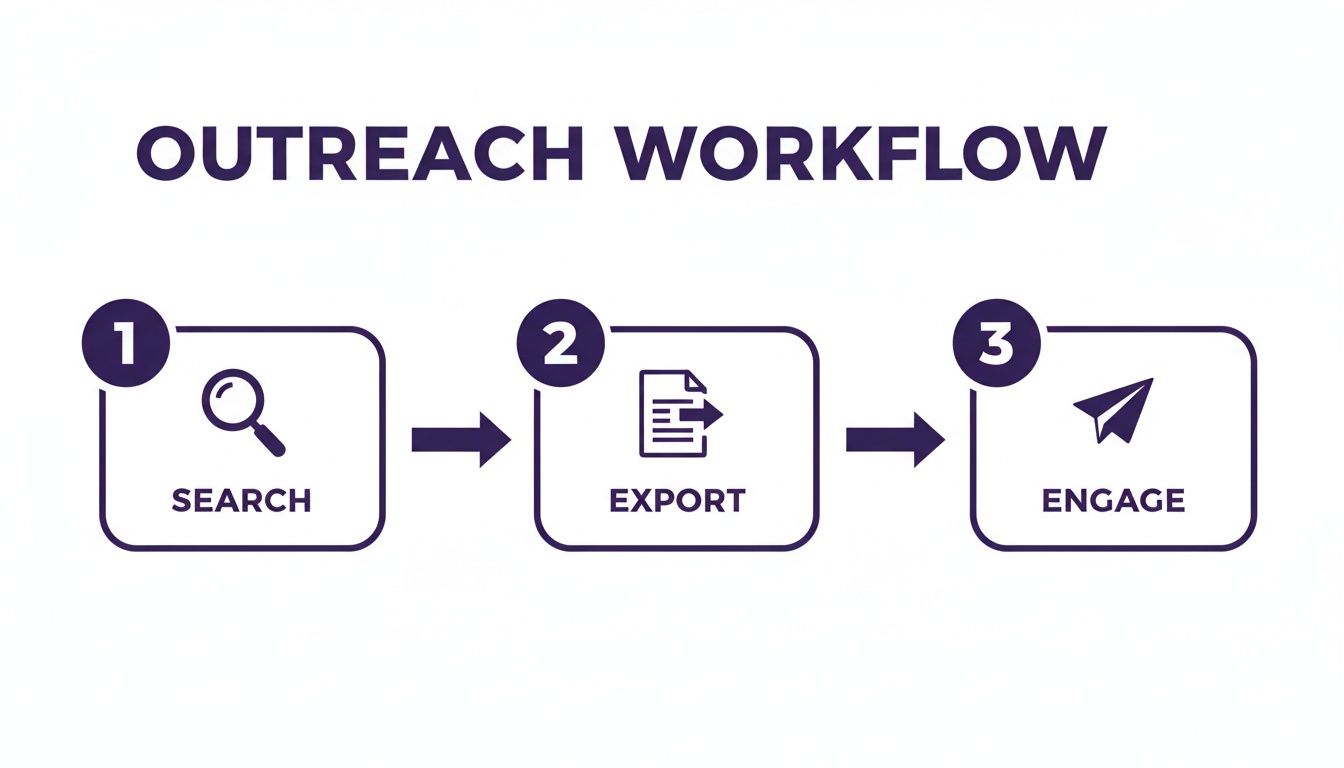
This process turns a powerful search into a scalable outreach system, connecting your manual discovery with automated engagement.
Forgetting the Power of Negative Keywords
On the flip side, getting a ton of irrelevant results is just as frustrating. The usual culprit? Forgetting to use negative keywords. A search for "need a new logo" can easily pull up hundreds of tweets from designers, not from founders who are actually looking to hire.
Your negative keywords are just as important as your positive ones. They act as a bouncer, keeping all the noise out of your search results.
Always add exclusions to clean up your feed. A few must-haves for most B2B searches include:
-job,-jobs,-hiring-free,-giveaway-http,-https
This one step alone can improve the quality of your search results by over 50%.
Once you have a clean list, you can use a tool like DMpro to export these leads and kick off your outreach campaign without any manual filtering. It’s all about building a solid list from the start.
Founder FAQs on X Lead Gen
As you dive into advanced search on Twitter, a few common questions will pop up. I get asked these all the time, so here are the straight-up answers, founder-to-founder.
Can I Save My Advanced Searches?
Yes, and you absolutely should. Twitter lets you save up to 25 searches per account.
Once you’ve nailed a great query, just click the three-dot menu next to the search bar and select "Save search." This is a game-changer for monitoring hot leads daily without re-typing everything.
Should I Use the Search Bar or the Advanced Search Page?
Good question. The official advanced search page is fantastic when you're just getting started. It lays everything out in a simple form.
But once you're comfortable with operators like from:, since:, and -job, you'll find it's way faster to just type them directly into the main search bar. As a founder, every minute counts, and building these queries on the fly will speed up your prospecting.
How Do I Find Leads in a Specific City?
This is incredibly powerful for local businesses or geo-targeted campaigns. The key is using the near: and within: operators.
For instance, a search like ("need a marketer") near:"Austin" within:10mi will pull up tweets from anyone within a 10-mile radius of Austin who's asking for marketing help.
You can then take that list and feed it into an outreach tool like DMpro to start conversations with people right in your backyard.
Wrapping It Up: Your Next Move
So, what's the big takeaway? Mastering Twitter's advanced search isn't just a neat trick—it’s how you uncover a stream of high-intent leads that most of your competitors don't even know exist. When you ditch basic keyword searches, you stop guessing and start building a real pipeline.
The real power isn't just in finding these conversations; it's about what you do next. It’s about building those hyper-targeted lists and kicking off genuine conversations that lead somewhere. The methods we’ve walked through are your blueprint for creating a repeatable, scalable outreach engine.
If you’re tired of manually sending DMs every day, try DMpro.ai — it automates outreach and replies while you sleep.
Ready to Automate Your Twitter Outreach?
Start sending personalized DMs at scale and grow your business on autopilot.
Get Started Free