
How to Send a DM on Twitter for Founder Growth
Learn how to send a DM on Twitter (X) to generate leads. This guide covers the basics, writing effective messages, and scaling outreach for founders.
Sending a direct message on Twitter is so much more than just firing off a note. For founders like us, it’s about opening a private line to people who can change our business—customers, partners, and investors. This is where we stop broadcasting and start building relationships that scale.
Why Twitter DMs Are Your Untapped Growth Channel
As founders, we're all looking for an edge. We spend hours crafting public posts, hoping they catch fire. But the real magic—the conversations that actually move the needle for a SaaS company—happen in the DMs. The public feed gets attention; the DMs make connections.
Shifting my focus from the timeline to the inbox was a game-changer. My outreach went from a megaphone shouting into the void to a quiet, one-on-one conversation. This is how you stop being another brand and become a person someone trusts.
From Broadcasting to Building Relationships
Think of your DMs as your startup's private meeting room. It’s a space where you can cut through the noise and connect directly with people who matter. This isn't about spamming links; it’s about starting genuine dialogues.
The mindset shift is everything. Stop seeing DMs as just another feature. Start seeing them as a strategic channel for growth where you can:
- Generate qualified leads: Engage directly with users showing interest in your niche.
- Build key partnerships: Reach out to other founders for collaborations in a personal, direct way a public tweet can't match.
- Get unfiltered feedback: Ask potential customers what they really think, away from the public eye.
"I realized my most valuable conversations were happening in private. Each DM was a chance to understand a customer's pain point, offer a solution, and build a relationship that public tweets just couldn't replicate."
The Power of a Direct Connection
This whole approach is about building a scalable distribution model, one conversation at a time. For instance, instead of just announcing a new feature publicly, I started DMing a handful of power users to get their thoughts first. This not only provided priceless feedback but also made them feel like insiders, strengthening their loyalty. For more strategies, check out our guide on messaging on Twitter.
To get the most out of Twitter DMs as a growth channel, weave them into a broader strategy. Understanding essential content marketing best practices can give you a solid framework for making your DM outreach much more effective.
The Nuts and Bolts of Sending DMs on Any Device
Before you can build relationships, you need to know how the tools work. Let's get the basics down so the tech never slows you down. Whether you're at your desk or on the move, sending a DM on X is simple. Mastering it is the first step to turning public chatter into private, productive conversations.
The feature has been a core part of the platform forever, but for founders, it’s become the go-to channel for real business. It's how you take a public interaction and turn it into something more focused.
This is where a simple DM fits into the larger strategy of turning outreach into actual results.
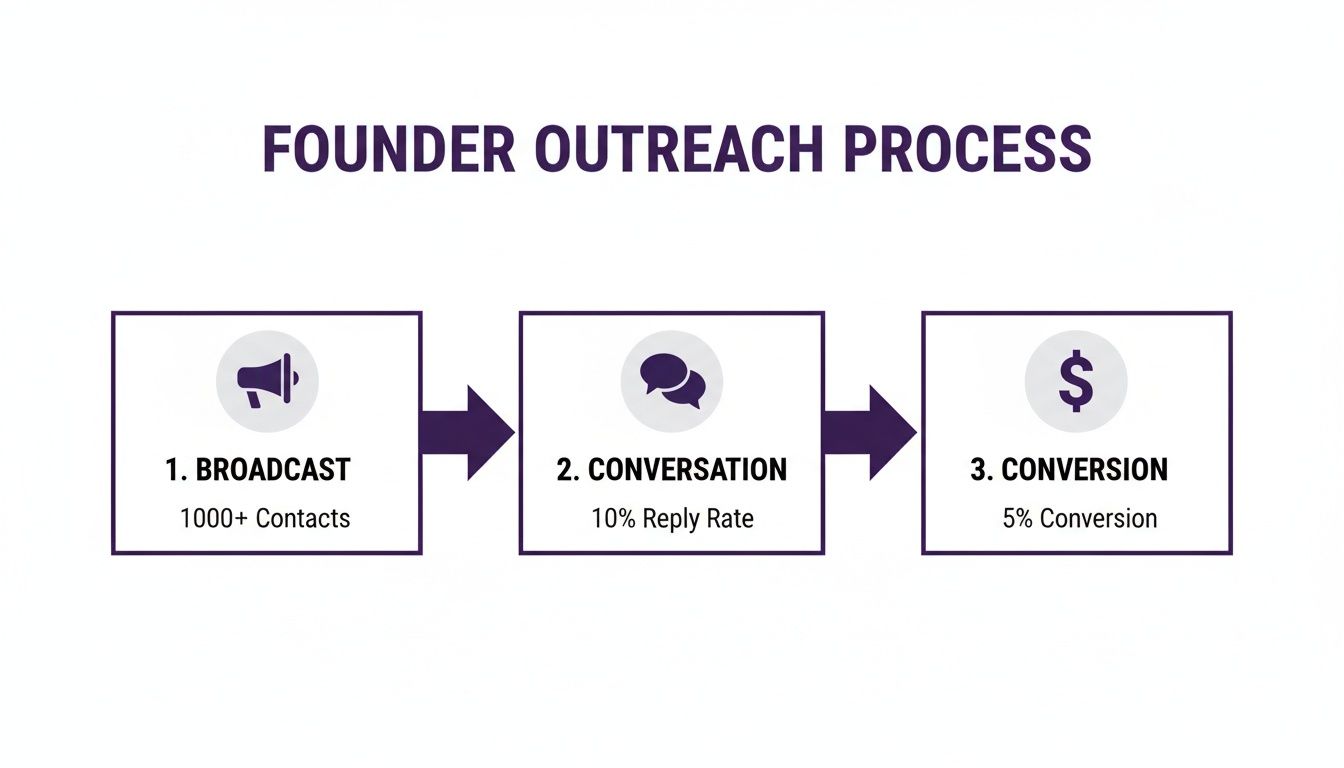
Think of DMs as the bridge. They connect your broad public message to the one-on-one conversations where partnerships are formed and deals get closed.
Here's a quick breakdown of how to send a DM from the most common platforms.
Quick Guide to Sending DMs on Twitter/X
| Platform | Primary Method | Key Tip |
|---|---|---|
| Web/Desktop | Go to a user's profile and click the envelope icon. | You can also start from your "Messages" tab and search for a user to initiate a new chat. |
| Mobile App (iOS/Android) | Tap the envelope icon on someone's profile page. | The floating blue message icon in your inbox is the fastest way to start a new conversation from scratch. |
This table covers the essentials, but let's walk through the specifics.
Firing Off DMs from Your Web Browser or Desktop App
When you're at your desk, the web or desktop app is your command center. It's incredibly efficient.
The most direct way is to go to the profile of the person you want to message. Look for the envelope icon next to their follow button. A quick click, and a message window pops right up.
You can also head straight to your "Messages" tab on the left-hand navigation bar. From there, click "New message" and type in the name of the user you want to reach.
Sending a DM from the Mobile App
Connecting on the go is just as easy, which is perfect for those moments of inspiration when you're away from your computer.
On a user's profile, just tap the familiar envelope icon. Or, if you're in your main messages inbox, tap the floating blue message icon in the bottom right corner to kick off a new chat.
The mechanics are simple on purpose. With recent updates, DMs are now encrypted, which is a huge deal for private business conversations. That added security is crucial, especially since 53% of users now contact brands for customer support via X and expect a quick, secure reply.
It's Not Just About Text Anymore
A plain text message works, but you can do so much better. Using rich media makes your outreach feel more personal and helps you stand out.
As a founder, I’ve found that a quick voice note or a relevant GIF can break the ice far more effectively than a block of text. It shows you're putting in extra effort.
Don't be afraid to use the tools X gives you:
- Images & Videos: Tap the picture icon to share a visual—perfect for showing off a product feature or a quick demo.
- GIFs: A well-chosen GIF can add a touch of personality that humanizes your message instantly.
- Voice Notes: This is a game-changer. Tap the sound wave icon to record a short audio clip. It’s personal, authentic, and hard to ignore.
Getting these mechanics down is your first step. For a deeper dive into building out your entire outreach system, check out our guide on getting started with DMpro.
How to Manage Your DM Inbox and Settings
Opening your DMs is a classic double-edged sword for a founder. You need to be accessible for leads and partnerships, but that can also mean a flood of spam.
The trick isn't to just flip an on/off switch. Think of your DM settings as a smart filter—one you can fine-tune to protect your time while catching every important opportunity. It's not just about knowing how to send a DM on X; it's about mastering the conversations coming in.
Choosing Your Accessibility Level
Dive into your X settings, head to "Privacy and safety," and find the "Direct Messages" controls. This is your command center.
You've got three main options:
- Allow message requests from Everyone: This throws the doors wide open. Anyone can message you. It guarantees you won't miss a thing, but you'll have to do some serious filtering.
- Allow message requests from Verified users only: A pretty good middle ground. This filters out a ton of low-effort spam, since only users with a blue checkmark can get through. It’s a smart way to cut down the noise.
- Allow message requests from only people you follow: The most locked-down setting. This is great for privacy but a dead end for inbound leads and organic networking.
For any founder serious about outreach, the choice is simple: set your DMs to "Everyone." You can't risk a potential star customer not being able to reach you just because you haven't followed them yet.
My personal strategy? I keep DMs open to "Everyone" but am ruthless with my "Message requests" folder. I sweep through it once a day, pull important conversations into my main inbox, and clear out the rest. This keeps my primary inbox focused on conversations that matter.
Fine-Tuning Your Inbox Experience
Beyond those main permissions, a few other toggles can make a difference. For example, you can turn read receipts on or off. I leave them on. It lets important contacts know I've seen their message, even if I need a moment to craft a thoughtful reply.
The data shows how critical this channel is. DM campaigns on X can pull in 300% more clicks than email, and 64% of users would rather message a business than pick up the phone. If you want to dig deeper, you can explore these insightful X statistics.
Managing your inbox this way is a proactive move. It lets you keep your door open for opportunity without letting the noise overwhelm your day.
Crafting DMs That Actually Get Replies
Knowing how to send a DM is easy. Knowing what to write to get someone to reply? That's where most founders trip up. A generic, copy-pasted message is the fastest way to get ignored.
Personalization isn’t just a buzzword; it’s the only thing that works. Your goal isn't just to get a reply; it's to start a real conversation.

The Anatomy of a Winning Cold DM
A great cold DM has a simple structure. You're sending a short note that respects their time and immediately offers value.
I’ve found this framework works wonders:
- The Personalized Hook: Start with something specific you noticed about them. Did you love a recent article they wrote? Mention it. This shows you've done your homework.
- The Value Proposition: Briefly connect what they do to what you do. How can you help them? This isn't a hard pitch. It's building a small bridge between your worlds.
- The Low-Friction Ask: End with a simple call to action that's easy to say "yes" to. Instead of asking for "15 minutes," try something like, "Mind if I share a one-pager on how we do this?"
I once sent a DM that just said, "Loved your take on scaling SaaS with PLG. We're facing that exact challenge. Any quick advice?" That simple question got a reply and led to a major partnership.
Real-World Examples: The Good and The Bad
Let's look at two examples. The difference is night and day.
The Bad DM (The kind I used to send): "Hey [Name], I saw you're in the SaaS space. My company helps founders get more leads. Do you have 15 minutes to chat this week?"
This is generic, all about me, and immediately asks for their time. It has about a 0% chance of getting a reply.
The Good DM (The kind that actually works): "Hey [Name], just read your thread on B2B lead gen. Your point about personalization at scale really hit home. We're building a tool to solve that exact problem. Would you be open to seeing how it works? No pressure at all."
See the difference? It's specific, shows I engaged with their content, connects their problem to my solution, and ends with a low-pressure question.
The power of DMs is undeniable. Research shows X users are 2x more likely to make in-app purchases after a DM conversation, and 64% prefer messaging a business over calling them. You can dive deeper into these powerful X engagement statistics to see just how vital this channel is.
Writing a great DM is half the battle. If you're stuck for ideas, a free AI writer can be a lifesaver for generating fresh hooks and personalized message angles quickly. At the end of the day, a good DM is about respect.
Scaling Your Outreach Without Being a Spammer
<iframe width="100%" style="aspect-ratio: 16 / 9;" src="https://www.youtube.com/embed/3OR6sMC1dEY" frameborder="0" allow="autoplay; encrypted-media" allowfullscreen></iframe>So, you've mastered the one-on-one DM. The next question every founder asks is, "How do I do more of this without spending my entire day on Twitter?"
Manual outreach is a grind. It’s effective, but it doesn't scale. If you want real growth, you have to move from manual effort to a smarter system. This is where automation, done right, becomes a game-changer. The goal isn't to blast out a thousand generic messages; it's to start a thousand genuine conversations, efficiently.
From Manual Grind to Automated Flow
Think about the repetitive parts of your DM strategy—usually the initial discovery and that first "hello." This is the heavy lifting automation was built for, freeing you up to focus on the actual conversations.
A tool like DMpro.ai can handle that first touchpoint for you based on specific triggers. Imagine automatically sending a personalized welcome message to:
- New followers who look like your ideal customer.
- Someone who likes or replies to one of your key tweets.
- Users who engage with a competitor's content.
This isn't spam. It’s strategic, relevant engagement at a scale you could never hit manually. It’s about being in the right place at the right time, every time. For a deeper dive, check out our guide on automated direct messages on Twitter.
Keeping Personalization at Scale
The biggest fear with automation is sounding like a robot. I get it. But modern tools are designed to avoid this. You can create smart message templates with dynamic fields that pull in a person's name, company, or even reference their bio.
The real unlock is realizing automation isn't about removing yourself from the conversation. It’s about automating the invitation to the conversation, so you can spend your time talking to warm, interested leads.
For founders aiming to build a truly targeted outreach list, enriching your Twitter strategy with insights from other platforms is key. Understanding practices like ethical data collection for lead generation can help you build a high-quality list before you even send the first DM.
Ultimately, scaling your DMs is about building a predictable engine for growth. It turns lead generation from a time-sucking task into a consistent process that runs in the background.
Got Questions About Twitter DMs? Let's Get Them Answered
Once you start using Twitter DMs for growth, you'll run into a few tricky situations. Let's tackle the questions I hear most often from other founders.
What’s the Real Deal with Daily DM Limits on Twitter?
To keep spam under control, X caps how many DMs you can send. For a standard account, you’re looking at a limit of 500 DMs per day. If you have an X Premium subscription, the number is higher, though X keeps the exact figure under wraps.
Honestly, if you're trying to hit that 500-DM limit by hand, you're on a path to burnout. That’s a massive amount of manual work. Hitting that ceiling is a clear signal that you need a smarter system, which is when automation becomes a founder's best friend.
A tool like DMpro, for example, is built for this. It intelligently manages your sending volume to ensure you stay well within the platform's rules so your outreach campaign runs smoothly without getting your account flagged.
Can People Tell When I’ve Read Their DM?
Yes, they can—if you have read receipts turned on. It’s that little checkmark that turns blue after you've opened the message.
My two cents? Keep them on. As a founder, it’s a subtle way of showing respect. It lets a potential partner or client know you've seen their message, even if you need a few minutes to craft a reply. It builds trust.
If you want to turn them off, head to your "Privacy and safety" settings. Just know it’s a two-way street: if you disable yours, you won't see when others have read your messages either.
How Can I Tell if Someone Blocked Me?
X won't send you a notification if someone blocks you. The signs are much quieter. The most obvious giveaway is that you simply won't be able to DM them anymore.
If you go to their profile, you’ll likely see a message confirming you've been blocked. Don't sweat it. It’s not personal—it’s just business. Your time is too valuable to worry about one closed door when thousands of others are waiting to be opened.
Can I Actually Unsend a Twitter DM?
You sure can. We've all sent a message with a typo or had a change of heart. X lets you delete a message from the conversation for everyone, not just yourself.
On your phone, just press and hold the message. On the web, click the three dots that appear next to it. You’ll see an option like "Delete for you and [Their Name]." Choose that, and the message is gone from the chat history on both ends.
If you’re tired of manually sending DMs every day, try DMpro — it automates outreach and replies while you sleep. See how it works at DMpro.ai.
Ready to Automate Your Twitter Outreach?
Start sending personalized DMs at scale and grow your business on autopilot.
Get Started Free