
Outreach Automation Guide: How It Works and Stays Safe
By DMpro team
Outreach automation explained: how automated sequences and reply workflows run, the X limits to plan for, and how to use them responsibly.
It's 11pm and you've sent 40 DMs by hand today. Copy a first name, paste a line about someone's product launch, hit send, open the next profile, repeat. Somewhere in that pile a prospect replied two days ago and you never answered, because the tab closed and nothing in your spreadsheet told you to follow up.
That's usually the moment a founder starts looking at outreach automation. Not because a robot writes better messages, but because the manual version stops at a few dozen sends a day, and the follow-ups are the first thing to fall apart.
Here's how the parts work, where they break, and what should stay in your hands.
What Outreach Automation Means in Plain Terms
Outreach automation is a set of rules that sends the right message to the right person at the right time, so you don't press send every time yourself. The closest comparison is a mail merge that also waits, follows up, and changes direction when someone replies.
The history explains the mechanics. Email marketing started in the mid-1990s as batch-and-blast: one message, a large list, identical content to everyone at once. By the late 1990s, dedicated platforms were adding lead scoring, automated sequences and campaign management. EmailCloud's timeline of marketing automation history traces that shift, naming Eloqua, founded in Ottawa in 1999, as one of the earliest platforms built specifically for the job, with Marketo and HubSpot arriving in 2006 and Pardot in 2007. What changed over those years wasn't the sending. It was the branching.
This is what that looks like for someone building a first campaign.
Every working setup has the same three ingredients:
- A lead list. Prospects pulled from somewhere relevant, whether that's followers of a competitor, members of a community, or people who replied to a post about the problem you solve.
- A message workflow. A first message, waiting periods, follow-ups, and usually a branch that stops everything when someone replies.
- A response log. One place that records who was contacted, what they said, and what happens next.
On X, this means collecting prospects from relevant accounts and giving each lead its own message schedule instead of a single send date. DMpro runs the same model: lead discovery from followers, communities, keyword matches and bios, a personalized first message per prospect, timed follow-ups, and reply tracking that pauses the sequence.
The one-line definition worth remembering: outreach automation is lead collection plus a timed message workflow plus response tracking, running without you in the loop until someone replies.
The rest of this comes down to how those parts run, where they fail, and what you can't hand over.
Where Automation Saves Time and Where It Does Not
Ask a founder where Monday went and the answer is rarely "selling."
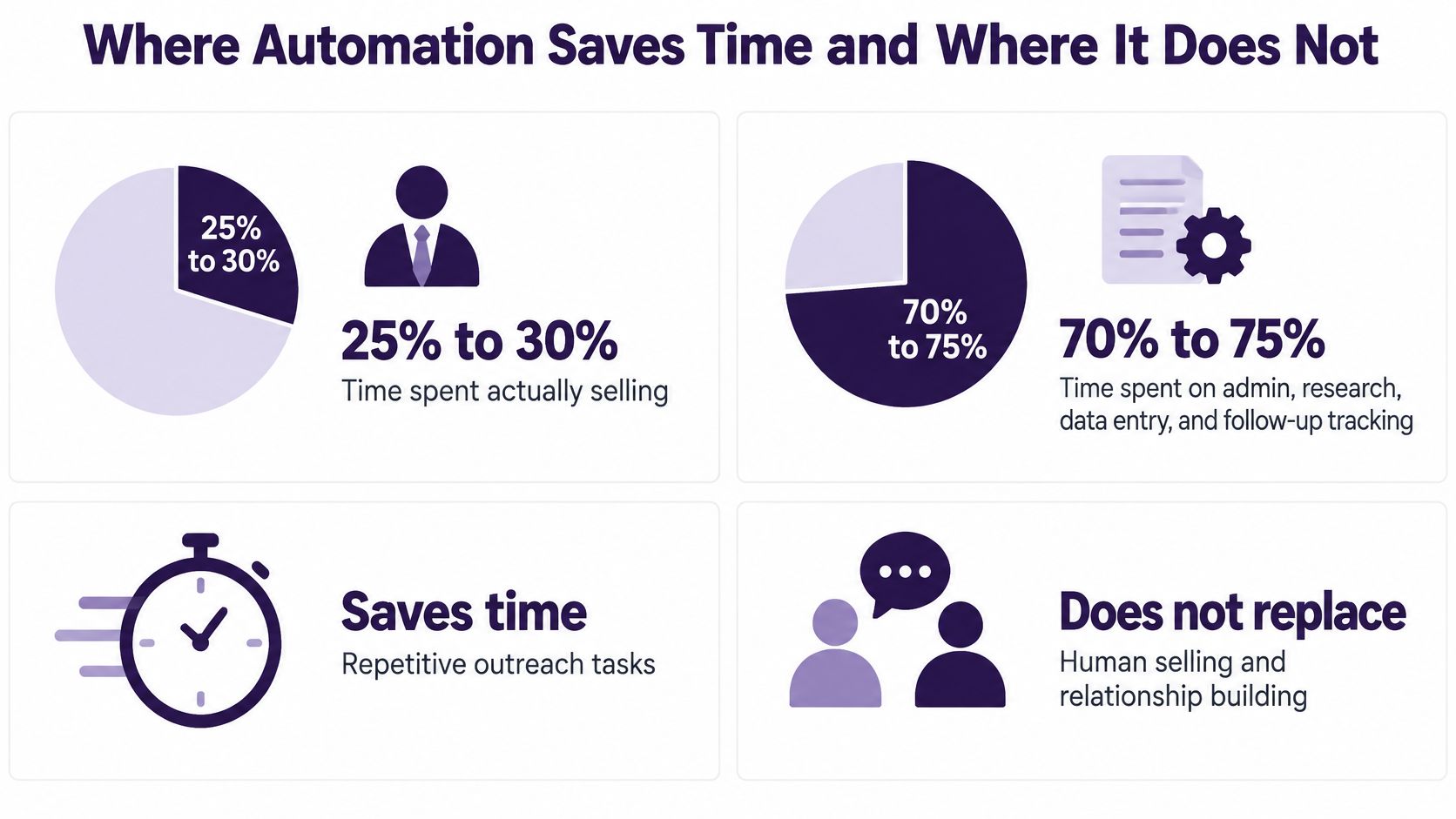
The time split is well documented. McKinsey's sales automation analysis reports that high-performing sales representatives spend 20% to 25% more time with customers than lower-performing ones, and that standardizing non-customer-facing work frees capacity for research, negotiation prep and actual conversations. Benchmarks in that body of work put reps at about 25% to 30% of working time on actual selling, with roughly 70% to 75% consumed by admin, research, data entry and follow-up tracking. One reported benchmark puts the saving from automating manual sales tasks at about 6 hours per representative per week; another cites a 14.5% average productivity increase among teams using sales-force-automation software.
Read those numbers as a map of where automation pays.
| Task | Manual work | What automation handles | What stays human |
|---|---|---|---|
| Finding prospects | Searching profiles and keywords by hand | Collecting leads from followers, replies, keywords and bios | Deciding who fits the offer |
| Writing first messages | Copying and editing for each person | Drafting personalized copy from profile details and recent posts | Checking tone and claims |
| Sending and follow-ups | Remembering who got what and when | Scheduling waits and follow-up messages | Approving sensitive sends |
| Tracking results | Updating spreadsheets by hand | Logging replies and lead statuses | Deciding what to change next |
Where Automation Stops Paying
The left side of that table is arithmetic. The right side is judgment, and judgment is where campaigns die.
Software can't tell you that a prospect raised a competitor's round last month and is now out of budget. It can't write an offer that's compelling, because your offer is a business decision, not a template variable. And it can't handle the reply that says "we tried something like this and it didn't work, here is the reason" without making you sound like a bot.
What it can do is make sure that reply arrives while you still remember the context.
The working rule I'd give any founder: automate the tasks that are repetitive and rule-based, and leave the ones where being wrong costs you a relationship.
Recovered hours should go somewhere specific, not into "more outreach." Put them into qualifying harder before you send, writing sharper first lines, answering replies the same day, and getting on calls. Personalized outreach at scale covers how to keep that human part from becoming the bottleneck as volume grows.
Before you buy anything, try this. List the three tasks that eat the most time in your week. Automate only the ones where the input is data and the output is predictable. If a task requires you to read a person's situation and decide something, it stays with you.
Consent, Opt-Outs and Human Oversight
Many teams file consent under legal and move on. On X, consent is a workflow variable, and if your system doesn't store it as one, your sequence is one bad send away from a problem.
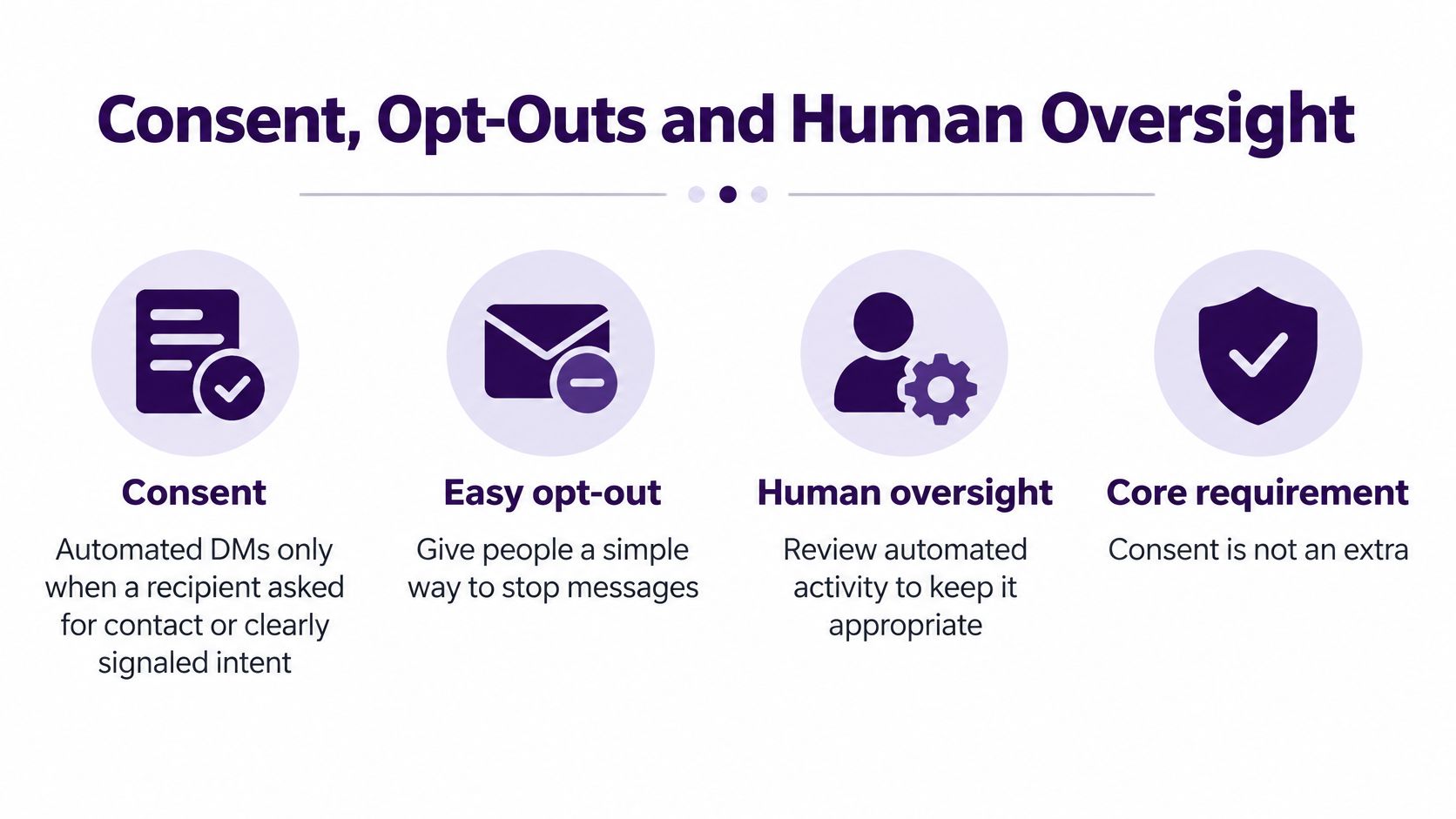
X's automation rules are explicit: unsolicited bulk or automated direct messages are prohibited, automated DMs are allowed only when recipients previously requested contact or clearly indicated intent to be contacted, and senders must give an easy opt-out and honor it promptly. The developer policy that sits behind those rules asks for the same thing, plus no bulk, aggressive or spammy behavior.
That reframes your lead sources. Pulling prospects from followers, community members, tweet repliers, keyword matches or bios is targeting data. It tells you who might care. It is not evidence that they asked to hear from you.
The Checklist I'd Set Up Before the First Send
- Store consent with a date. Every lead carries a status and the day it was recorded. If you can't say when and how someone signalled interest, treat it as absent.
- Block sends on missing consent. The sequence checks consent state at send time, not at import time. Anyone who slips through gets held, not messaged.
- Run one global suppression list. Shared across campaigns and accounts. A person who opted out of one offer should never receive another from a second account you happen to run.
- Wire opt-outs to kill every branch. A stop request ends queued follow-ups immediately, including the ones scheduled for next week.
- Route positive and sensitive replies to a person. Anything with a question, a complaint or a personal detail goes to review before another automated message goes out.
- Label the account. X's developer guidelines call for automated accounts to be labeled, to identify who operates them, to link to a human-managed account, and to honor opt-outs immediately.
Why Human Review Is Good Business
AI drafting is now the default. HubSpot's 2024 sales survey found 20% of sales professionals using AI tools to support prospect outreach. By its 2025 sales strategy report, 37% of more than 1,000 global sales professionals surveyed were using AI tools, making AI the most-used sales-tool category. More drafts are being generated by machines than ever.
That makes review the scarce skill. A person should check claims, pricing, tone, and any profile detail that could feel intrusive if it's wrong. Models like to be agreeable, and an agreeable model will invent familiarity, reference a project that ended, or congratulate someone on a role they left.
Personalization improves relevance. It never substitutes for permission.
Watch negative signals as closely as replies: consent-qualified audience size, opt-out rate, how fast suppression takes effect, and messages blocked by policy checks. A campaign with a strong reply rate and a rising opt-out rate is telling you something the reply number hides. If you run several accounts, compliance monitoring covers keeping consent state and suppression in sync across all of them.
Platform Limits to Plan Around
Automation doesn't create sending capacity. It spends the capacity you already have, faster, which is why the first thing to break in a scaling campaign is the assumption that more accounts means more reach.
Start with the account ceiling. X's limits page states that accounts have a technical limit of 500 direct messages per day, and it applies across web, mobile, phone, the API and third-party apps rather than resetting per tool. X also notes limits can be temporarily reduced during heavy site usage. Once you're at the ceiling, nothing sends until it resets.
| Limit | Value | What it means |
|---|---|---|
| Direct messages per account per day | 500, shared across web, mobile, API and third-party tools | Automation cannot add capacity beyond it |
| API send operations per user per 24 hours | 1,440 | Hard ceiling for API-based senders |
| API send requests per 15-minute window | 15 | Bursty schedules hit throttles even at low daily volume |
| Response when a quota is exceeded | HTTP 429 until the window resets | Queue and back off instead of retrying |
| Identical DMs across accounts or repeated links | May be reported as spam; sending can pause for at least 30 minutes | Vary context, timing and targeting |
The API layer has its own arithmetic. X's API rate limit documentation allows up to 1,440 direct-message send operations per authenticated user per 24 hours, but the same send endpoints are capped at 15 requests per 15-minute window. Exceed it and you get HTTP 429 responses until the window resets.
That's the trap. A campaign can send 200 messages in a day, well under the daily ceiling, and still get throttled because it fired 20 in four minutes.
What to Do When You Hit a 429
Build the scheduler to respect the short window, not just the daily total. Practically, that means a per-account token bucket or leaky-bucket queue, persisted reset timestamps, exponential backoff after each 429, and separate queues for each account and endpoint. Retrying in a loop makes it worse, because the traffic pattern is exactly what the throttle exists to stop.
Duplicates are the other soft limit. X's authenticity rules warn that sending duplicate DMs to multiple accounts, including repeatedly sending the same link, may be reported as spam and can temporarily prevent an account from sending. The FAQ says to wait at least 30 minutes without another attempt before sending is restored.
The practical answer is pacing set conservatively from the start: spread sends across the day, keep gaps between messages irregular rather than perfectly even, and treat any throttle signal as a reason to slow down instead of a problem to retry through. If you're mapping your own schedule, this breakdown of the Twitter DM limit is worth reading before you set pacing.
One last measurement point: count queued, attempted, accepted, throttled, failed and replied messages separately. A single "sent" figure overstates delivery, and if it's the number you divide replies by, your reply rate is wrong in the flattering direction.
How an Automated Sequence Runs Step by Step
Here's one sequence from start to finish, with the reason behind each decision.
1. Build the audience. Collect prospects from followers of relevant accounts, community members, tweet replies, keyword matches or profile bios, then filter against your criteria before anyone enters the workflow. The filter is the cheapest quality control you'll ever run. If your list includes people who clearly can't buy, every later step wastes capacity.
2. Write the first message with variables, then personalize it. Profile details and recent posts give you specifics a template can't. If your sequence is triggered by something, a form fill, a follow, a keyword match, then the message that fires is what a trigger email actually is in DM form: one event, one relevant message, no delay. The test is simple. Would this message make sense if you swapped in a different person's name? If yes, rewrite it.
3. Set the wait. A few days between the first message and the follow-up, sent inside the recipient's active hours rather than yours. Too fast reads as pressure. Too slow and the context is gone.
4. Send and check the state. Each lead moves from queued to sent to replied, and sending respects the account's limits. You want to see the state of every lead, not just a total.
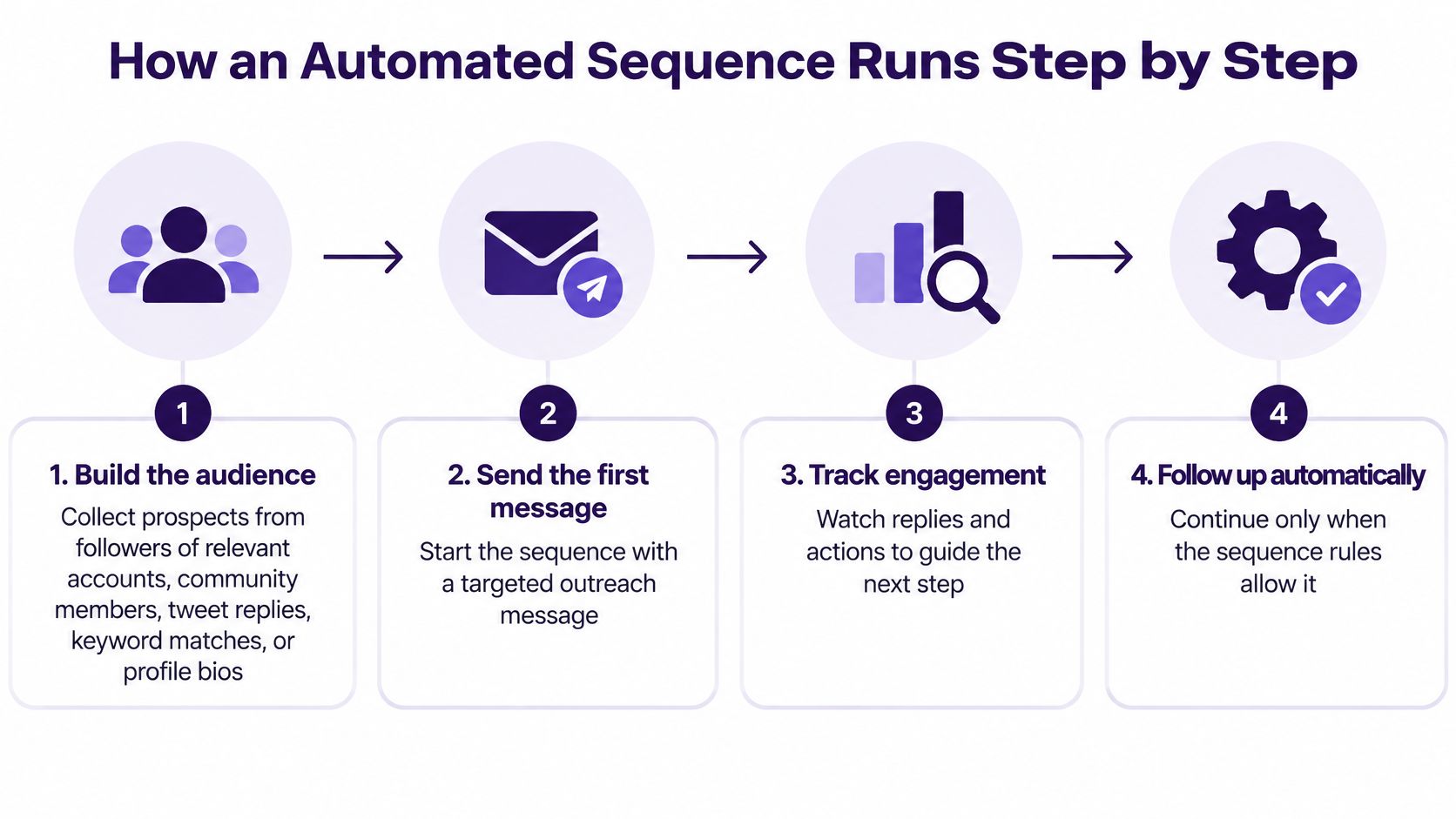
5. Branch on the reply. A reply pauses the sequence and routes the lead to a person or to a response rule. Nothing automated should land after someone has answered.
6. Stop cleanly. No reply after the last follow-up means the lead is marked and the sequence ends. Silence is an answer, and a fourth message rarely changes it.
What a Healthy Campaign Looks Like
Steady daily sends that stay under the caps. Reply rates tracked for each step, so you know whether the first message or the follow-up is doing the work. Zero leads receiving automated messages after they've replied. And an opt-out count you could explain out loud.
A sequence that stops when it should is worth more than one that sends more.
The most common failure mode isn't bad copy. It's a sequence that keeps firing because nobody wired the stop condition. Fix that first, then optimize wording.
Reply-Based Workflows in Real Examples
Say a founder targets 200 SaaS operators who recently posted about onboarding problems. The first message references that specific post. Three days later, a follow-up goes out, but only to the leads who stayed silent. Everyone else is already somewhere else in the workflow.
That "somewhere else" is the part most tools get wrong. Branching is only useful if the branches match the replies people send.
| Reply type | Workflow action | Who acts next |
|---|---|---|
| Positive interest | Move lead to human review and propose a call | Founder or writer replies personally |
| Product question | Pause the sequence and route to a reply | Human answers with specifics |
| Not now | Pause follow-ups and tag the lead for a later date | Reviewed on the scheduled date |
| Opt-out or stop request | End all queued messages and add the lead to the suppression list | Nobody, the opt-out must be honored immediately |
| No reply after the last follow-up | Mark as no response and end the sequence | Reviewed later for list quality |
Start with the opt-out row, because it's the one that can't bend. It doesn't matter whether the sequence had two more messages scheduled or whether the timing was finally perfect. The lead leaves everything at once, and no other campaign touches them.
The "not now" row deserves more attention than it gets. A prospect who says "circle back in Q3" is a warm lead with a date attached, not a rejection. Tag it, schedule the review, and don't let the automated sequence keep nudging them in the meantime.
Now a second setup. An agency runs three client accounts in the same niche. The lazy version uses one message, sent from all three, with the same link. That's the pattern X's authenticity rules describe as spam risk, and it also produces three identical replies from the same person.
The version that works gives each account its own copy, its own pacing and its own audience slice, so a prospect who follows two of the clients gets one relevant message rather than three generic ones. Keeping trust while automating DMs covers the tone side of that, and how to reply to a tweet covers the craft of answering well once the conversation starts.
One check before launch: read through your reply categories and compare them with the last fifty replies you received. If half the incoming replies are "who are you" or "we already use someone", your workflow has no branch for them and a person will handle it late.
Start One Small Automated Campaign This Week
Don't rebuild your whole pipeline. Pick one offer, one audience of about 50 to 100 prospects who clearly fit and have shown some sign of interest, and one three-step sequence: a first message, one follow-up, one reply branch.
Then set it up in three moves:
- Connect the account and set preferences. Choose the sending window, the pacing and the limits you want enforced per day.
- Define targets and templates. Decide who qualifies, write the first message and the follow-up, and put a schedule on both.
- Launch and watch the dashboard. Follow sent messages, contacted leads, replies and the state of each lead as the campaign runs. Review after the first week before you add volume or accounts.
Keep your own pacing well below the account ceilings, keep every message specific to the person receiving it, and read the first batch of replies yourself. That first week tells you more about your offer than any campaign setting will.
This is the model DMpro runs on X. You define your ideal prospects and message templates, and DMpro handles the outreach, with follow-up sequences that pause when a prospect replies and resume if they go cold. Campaign details show readiness and per-lead progress, so your week-one review rests on what each lead did rather than on a send counter.
If you're spending your evenings copying first names into messages, that work is exactly what DMpro was built to take off your plate. It automates cold DMs on X and schedules follow-ups that stop the moment someone answers. Go to DMpro and set up your first campaign this week.
Put your outreach plan into practice
Find relevant leads on X (Twitter), personalize your messages, and manage the replies in DMpro.
Get started