
How to Search on Twitter: A Founder's Guide to Finding Leads
Learn how to search on Twitter with advanced operators and filters. This founder-focused guide shows you how to find qualified leads and scale your outreach.

Getting good at searching on X (formerly Twitter) isn't about just plugging keywords into the search bar. It's about building a repeatable system that hones in on user intent—the problems your future customers are trying to solve right now. This is where you stop scrolling and start hunting for real leads.
Stop Guessing and Start Searching with a System
Let's be real for a second. Most founders treat X search like a slot machine. They type in a few keywords, pull the lever, and hope a good lead pops out. That’s a shot in the dark, and it leaves a ton of high-intent prospects completely undiscovered.
To actually scale your SaaS distribution, you need a mental shift. Stop thinking of X as just another social network. Start treating it like what it really is: a massive, real-time database of potential customers publicly talking about their problems, needs, and buying signals.
Shift from Passive Listening to Active Hunting
The secret to tapping into this database is to switch from a passive mindset to an active one. Don't just "listen" for your brand name to be mentioned. You need to actively hunt for conversations that signal someone is ready to buy.
This all starts with getting inside the head of your ideal customer. What are they actually doing on the platform?
- Are they asking for recommendations for tools just like yours?
- Are they venting about a specific pain point your product solves?
- Maybe they’re celebrating a business win that makes them a perfect fit for your service.
- Are they talking to your competitors or well-known industry influencers?
Each one of these actions screams a different kind of user intent. Once you know what signals to look for, you can build search queries that serve up a steady stream of qualified leads. This systematic approach is a core part of effective sales prospecting best practices.
Why User Intent is Your Secret Weapon
The opportunity here is massive. We're talking about a platform with over 106 million users in the US and 69 million in Japan. As of March 2023, Twitter.com was the sixth most visited website on the planet, pulling in 2.3 billion unique visitors. With that many people, you can bet someone is asking for a solution like yours right now.
For a deep dive into all the ways you can leverage the platform's search features, check out this ultimate guide to searching on Twitter.
The goal isn't just to find tweets; it's to find people on the verge of a buying decision. A systematic search process turns random browsing into a predictable lead generation engine that you can scale.
Ultimately, this is about building a repeatable system, not just getting lucky. Instead of spending hours manually digging through feeds, you can set up targeted searches that bring the best opportunities directly to you. Better yet, tools like DMpro can automate these complex searches to run 24/7, constantly feeding your pipeline with high-intent leads while you focus on actually closing deals.
Using Advanced Search Operators for Pinpoint Targeting
Alright, this is where the real magic happens. We're moving beyond the basic search bar—which is great for catching up on trends but pretty useless for lead gen—and into the world of advanced search operators.
Think of these operators as your secret weapon. They’re a set of simple commands that let you tell X exactly what you’re looking for, filtering out all the noise. This is how you stop casting a wide net and start spearfishing for high-intent prospects.
Mastering these isn't just a neat trick; it's the key to building a repeatable system for finding leads. You can construct queries to find marketing VPs complaining about their CRM, SaaS founders asking for API recommendations, or agency owners looking for better outreach tools. It’s all about finding the right conversations to join.
A successful search always follows a simple, repeatable process: you start with your goal, build a precise query to match it, and then analyze the results.
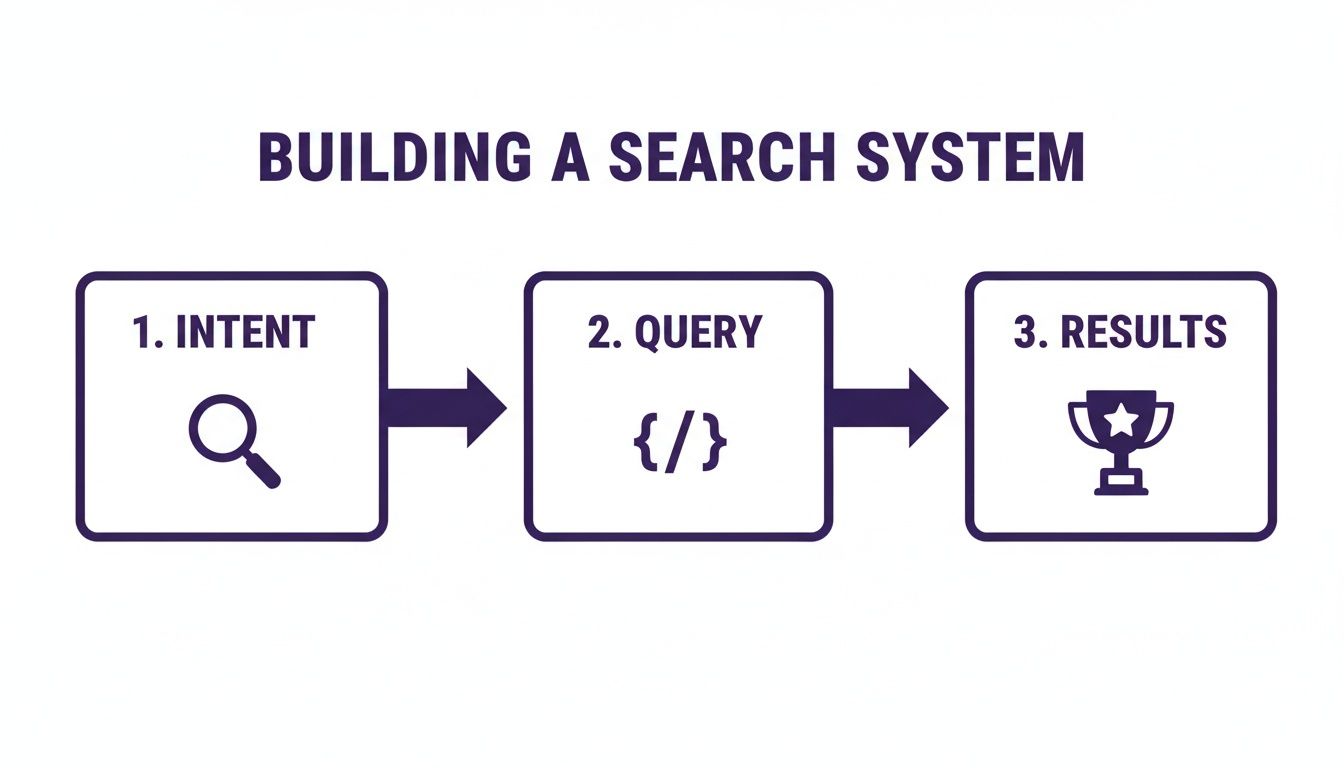
This intentional approach is what turns random searching into a predictable pipeline of potential customers.
The Building Blocks: Boolean Logic
Before we get into the nitty-gritty, you need to get comfortable with the three core logical operators. They’re the foundation for combining or excluding keywords in your search.
- AND: This tells X to find tweets containing all of your keywords. Just using a space between words does the same thing. For example,
“crm recommendation” AND “saas”will only pull up tweets that mention both phrases. - OR: This operator widens your search, looking for tweets with either one keyword or the other. It's perfect for finding variations of a common problem, like
“hate my CRM” OR “CRM is slow”. - - (Minus Sign): Your go-to for excluding terms. Stick it right in front of a word you want to eliminate from your results. If you’re looking for paid software recommendations, a search like
“social media tool” -freefilters out all the chatter about freebies.
Once you’ve got a handle on these three, you can start layering on more specific commands to get hyper-targeted.
My Go-To Operators for Finding Leads
I've been doing this for a long time, and I've boiled my process down to a handful of operators that consistently bring in quality leads. If you want to get really good at this, it's worth mastering all of Twitter's advanced search features, but these are the ones I use day in and day out.
"exact phrase": Using quotes is non-negotiable for finding specific buying signals. A search forlooking for a new crmis worlds apart from"looking for a new crm". The quotes tell X you want that exact language.from:[username]: Ever wonder what a specific person or competitor is talking about? This is how you find out. For instance,“need a designer” from:saasfounder123lets you monitor high-value accounts for new opportunities.filter:verified: This one is a gem for cutting through the spam. It limits your search to tweets from verified (blue check) accounts, which are often established businesses, founders, or influential people in your industry.lang:en: Simple but essential. This ensures your results are only in English (or any other two-letter language code), so you don't have to wade through conversations you can’t act on.
Combining these is where you start to see some serious precision. Let's say you sell a project management tool. A query like ("trello alternative" OR "jira is clunky") lang:en -job -hiring will instantly surface potential customers who are actively looking for a new solution, while also filtering out all the irrelevant job postings.
Getting clear on these customer pain points is step one. If you need help, we've put together a guide on how to define these characteristics and build an ideal customer profile.
For a quick reference, here are some of the most valuable operators and how you can use them to find real business opportunities.
Essential Twitter Search Operators for Lead Gen
| Operator | What It Does | Lead Gen Example |
|---|---|---|
"exact phrase" | Finds tweets containing the exact words in that order. | "looking for a marketing agency" |
OR | Finds tweets with either one keyword or another. | (Zapier OR IFTTT) alternative |
-keyword | Excludes tweets that contain a specific word. | "content writer" -job -hiring |
from:[user] | Shows tweets sent from a specific account. | recommendation from:garyvee |
to:[user] | Shows tweets sent to a specific account. | question to:hubspot |
filter:verified | Restricts results to only verified accounts. | "need a crm" filter:verified |
min_faves:[number] | Finds tweets with at least a certain number of likes. | "saas tool" min_faves:25 |
since:[yyyy-mm-dd] | Shows tweets published after a specific date. | "seo help" since:2024-05-01 |
These operators are the building blocks. The real power comes from combining them into a single, highly specific query.
Putting It All Together with Date and Engagement Filters
Now, let's tie it all together. On a platform with over 200 million daily active users, conversations move incredibly fast. You need to find timely discussions, and that's where date and engagement filters come in. Using an operator like since:2024-01-01 helps you find recent conversations, which is critical on a platform that delivers 40% more ROI for brands than other social channels.
The magic isn’t in using a single operator; it’s in stacking them. A complex query might look intimidating, but it’s just a combination of simple commands designed to find a very specific type of person having a very specific conversation.
For example, what if we wanted to find influential founders who are talking about scaling issues?
We could build a query like this:
("scaling challenges" OR "growth hurdles") from:saasfounder OR from:startupceo filter:verified lang:en min_faves:10
Let’s break down what this query is doing:
- It looks for tweets about common startup pain points.
- It filters for tweets from accounts likely to be founders.
- It removes non-verified accounts to reduce noise.
- It ensures the results are in English.
- It only surfaces tweets that have at least 10 likes, indicating a conversation with some traction.
This is the kind of targeted search that you can plug into a tool like DMpro and have it run 24/7. Instead of you manually digging for these conversations, the system finds these high-value moments and tees them up for outreach. It turns a time-consuming manual task into an automated lead flow.
Layering Filters to Uncover Hidden Opportunities
Knowing the right search operators is a solid start, but that's only half the game. The real magic happens when you master filters, letting you slice and dice your results until you’re left with nothing but high-intent leads. This is where we go beyond simple text searches and start thinking like a pro.
Filters help you target prospects based on who they are, where they are, and when they’re talking. It’s the difference between fumbling for a needle in a haystack and having a powerful magnet pull that needle right to you.

Pinpointing People and Timely Conversations
Your search isn't just about what people are saying; it’s about who is saying it and when. This is where date and engagement filters become your secret weapon for cutting through the endless noise on X.
Think about it. A complaint from last year is ancient history, but one from yesterday? That’s a golden opportunity. It’s why I almost always slap a date filter onto my lead generation queries.
Here are a few of the filters I use constantly:
since:yyyy-mm-dd: This pulls up tweets posted after a certain date. It’s my go-to for finding fresh, actionable conversations.until:yyyy-mm-dd: The flip side, this one finds tweets posted before a specific date. Super handy for historical research.min_faves:[number]: This filter surfaces tweets that have at least a certain number of likes. A tweet withmin_faves:50has clearly hit a nerve.min_retweets:[number]: Just like thefavesfilter, this helps you find conversations that are picking up steam and reaching a wider audience.
Using engagement filters like min_faves is a simple hack for spotting influential voices and popular pain points. If a tweet complaining about a competitor gets 100+ likes, you’ve just found a validated problem worth digging into. Figuring out what resonates with an audience is a huge part of any good Twitter followers analysis.
A Real-World Example: Finding Conference Attendees
Let me show you how this works with a concrete example. Not long ago, a major SaaS conference was happening in Austin, and I knew my ideal customers would be there, venting about their challenges. I just had to find them.
So, I put together a layered query to find attendees who were talking about the exact problems my software solves. This is what it looked like:
("marketing automation" OR "lead nurturing") near:"Austin, TX" within:15mi since:2024-03-10 until:2024-03-12
Let’s break down what this query did for me:
- Keywords: It locked onto conversations around "marketing automation" and "lead nurturing"—the core problems we solve.
- Location Filter:
near:"Austin, TX" within:15mizeroed in on the physical area of the conference. No remote observers, only people on the ground. - Date Filter:
since:2024-03-10 until:2024-03-12narrowed the search to the exact dates of the event, filtering out all the pre-hype and post-event chatter.
The results were pure gold. I instantly had a feed full of marketing leaders attending the conference, talking about the specific pain points we could fix. It gave me a hyper-targeted list of people to start conversations with.
The most powerful searches are rarely just about keywords. They're about layering context—like location, time, and influence—to find the right person, in the right place, at the right moment.
This is the level of precision you should be aiming for. When you combine strong operators with smart filters, you create a system that consistently uncovers those hidden opportunities. It becomes a repeatable process you can run for any event, trend, or location that matters to your business.
And here’s the best part: this is exactly the kind of complex, high-value search you can automate. Instead of running it by hand every day, you can plug this query into a tool like DMpro. It will then scan X 24/7, acting as your always-on scout, finding these perfect-fit prospects and teeing them up for outreach without you having to lift a finger.
Building a 24/7 Lead Flow with Automation
<iframe width="100%" style="aspect-ratio: 16 / 9;" src="https://www.youtube.com/embed/MatkxRwNtxg" frameborder="0" allow="autoplay; encrypted-media" allowfullscreen></iframe>Look, manually running complex searches every single day just isn't going to work long-term. As a founder, your time is the one thing you can't get back. To really build a pipeline, you have to put your lead generation on autopilot. You need a system that works for you, even when you're not working.
Sure, you can start with X's built-in "Saved Searches" feature. It’s a decent first step. You can save up to 25 queries and get some notifications when new tweets match. It’s better than nothing, but let's be honest, it’s not a real growth engine.
To truly scale, you have to graduate from spot-checking searches to a full-blown automated system.
From Manual Searches to an Automated Engine
The real magic happens when you take those powerful, layered search queries we've been crafting and plug them into an outreach automation platform. Instead of you doing all the heavy lifting, the tool can scan thousands of conversations around the clock, hunting for prospects based on your exact criteria.
This shift completely changes the game. Lead generation goes from being an active, time-sucking chore to a passive, consistent flow. You set the rules once, and the system delivers a steady stream of targeted leads right to your doorstep, every single day.
This isn't about working harder; it's about building a smarter system. Automation ensures you never miss a time-sensitive opportunity, capturing buying signals the moment they appear.
This is exactly why we built DMpro. You can take a hyper-specific query—like the one we built for the Austin conference—and turn it into a lead gen campaign that runs itself. It finds the right people so you can focus your energy on what actually matters: starting real conversations and closing deals.
The Power of Consistent, Automated Outreach
Automating your searches does so much more than just save you time. It builds predictability into your pipeline. You stop relying on luck or random bursts of effort and start building a machine that delivers a consistent number of high-quality leads, day in and day out.
The sheer scale of X makes automation a necessity, not a luxury. The platform has a global ad reach of 545 million users and is projected to hit 650 million monthly active users by 2025. Even with some user fluctuations, that massive, engaged audience is a goldmine for leads. The US market is huge with 108.03 million users, and Japan isn't far behind with 71.03 million. For a deeper dive into these numbers, check out the latest report on Twitter's user base.
For outbound teams, this is how you tap into that scale. Combining a search like has:engagement min_replies:10 with automation uncovers the most active conversation starters and feeds them directly into your outreach process.
How DMpro Turns Searches into Leads
Using a tool like DMpro makes this entire workflow feel effortless. Here’s a quick rundown of how it works:
- Define Your Target: You plug in your advanced search query, defining the exact keywords, filters, and user profiles you're after.
- The AI Does the Hunting: The system continuously scans X for new tweets and profiles that fit your criteria, 24/7.
- Leads Are Delivered: You get a constant stream of qualified prospects delivered right to your dashboard, ready for you to engage with.
- Outreach Is Automated: The platform can then kick off personalized outreach, often referencing the specific tweet that caught its attention in the first place.
This creates a powerful loop. The system not only finds your ideal customers but also helps start the conversation for you. For a closer look at how this works in practice, check out our guide on automated direct messages on Twitter.
Ultimately, it’s all about building a 24/7 lead flow that doesn't depend on you being online. That's the key to scaling your distribution and creating a predictable revenue engine for your business.
Real-World Lead Generation Scenarios
Alright, theory is one thing, but let's get our hands dirty. This is where we take all those operators and filters and turn them into a real, repeatable playbook for finding high-intent leads on X.
I'm going to walk you through three different scenarios I've used myself to pinpoint specific types of prospects. The goal here isn't just to show you what's possible, but to give you a template you can tweak for your own business needs.

Scenario 1: Finding SaaS Founders Unhappy with Their Analytics Tool
First up, a classic "pain point" search. We’re hunting for SaaS founders who are publicly complaining about their current analytics tools. It’s one of the most effective tactics because you’re jumping into a conversation with someone who is already thinking about making a switch.
The Goal: Pinpoint founders who are fed up with popular analytics platforms.
The Search Query:
("mixpanel sucks" OR "amplitude is confusing" OR "hate google analytics") lang:en filter:verified -job -hiring
Let’s break down why this works so well:
- Emotional Keywords: I’m using exact phrases like
"mixpanel sucks"and"hate google analytics". People don't mince words like that unless they're genuinely frustrated, which is a massive buying signal. - The Power of OR: The
ORoperator lets us catch complaints about several major competitors in one single search, saving a ton of time. - Cutting Out the Noise: I add
lang:enfor English results andfilter:verifiedto focus on more established accounts. The real secret sauce is-joband-hiring—these remove the flood of recruiter spam and job descriptions that mention these tools.
What You'll Find: The results are pure gold. You'll see founders openly venting and asking their network for better alternatives. When you see a promising tweet, just click over to their profile. Does their bio say "Founder" or "CEO"? Do they link to their SaaS company? It takes seconds to qualify them.
Scenario 2: Identifying Growth Marketers Looking for B2B Lead Gen Channels
Next, let's find marketers who are actively looking for new ways to generate B2B leads. This is what I call a "solution-aware" search. These people know they have a problem and are asking the public for help.
The Goal: Find marketers asking for recommendations on B2B lead generation.
The Search Query:
("b2b lead gen" OR "outbound strategies") ("any tips" OR "recommendations" OR "what works") min_faves:5 lang:en since:2024-05-01
Here's the logic:
- Topic + Intent: I combine a broad topic like
"b2b lead gen"with phrases that clearly signal a request for help, like"any tips"or"what works". - A Touch of Engagement:
min_faves:5is a subtle but powerful filter. It ensures you’re looking at conversations that have at least a little bit of traction, not just shouting into the void. - Timing is Everything: The date filter
since:2024-05-01is crucial. A marketer asking for tips last year has probably found their solution. Someone asking last week is prime for a conversation.
What You'll Find: You'll uncover threads where marketers are brainstorming and sharing tools. These are perfect moments to offer genuine, helpful advice before pitching anything. A quick profile scan for titles like "Head of Growth" or "Demand Gen" will tell you if they're the right person to talk to.
Your goal isn't just to find a tweet; it's to find the right person having the right conversation at the perfect time. This playbook approach makes that process repeatable and scalable.
Scenario 3: Locating Agency Owners Discussing Client Outreach
For this last one, let's get a bit more niche. We’ll target agency owners who are talking about the grind of finding new clients. It's a fantastic search because these high-value prospects often feel the pain of manual work more than anyone.
The Goal: Uncover agency founders struggling to scale their client acquisition.
The Search Query:
("client outreach" OR "prospecting for clients") ("struggling" OR "is hard" OR "takes too much time") lang:en min_retweets:1
Let's dissect this final query:
- Speak Their Language: Using industry-specific terms like
"client outreach"immediately focuses the search on the right audience. - Focus on the Problem: I pair those terms with phrases that pinpoint the pain, like
"struggling"or"takes too much time". This gets right to the heart of the problem they need to solve. - Find Resonant Conversations:
min_retweets:1is a simple way to surface conversations that are clearly hitting a nerve with other people in the industry. It's social proof that you've found a common pain point.
Bringing It All Together with Automation: These searches are incredibly effective, but running them by hand every single day is a drag. This is where you can plug these exact queries into a tool like DMpro. Instead of you doing the hunting, the platform can run these searches for you 24/7, find prospects that fit your criteria, and even start the conversation by referencing their specific tweet.
It’s how you take this playbook and turn it into a hands-free, scalable lead generation engine. If you’re tired of manually sending DMs every day, try DMpro.ai—it automates outreach and replies while you sleep.
Common Questions About X Search for Leads
Alright, we’ve covered a ton of ground, from building a systematic search process to using automation to create a 24/7 lead flow. Before we wrap up, let's go through some of the most common questions I hear from other founders when they start getting serious about using X search for lead generation.
These are the practical, real-world concerns that always pop up once you start digging in. Getting these answers straight will help you move forward with confidence and sidestep the usual mistakes.
How Many Searches Should I Run at Once?
This is a great question. It’s so easy to get excited and set up a dozen different saved searches right away, but trust me, it’s better to start small and focused. I always recommend beginning with just 3-5 highly specific, well-crafted search queries.
Think of them as your first few lead-gen engines. Each one should zero in on a distinct pain point or a specific type of customer. For example, you could have:
- One search for people complaining about a competitor.
- Another for anyone asking for tool recommendations in your niche.
- And a third one tracking conversations around a specific industry event or trend.
Once you see what's actually bringing in quality leads, you can double down on the winners and kill the ones that aren't working. Juggling twenty searches from day one is a surefire way to get overwhelmed and give up before you see results.
Is This a Violation of X's Rules?
This is a crucial point, and the answer is a clear no—as long as you’re smart about it. Searching on X is a completely public and intended function. You’re simply listening to public conversations, which is exactly what the platform is for.
Where you can get into trouble is with aggressive, spammy outreach. The key is to be human.
The goal of a great search isn't just to find a lead; it's to find a natural entry point for a genuine conversation. You're a founder helping solve a problem, not a bot spamming links.
This is also where automation tools have to be intelligent. A platform like DMpro is built with safety in mind, using smart account rotation and realistic outreach cadences to stay off spam radars. It’s about automating the discovery, not faking the human connection.
How Do I Know if My Search Query Is Any Good?
Simple: look at the results. A good search query will consistently pull up tweets from people who look and sound like your ideal customers, talking about things you can actually help with.
Here’s a quick checklist I use to gut-check a query:
- Relevance: Are these tweets actually about the problem you solve?
- Quality: Are the people tweeting real potential customers (like other founders, marketers, or agency owners)?
- Timeliness: Are the conversations recent enough to jump into?
If your search feed is clogged with irrelevant noise, recruiter spam, or conversations from six months ago, it’s time to go back to the drawing board. Refine it. Add negative keywords (-job), use more exact phrases ("looking for"), and maybe layer on a date or engagement filter. It’s a process of tweaking and testing, so don't be afraid to keep refining your queries until they deliver gold.
If you’re tired of manually sending DMs every day, try DMpro.ai — it automates outreach and replies while you sleep.
Ready to Automate Your Twitter Outreach?
Start sending personalized DMs at scale and grow your business on autopilot.
Get started