
Can You Schedule Tweets to Grow Your SaaS?
Can you schedule tweets? Yes. Learn how scheduling posts on X saves time, boosts engagement, and helps founders automate their lead generation.
Yes, you absolutely can schedule tweets. Honestly, it's one of the best things a busy founder can do to stay consistent on X without losing their mind.
Trying to post manually every day is a recipe for burnout. It yanks you out of deep work, distracts you from building your product, and often leads to sporadic, low-impact posts. When your content is all over the place, it's impossible to build any real momentum for your SaaS.
Why Scheduling Tweets Is a Founder's Secret Weapon

Time is the one thing you can't get more of. Every minute you spend fumbling with the X app is a minute you're not talking to customers or shipping features. That’s why scheduling isn't just a convenience—it's a core part of scaling your distribution.
Think about it: you can block out a couple of hours on a Sunday to write and queue up an entire week's worth of content. Suddenly, your X account transforms from a nagging daily chore into an automated machine that builds your brand and generates leads around the clock.
Build Authority and Warm Up Leads
Consistency is the name of the game on X. When people see you show up every single day with valuable ideas and insights, they start to trust you. That's how you build real authority in your space, and it's the bedrock of good lead generation.
Scheduling makes sure your brand is always on, building credibility and warming up potential leads. When it’s time to reach out, they already recognize your name and value what you have to say.
This is a non-negotiable piece of most winning Twitter marketing strategies because it does the hard work of nurturing relationships before a single DM is ever sent.
Engage a Global Audience
Your target customers don't all live in your time zone. If you're building a SaaS product for a global market, you have to be present when your audience is awake and scrolling.
Scheduling is the only sane way to do this. You can line up posts to hit peak engagement times in London, Singapore, and San Francisco without ever losing a minute of sleep. It's a simple way to dramatically expand your reach and ensure your message gets seen, turning X into a powerful and predictable distribution channel.
Scheduling Posts Directly on X: The No-Frills Method
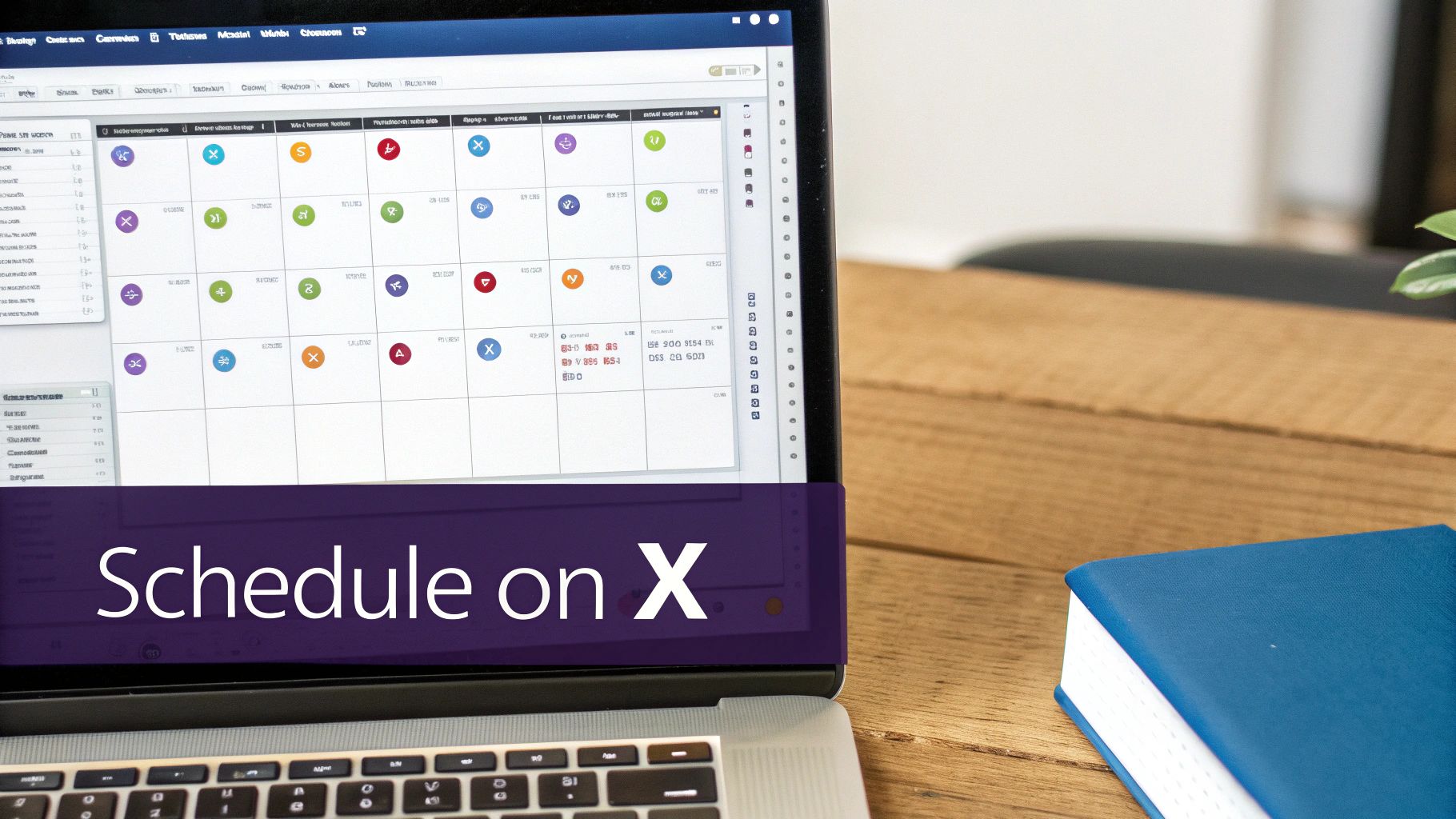
You don’t need to sign up for another service just to start scheduling your content. X has its own scheduling feature built right into the desktop post composer, and for most everyday needs, it works perfectly.
This simple approach is fantastic for anyone who just wants to line up a few key announcements or value-packed posts for the week. It keeps your workflow clean and helps you build a consistent content calendar without adding another tool to your tech stack.
Getting started is easy. When you’re writing a new post on the X website, look for a small calendar icon at the bottom of the composer box. That’s your gateway to scheduling.
How to Schedule a Post on X
It really only takes a few clicks. After you've written your post and added any images or links, here’s what you do:
- Find the Schedule Icon: It’s the little calendar symbol with a clock, sitting in the toolbar right below your text.
- Pick Your Time: A new window will pop up. From here, you can choose the exact date and time for your post to publish. It automatically uses your local time zone, which is a nice touch.
- Lock It In: Once you've set the time, hit Confirm, then click the main Schedule button. Your post is now officially queued up and ready to go.
This simple pop-up gives you total control over the month, day, year, and even the exact minute your post will go live.
Managing Your Scheduled Posts
What if you need to make a change? No problem. To see everything you have in the pipeline, just click that same schedule icon in the composer again and select "Scheduled posts."
This opens up a dashboard where you can easily edit the content, push a post to a different time, or just delete it altogether. The interface feels a lot like how you would manage your drafts on Twitter.
The native scheduler is the perfect place to start. Get comfortable with it first and build the habit of planning your content. You can always level up to more advanced third-party tools later once your strategy grows.
Using Third-Party Tools to Scale Your X Presence
The built-in X scheduler is a decent place to start, but let's be honest—if you're serious about turning X into a top-of-funnel machine, you'll outgrow it fast. That’s where tools like Buffer, Hootsuite, or Sprout Social change the game. They are built from the ground up to help you scale your content strategy, not just post it.
These platforms do more than just let you pick a time for a tweet to go live. They're designed to help you build a consistent, around-the-clock presence that attracts and warms up potential customers. Think of it as moving from manually tending a small garden to setting up a fully automated irrigation system.
Beyond Basic Scheduling
So, what do these tools actually do that you can't do natively on X? The differences are night and day, especially once you're managing a brand that needs to show up consistently.
- Smart Scheduling: Forget guessing when your audience is online. Many of these tools analyze your past engagement and pinpoint the optimal times to post for you.
- Content Queues: You can build a library of evergreen content that the tool automatically recycles over weeks or months. This keeps your feed active and valuable, even when you're busy with other things.
- Multi-Account Management: Juggling a personal brand and a company account? No problem. You can schedule and manage everything from a single, clean dashboard.
The real magic of a third-party tool is turning your X strategy from a daily chore into a system that works for you. You're building an audience and warming up leads even while you sleep or focus on your product.
Native X Scheduler vs Third-Party Tools
To help you decide which path is right for you, here’s a quick breakdown of how the native scheduler stacks up against a dedicated third-party platform.
| Feature | Native X Scheduler | Third-Party Tools (e.g., Buffer, Hootsuite) |
|---|---|---|
| Cost | Free | Paid subscription (with some free tiers) |
| Multi-Account Mgt. | No, one account at a time | Yes, manage multiple accounts from one dashboard |
| Content Queues | No, must schedule each post individually | Yes, build evergreen queues for auto-publishing |
| Analytics | Basic (native X analytics) | In-depth, post-level and trend reporting |
| Best-Time-to-Post | No suggestions | Yes, often an AI-driven feature |
| Content Calendar View | No, just a list of scheduled posts | Yes, full visual calendar view |
| Collaboration | No team features | Yes, built for teams with approval workflows |
For early-stage founders or solo creators, the native scheduler might be all you need. But as soon as you need to save time, get smarter with your posting, or manage multiple brands, a third-party tool becomes a non-negotiable part of your stack.
Integrating Scheduling with Full Automation
For founders laser-focused on lead generation, this is where the strategy really clicks into place. Scheduling your content is the first step—it builds authority and brings people to your profile. The next step is to pair that consistent presence with proactive outreach.
This is where advanced Twitter automation creates a powerful one-two punch for growth.
While your scheduled tweets are building your public profile and warming up your audience, a tool like DMpro can work in the background. It helps you identify and engage with ideal customers who interact with your content or follow accounts in your niche. This combination turns passive profile viewers into active sales conversations.
Suddenly, you're not just building a brand; you're building a predictable pipeline. This two-pronged strategy ensures your top-of-funnel is always running—nurturing your audience with great content while actively seeking out new leads with automated DMs. It's the closest thing to a self-sufficient growth engine on X.
Finding the Best Times to Post for Maximum Impact
If you schedule a tweet and no one is online to see it, does it even make an impact? Probably not. The average tweet has a shockingly short lifespan—we're talking just 18 minutes. Most of the likes and replies you'll get happen almost immediately, which makes timing absolutely critical.
This tiny window of opportunity means posting on a whim just doesn't cut it. You need to know when your audience is actively scrolling. Otherwise, you’re essentially talking to an empty room.
For a deeper dive, exploring resources on identifying the best times to post can give you a solid strategic foundation.
Uncovering Your Peak Engagement Times
Forget what the generic "best time to post" articles say. The only "best time" that matters is the one that works for your audience. The most reliable way to find this is to go straight to the source: your own X Analytics.
Head over to the "Posts" tab in your analytics dashboard. This is where you'll find a goldmine of impression data for every single tweet. Start looking for trends. Do you notice that your morning tweets consistently perform better? Is there a reliable spike in engagement around lunchtime in a specific time zone? That's your sweet spot.
This simple flowchart can help you figure out whether the native scheduler is enough for your needs or if it's time to look at more powerful third-party tools.
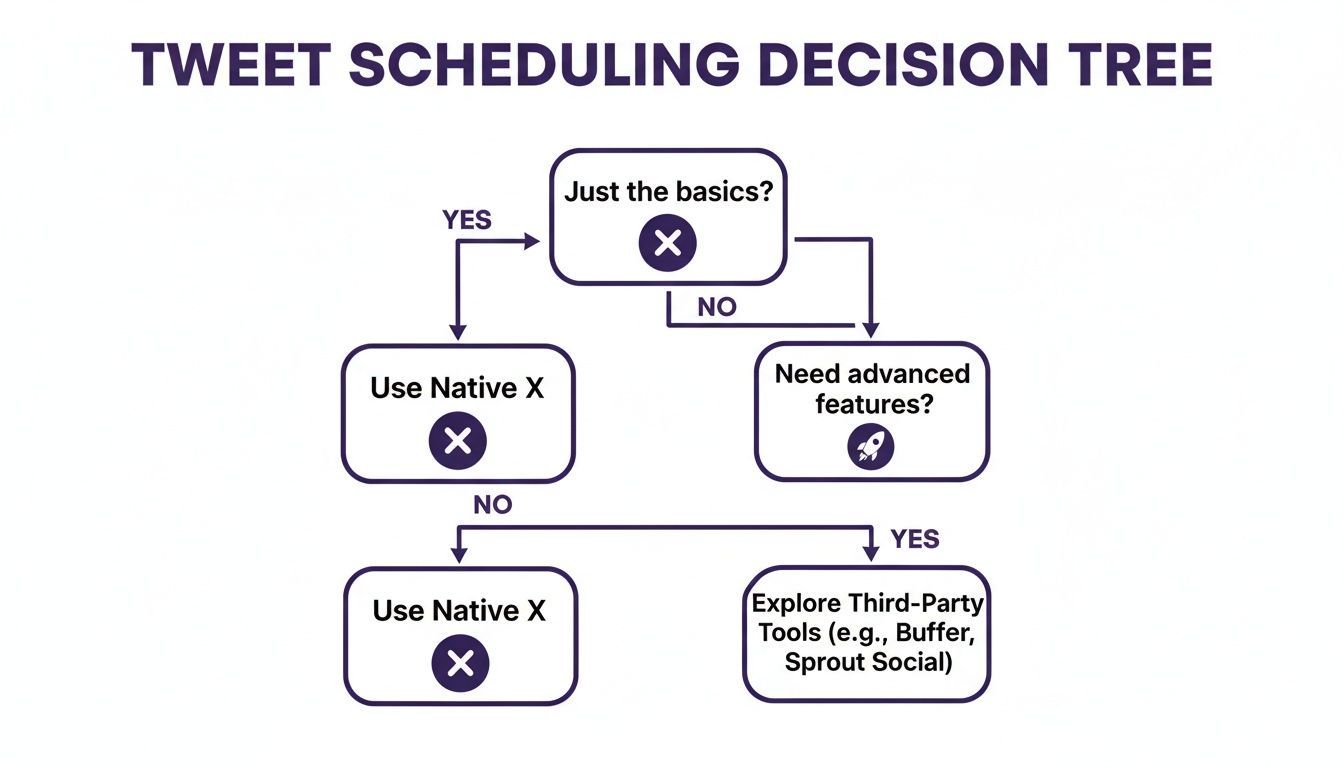
Sometimes the built-in scheduler is all you need for simple posts, but if you're juggling multiple accounts or complex campaigns, a dedicated platform is the way to go.
Once you’ve pinpointed those peak engagement windows, you can start scheduling your most important content to hit at exactly the right moment. Making this a regular habit is one of the easiest ways to squeeze more visibility and value out of everything you create.
Combining Scheduled Content with Automated Outreach
<iframe width="100%" style="aspect-ratio: 16 / 9;" src="https://www.youtube.com/embed/1x2W_a5EFb8" frameborder="0" allow="autoplay; encrypted-media" allowfullscreen></iframe>Scheduling your posts is a fantastic way to keep your brand visible and build a steady presence on X. But let's be honest, that's only half the battle. Consistent posting warms up your audience and builds your authority, sure. The real growth, however, comes when you pair that top-of-funnel activity with direct, automated outreach.
Think of it as a one-two punch. Your scheduled content is out there, building trust and catching eyeballs. At the same time, a tool like DMpro can be working behind the scenes, spotting ideal customers who are engaging with your content or following key accounts in your industry.
This combination creates a powerful, self-sustaining growth loop. You're not just throwing content into the void; you're starting meaningful conversations with the right people, right when they're most interested.
Turning Passive Viewers into Active Leads
This is where your content strategy starts making a direct impact on your bottom line. By scheduling posts to go live during peak engagement hours, you get the most visibility possible and set the stage for your outreach.
For instance, Buffer did a massive analysis of over 1 million tweets and found that 9 AM on Wednesdays is a prime time for engagement, with Monday and Tuesday mornings also being strong contenders. You can dig into their full analysis on the best times to post to see what might work for you.
Schedule your best content to go live during these high-traffic windows. Then, let an AI-powered tool like DMpro send personalized DMs to the people who show interest. You're effectively turning passive scrollers into qualified leads.
It’s all about making your content work for you, not just exist. We dive deeper into this strategy in our guide to automated direct messages on Twitter.
Ultimately, this integrated system means you're not just building a follower count—you're building a predictable sales pipeline for your SaaS or agency, without having to manually manage every single interaction.
Common Questions About Scheduling on X
Even with the best tools, you're bound to have a few questions. Let's tackle some of the most common ones that come up when founders start scheduling content on X.
Does the X Algorithm Penalize Scheduled Posts?
This is a huge myth, so let's clear it up: no. The algorithm doesn't care how your post got published. It only cares about engagement.
A scheduled tweet that hits your followers' feeds during peak hours and sparks immediate conversation will perform just as well as one you fire off manually. The source of the post is irrelevant.
Can You Edit a Scheduled Tweet?
Absolutely. You just can't do it from your main feed. You'll need to pop into your scheduling dashboard—whether that's X's native tool or a third-party platform—find the post in your queue, make your changes, and save it. It’s a minor extra step, but totally doable.
What’s the Best Cadence for Scheduled Posts?
Focus on consistency over sheer volume. A good starting point is 1-3 high-quality posts per day, aimed squarely at your audience's most active times.
Why? Because posts published during these high-activity windows often see 20-40% more impressions. For example, research often points to Wednesdays around 9 AM EST as a sweet spot for engagement. If you want to get granular, check out this deep dive into timed posts.
How Do Scheduled Posts and DMs Work Together?
This is where scheduling becomes a real growth engine. While your scheduled content is out there building your public presence, you can use a tool like DMpro to automatically start conversations with people who engage with it.
It creates a perfect one-two punch: your tweets generate broad awareness, and your automated DMs turn that interest into direct leads. You’re essentially converting passive scrollers into active prospects without lifting a finger.
If you're looking for more details, this is a practical guide on scheduling tweets directly on X that covers all the bases.
If you’re tired of manually sending DMs every day, try DMpro.ai — it automates outreach and replies while you sleep.
Ready to Automate Your Twitter Outreach?
Start sending personalized DMs at scale and grow your business on autopilot.
Get Started Free