
How Founders Track Followers and Unfollowers on Twitter for Lead Gen
Track followers and unfollowers on twitter with this concise guide - learn tools, tactics, and best practices to monitor growth and engagement.
As a founder, you know that your X (formerly Twitter) account is more than just a place to post updates. It's a lead generation engine. But to make it run efficiently, you need to understand who's coming and going. Knowing how to track followers and unfollowers on Twitter isn't about vanity metrics; it's about getting direct feedback on your message and turning audience shifts into real business opportunities.
Forget X's native tools—they barely scratch the surface. We're talking about digging into your data, using simple scripts, or leaning on smart third-party apps to see exactly who unfollows you and when. This is how you turn raw data into a smarter growth strategy.
Why Tracking Followers Is a Founder’s Secret Weapon
That follower count isn't just a number—it’s a real-time report card on how well your message is landing with your target audience. Every follow and unfollow tells a story about what your ideal customers actually care about.
Let's say you launch a new feature and suddenly see a drop in followers. That's immediate feedback that your announcement might have missed the mark. On the flip side, if a thread about your startup journey brings in a wave of new followers, that’s a clear signal to double down on authentic, founder-led content. It’s all about understanding the "why" behind the numbers.
Turning Data Into Actionable Insights
This data is an absolute goldmine for honing your SaaS distribution and lead generation strategy on X. When you stop passively watching the numbers and start analyzing the dynamics, you unlock a powerful business intelligence tool.
Here’s what you get when you pay close attention:
- Content Strategy Refinement: You’ll see exactly which topics pull in high-quality followers (potential leads) and which ones push them away.
- Audience Understanding: By looking at the profiles of your newest followers, you can build a much clearer picture of your ideal customer profile (ICP).
- Lead Identification: A new follower is a warm lead. They’ve raised their hand to show interest. Engaging them quickly can open up incredibly valuable conversations.
Keeping an eye on who unfollows you provides critical intel on what your audience dislikes. It lets you pinpoint which posts or campaigns are causing people to tune out, so you can make smarter, strategic tweaks to your content.
This approach flips the script from passive observation to an active feedback loop. According to marketing analytics platforms, active accounts can see a follower churn rate of 3-5% every month, depending on their industry. Just understanding this churn is the first step toward reducing it and building a more dedicated community. You can find more insights on Twitter audience patterns and see how follower analysis makes a real difference.
From Tracking to Engagement
At the end of the day, tracking followers and unfollowers isn't just about collecting data; it’s about creating chances to connect and generate leads. When you know a new, relevant account just followed you, you can start a conversation. And that's where automation can come into play.
For instance, a tool like DMpro can automatically send a welcome DM to new followers who fit your ICP. This turns a simple notification into the start of a relationship, making it an incredibly powerful tactic for startup founders aiming for scalable growth. It bridges the gap between just growing an audience and actually generating leads.
Follower Tracking Methods At a Glance
To make sense of all the options, here's a quick comparison of different ways to track your followers and unfollowers on X, from simple manual checks to more sophisticated automated tools.
| Method | Effort Level | Data Granularity | Best For |
|---|---|---|---|
| Native Analytics | Low | Low (Net change only) | Quick, high-level snapshots of follower growth over time. |
| Exporting Lists | Medium | High (Point-in-time) | Periodic, in-depth analysis to compare follower lists. |
| Simple Scripts/APIs | High | High (Real-time) | Tech-savvy users who want custom, automated tracking. |
| Third-Party Tools | Low-Medium | Medium-High | Founders who need detailed, automated insights without coding. |
Each method has its place. Manual checks are great for a quick pulse-check, while automated tools give you the continuous, detailed data needed to make strategic decisions without sinking a ton of time into it.
The Manual Method Using X's Own Data

Before diving into third-party apps, let's start with the most basic way to track followers and unfollowers on X. This is the old-school approach. It’s completely free, secure, and gives you a clean snapshot of your audience changes over time using only the data you get from the platform.
This method boils down to one key asset: your X account archive. You can request a full download of your data, which includes a complete list of everyone following you at that specific moment. It’s not real-time, but it's a powerful baseline to work from.
The process is simple but requires a bit of patience. You request your data, wait for X to bundle it up (which can take up to 24 hours), and then download the archive. Inside, you'll find a file listing all your followers. By doing this regularly—say, once a month—you can create a historical record.
How to Compare Your Follower Lists
Once you have at least two data exports, the real work begins. This is where a spreadsheet tool like Google Sheets or Excel becomes your best friend. The goal is simple: compare the old follower list against the new one to see what's changed.
Here’s how you’d tackle it:
- Export and Unzip: Request your archive from X. When the download link arrives, save and unzip the file to find your follower data.
- Import into a Spreadsheet: Copy the follower lists from two different time periods into two separate columns in a new spreadsheet.
- Use a Formula to Find Differences: A straightforward
VLOOKUPorMATCHformula can cross-reference the two lists. This will quickly highlight names that appear on the old list but are missing from the new one. Those are your unfollowers.
This manual method is the perfect starting point for any founder who wants to keep their account access locked down. You aren't granting permissions to any outside apps, which means your data and your account's security remain entirely in your control.
Sure, it’s a bit of a grind, but this process gives you undeniable proof of who has left your audience. It’s particularly useful if you suspect a specific post caused a drop in followers. You can perform an export right before and after a major announcement to see the direct impact.
Is This Manual Method Scalable?
Let's be honest: not really. This is a great exercise for understanding the data and is perfect for accounts just starting out.
But as you scale, manually comparing lists of thousands of followers becomes a huge time sink. Your time is better spent on activities that actually grow your business, like outreach and building relationships.
For those getting started with automation tools to save time, it's helpful to see how data is structured. If you're new to this, a quick start guide on automation can provide context for how platforms process user data. This manual method provides a crucial lesson in data analysis, but it isn’t a long-term solution for a growing SaaS.
Third-Party Tools: The Smart Way to Track Your Audience
Let's be real—manually exporting and comparing spreadsheets gets old, fast. If you're serious about your X strategy and want to reclaim your time, third-party tools are the way to go. They offer a far more efficient way to track your followers and unfollowers on X.
Services like Followerwonk or Unfollow.io give you an intuitive dashboard that does more than just list who left. These platforms visualize your growth trends over time, flag inactive accounts, and can even analyze audience demographics. This is where you graduate from basic tracking to genuine audience intelligence.
Choosing the Right Tool Without Risking Your Account
Handing over your X account credentials is a big deal. Giving the wrong app permission can expose your account to security risks or, even worse, get you flagged for violating X's terms of service. It's a classic founder's dilemma: trading a bit of security for a lot of efficiency.
So, how do you pick a tool that helps without creating a headache? Look for these green flags:
- Uses Official Authentication: A trustworthy tool will always redirect you to X to authorize access using OAuth. It should never ask for your password directly on its site.
- Clear Privacy Policy: They need to be upfront about what data they access and how they use it. If you can't find this information easily, it's a red flag.
- Good Reviews and Reputation: See what other founders in your space are saying. Look for recent, credible reviews that speak to the tool's reliability and support.
The real reason these tools are so popular is that X's own platform doesn't give you timely, detailed follower data. This gap created a market for specialized services that offer deep tracking, including day-by-day history and even bot detection.
This gap is more significant than you might think. Some industry data suggests that 15-20% of new followers might unfollow you within a week, often because they were just fishing for a follow-back. Without a dedicated tool, you'd never spot that kind of pattern. You can discover more insights on follower churn rates to see just how much this can impact your growth.
Integrating These Insights Into Your Workflow
The best tools don’t just dump data on you; they provide insights that plug directly into your broader growth strategy. Instead of just seeing a raw list of unfollowers, you can start asking bigger questions. Are you losing followers from a specific industry? Did a certain piece of content cause a spike in people leaving?
This is where more advanced platforms really shine. For instance, while a tool like DMpro is built to automate outreach, its powerful monitoring capabilities tie directly into this. You can monitor new followers that match your ICP and have the system engage them instantly. You can explore our guide on analytics and reporting features to see how this data becomes the foundation for truly effective outreach.
The end goal is to connect the dots between who is following (or unfollowing) you and the actions you’re taking on the platform. This turns follower tracking from a reactive habit into a proactive part of your lead generation engine.
Turn New Follower Data Into a Lead Generation Engine
Knowing who follows you is just data. The real magic happens when you turn that data into actual conversations.
A new follower isn't just another number ticking up on your profile. They're a warm lead. They just raised their hand and showed interest in what you're building. Ignoring that signal is like leaving money on the table.
So, how do you engage these new followers at scale without spending your entire day glued to notifications? This is where a simple, automated outreach system becomes a game-changer. You can build a workflow that welcomes new, relevant followers and starts a conversation for you.
Building Your Automated Welcome System
The goal isn't to blast every single person who hits the follow button. That's a fast track to getting your account flagged. You have to be strategic.
The key is to filter new followers and pinpoint the ones who fit your ideal customer profile (ICP). This is about quality over quantity.
This flow chart shows how a good third-party tool can break down follower analysis and help you fine-tune your strategy.
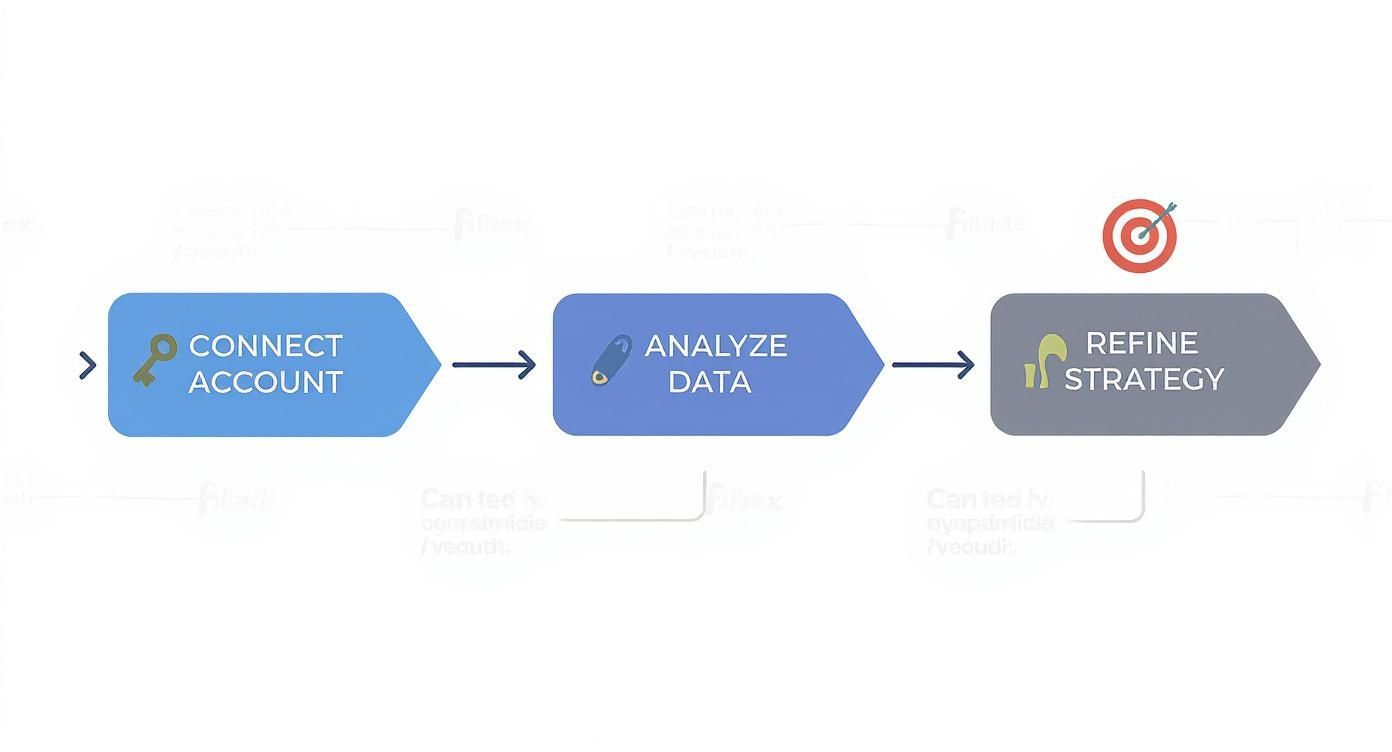
The visual breaks a complex process into three straightforward steps: connecting your account, analyzing the data, and refining your strategy. It’s a clear path from raw data to actionable insights.
For instance, you could set up a system that automatically sends a personalized welcome message only to new followers with keywords like "SaaS founder" or "marketing lead" in their bio. Or maybe you only target accounts with a follower count above a certain threshold. This keeps your outreach highly relevant.
Tools like DMpro are built for this. They go beyond just helping you track followers and unfollowers on Twitter and let you act on that data instantly. You can create campaigns that watch for new, qualified followers and automatically send a non-spammy welcome DM to get a relationship started.
Crafting the Perfect Welcome DM
Your automated message should never feel automated. Ditch the generic, salesy pitches. The best welcome DMs are short, genuine, and ask an open-ended question.
Here’s a simple template that works incredibly well for founders:
"Hey [Name], thanks for the follow! Saw you’re into [topic from their bio]. Loved your recent post on [specific subject]. Curious, what are you building right now?"
This formula shows you've paid attention and invites a real response. By personalizing the outreach, you're not sending a cold DM; you're starting a warm conversation.
This simple act transforms passive follower tracking into a proactive growth machine, turning a steady stream of new followers into a predictable pipeline of leads. If you want to see how this works under the hood, you can learn more about the lead scraping capabilities that power this kind of targeted outreach. It’s how you close the loop between audience growth and revenue growth.
Strategies to Improve Follower Retention and Growth
<iframe width="100%" style="aspect-ratio: 16 / 9;" src="https://www.youtube.com/embed/XDK88OQoxzQ" frameborder="0" allow="autoplay; encrypted-media" allowfullscreen></iframe>Tracking unfollows is like finding a leak in a bucket. Once you know where the holes are, you can start patching them. This is where your strategy moves from just collecting data to taking action to keep your followers around.
The first step is figuring out why people unfollow. More often than not, it boils down to a few common mistakes: posting erratically, being too salesy, or suddenly switching up the topics you cover. When someone leaves, they're giving you direct, unfiltered feedback.
Analyzing Your Unfollow Patterns
Start digging into your own data for clues. Did you see a noticeable drop right after a big, sales-heavy thread? That’s a clear signal your audience wants value, not just a hard pitch. Did you go silent for a week and see your numbers dip? That tells you consistency matters.
This is where having historical data is a game-changer. Tracking your X followers and unfollowers over time gives you a window into how your audience behaves. Certain tools can help you visualize these trends with graphs, making it dead simple to spot a sudden drop and connect it back to what you were posting at the time.
Building a Loyal, Sticky Audience
Now, let's flip the script from stopping the bleeding to actively growing. The goal isn't just to plug the leaks; it's to attract followers who are genuinely invested in what you're building and won't bounce at the first mention of a product. These are your "sticky" followers—the ones who become your biggest fans and customers.
Here are a few sustainable growth tactics that work for founders:
- Provide Consistent Value: Solve problems. Share insights. Teach your audience something new. Your content should be the reason they followed you in the first place.
- Engage Authentically: Don't just broadcast. Have real conversations. Reply to comments, ask questions, and jump into discussions happening in your niche.
- Show, Don't Just Tell: Share your journey—the wins, the losses, and the lessons learned. That kind of transparency builds trust and a much stronger bond than just tweeting about product features.
Think of your content strategy as a filter. The right content not only attracts your ideal followers but also repels those who aren't a good fit. A high follower count is nice, but a highly engaged, loyal audience is what actually moves the needle for a business.
Ultimately, a solid playbook for follower growth is about building a community, not just collecting an audience. When you focus on delivering genuine value, you naturally attract followers who are in it for the long haul, ready to engage with you and support what you're building.
Common Questions About Tracking X Followers
When you start getting serious about tracking followers and unfollowers on X, a lot of questions come up. Let's tackle some of the most common ones so you can build a solid strategy without getting sidetracked.
This is all about making the process straightforward so you can get back to what you do best—growing your business.
Is It Safe to Use Third-Party Apps to Track Unfollowers?
It can be, but you have to be careful. The most important thing is to use a tool that uses X's official authentication system (OAuth). This means it redirects you to X to grant permission, rather than asking for your password directly. Never give your password to a third-party app.
Before you connect any tool, do a quick background check. Read recent reviews from other founders, skim their privacy policy, and see if they have a legitimate online presence. Stick with well-established platforms to keep your account secure.
Does X Tell You Who Unfollowed You?
Nope. X doesn't send notifications or provide a list of people who have unfollowed you. This is a deliberate design choice, likely for privacy reasons.
The only way to figure this out is by manually comparing follower lists from different dates, as we discussed earlier, or by using a reliable third-party service that keeps a running log. There's no secret setting or native feature for this.
This gap is exactly why a whole market for third-party tracking tools exists. They provide the follower and unfollower data that's so crucial for understanding audience churn and whether your content is hitting the mark.
How Often Should I Check My Follower and Unfollower Data?
For most founders, a weekly check-in is the sweet spot. It’s frequent enough to spot trends and link them to your recent posts, but not so often that you're obsessing over daily noise.
The exception? If you're in the middle of a big product launch or a major marketing campaign. In that case, checking every couple of days can give you quick feedback on your messaging. The goal isn't just to watch numbers go up or down; it's to gather insights that tell you what to do next.
What Is a Normal Unfollow Rate on X?
There’s no magic number here. Your "normal" rate depends heavily on your industry, account size, and posting frequency. That said, a monthly churn rate of around 3-5% is a common benchmark for active accounts.
Don't sweat the small daily dips—that's just the natural ebb and flow of the platform. The real red flags are the sudden, sharp drops. If you see a big spike in unfollows, it’s a clear sign that something you posted didn't land well, which is a valuable (if painful) lesson.
If you’re tired of manually sending DMs every day, try DMpro.ai — it automates outreach and replies while you sleep.
Ready to Automate Your Twitter Outreach?
Start sending personalized DMs at scale and grow your business on autopilot.
Get Started Free