
How to Send a DM on Twitter: A Founder's Guide to Lead Gen
how to send dm in twitter: learn best practices for outreach, craft effective DMs, avoid common mistakes, and scale your lead-gen outreach.
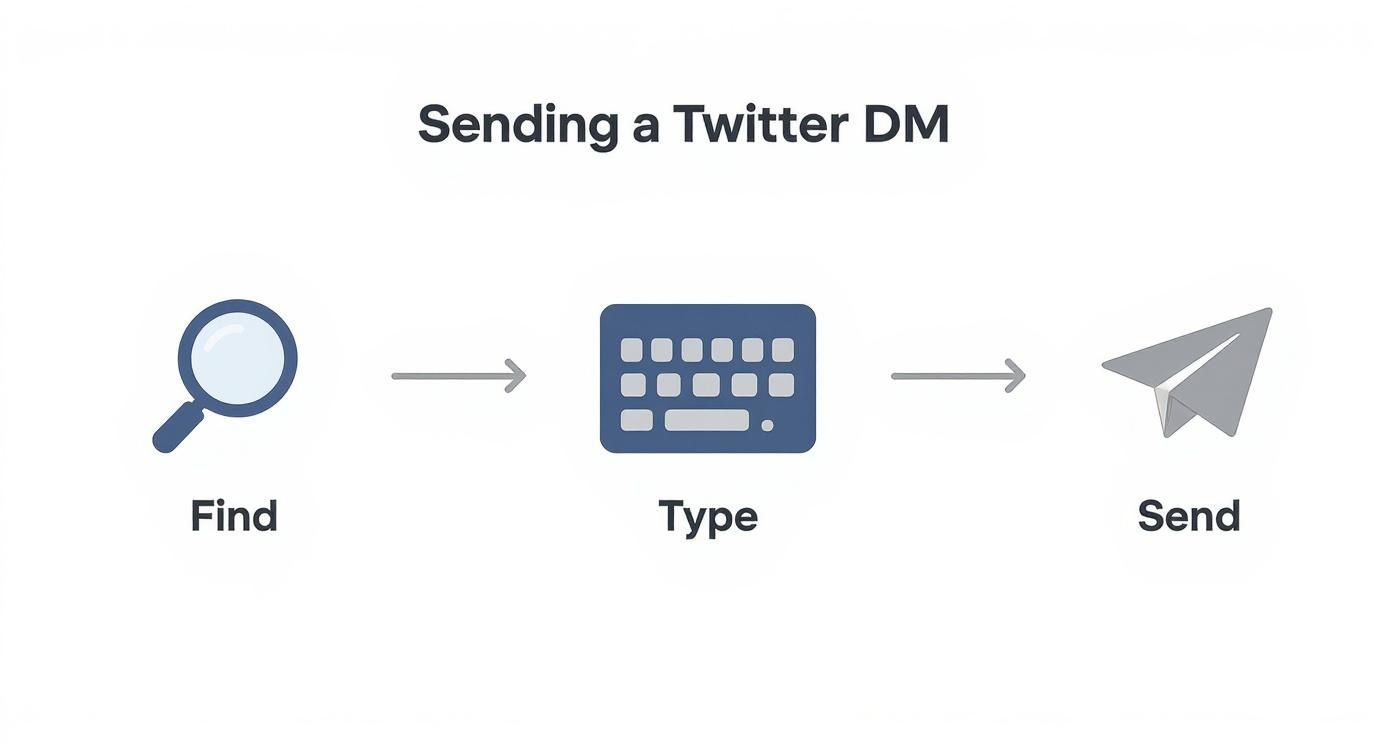
Sending a DM on X (formerly Twitter) is easy. Head to someone’s profile, hit the envelope icon, and start typing. Or, go to your "Messages" tab to kick off a new chat. It's the move you make when you want to take a conversation private, whether you're building a relationship or exploring a lead.
As founders, we live and die by our distribution channels. Let's talk about why Twitter DMs are one of the most underrated assets you have for scaling your SaaS.
Why Twitter DMs Are a Goldmine for SaaS Founders
You're constantly looking for an edge, a channel that isn't completely saturated. Everyone’s email inbox is a warzone, but Twitter DMs? That's still blue ocean territory. It’s a direct line to potential customers, partners, and mentors that cuts through the noise.

Think about it. A cold email almost always feels like a sales pitch. A DM, on the other hand, feels more like starting a real conversation. It’s personal, immediate, and it happens where the people you want to reach are already active. This shift to direct, informal communication is a massive opportunity for founders.
Building Trust One Conversation at a Time
The real power of the DM is building genuine connections. This isn't about spamming your landing page link—that's a quick way to get blocked. It’s about starting a real, founder-to-founder conversation.
So, how do you do it?
- Mention their recent tweet. A quick, "Loved your recent thread on MRR" shows you’re actually paying attention.
- Offer value first. Share a useful insight or resource related to their work. No strings attached.
- Just be human. Drop the corporate speak. Write like you'd talk to a peer at a conference.
This one-to-one approach builds trust way faster than any email campaign. You're not just another name in an inbox; you're a fellow founder reaching out. That personal touch is what turns a cold outreach into a warm conversation. You can find more strategies for scaling SaaS growth with DMs.
A DM gets you past the surface-level noise. It's where you can ask smart questions, understand someone's challenges, and build the rapport that leads to real business relationships.
The Strategic Advantage Over Traditional Outreach
Direct messaging on Twitter isn't just a hunch; it's a proven engagement channel. Some data shows DM campaigns can pull in 300% more clicks than a standard email blast. You can dig into more of these impressive Twitter engagement statistics to see the full picture.
This isn't a fluke. It's a reflection of how people communicate today. They want quick, direct conversations on the apps they’re already using. By getting good at sending DMs, you're tapping into a powerful distribution channel that most of your competitors are ignoring.
How to Send a DM on X (Twitter): The Nuts and Bolts
Before you can build relationships at scale, you need to nail the basics. Sending a DM is simple, but a few details can make a huge difference in how your outreach is received.
Let's cover the mechanics.
On a desktop, look for the Messages tab—the envelope icon in the left menu. Click it, hit the "New message" button, and search for anyone to start a chat. On mobile, it's just as easy. Tap the envelope icon in the bottom bar, then the new message icon.
Here’s a pro-tip: you can also DM someone straight from their profile page by clicking the envelope icon next to the follow button. This is perfect when you find an interesting profile and want to connect right away.
To give you a clearer picture, here’s a quick comparison of how DMs work on web versus mobile.
Sending DMs Web vs Mobile App
This table breaks down the slight differences. Both work great, but they're suited for slightly different tasks.
| Feature | Web (Desktop) | Mobile App (iOS/Android) |
|---|---|---|
| Start a DM | Click "Messages" in the left menu, then "New message". | Tap the envelope icon in the bottom menu, then the new message icon. |
| From a Profile | Go to the user's profile and click the envelope icon. | Navigate to the user's profile and tap the envelope icon. |
| Media Sharing | Easily drag and drop images, videos, or GIFs into the chat. | Use the photo icon to select and send media from your phone's library. |
| Best For | Crafting longer, thoughtful messages and managing multiple conversations. | Quick replies and checking notifications on the go. |
I find myself using the desktop version for initial outreach and the mobile app for keeping conversations warm throughout the day.
What Are Message Requests?
What happens if you DM someone who doesn't follow you? This trips a lot of founders up.
Your message doesn't go to their main inbox. It lands in a folder called Message requests. The person gets a notification but can only see a preview of your message. They then have to actively "Accept" it to continue the conversation or "Delete" it.
This makes your opening line everything. A generic "Hey" is a guaranteed delete. You have one shot to be interesting enough to earn that click.
When to Use Group DMs Instead of One-on-One
While most of your outreach will be one-on-one, don't forget about Group DMs. You can pull multiple people into a private chat, which is incredibly useful for:
- Warm Introductions: The best use case. Easily connect two people in your network who should know each other.
- Small Masterminds: Create a private space for a handful of founders to swap ideas.
- Collaborations: Plan a joint venture or webinar with partners without getting lost in email threads.
To start one, just add multiple usernames when composing a new message. A word of caution: only use this when everyone has a clear reason to be there. No one likes being thrown into a random group message.
The real skill in DMing isn't just knowing which buttons to press. It's understanding the context—like message requests—and using features to start genuine conversations.
For a deeper dive into prepping your account for outreach, our quick start guide will get you on the right track.
Crafting DMs That Actually Get Replies
Knowing how to slide into the DMs is one thing. Getting a reply is a different ballgame.
If your message screams "sales pitch," you’re headed for the trash folder. The secret isn't selling; it's starting a real conversation. Your only goal for that first message is to get a reply. That's it. You have to earn the right to a longer chat.
It’s what you type before hitting "send" that makes or breaks your outreach.
Personalization Is Your Golden Ticket
Let’s be real: everyone can spot a copy-paste template a mile away. The key is proving you’ve done your homework—even just 30 seconds of it. It shows you respect their time and separates you from the noise.
Here are a few simple frameworks that work:
- The Recent Activity Hook: "Hey [Name], saw your tweet about [specific topic]. Your point on [mention a detail] was spot on."
- The Common Ground Hook: "Hi [Name], noticed we both follow [influencer]. Loved your take on their recent post about [topic]."
- The Value-First Hook: "Hey [Name], just read your article on [article topic]. Thought you might find this resource on [related topic] useful."
See the pattern? Each opener is short, specific, and focuses on them, not you. That's how you get a response. Scaling this without sounding like a robot is tough, which is where tools like DMpro come in handy, using AI-powered personalization to help craft unique openers.
Bad DM: "Hey, I'm the founder of a tool that does X. Are you free for a 15-min demo this week?"
Great DM: "Hey Alex, loved your thread on scaling outbound. Your point about warming up accounts was a great reminder. Curious, have you run into issues with [specific problem]?"
The first is a demand. The second starts a conversation.
Keep It Short and Sweet
Your DM is an interruption. Acknowledge that by being brief. Two or three sentences is the sweet spot. Long paragraphs are your enemy. This isn't an email—it’s a quick tap on the shoulder.
Make your message so easy to read that they can scan it in a few seconds and shoot back a quick reply.
Common DM Mistakes That Kill Your Outreach
<iframe width="100%" style="aspect-ratio: 16 / 9;" src="https://www.youtube.com/embed/OB8NThrNSIM" frameborder="0" allow="autoplay; encrypted-media" allowfullscreen></iframe>Knowing how to send a DM is one thing. Knowing how not to send one separates successful founders from those with suspended accounts.
I've seen countless founders make the same mistakes. Let's walk through the most common ones so you can avoid them.
The biggest mistake? Treating DMs like an email blast. Firing off dozens of copy-pasted messages is the fastest way to get restricted. Twitter’s algorithm is smart and sniffs out spammy behavior instantly. You have to act like a person, not a bot.
This also means sending at a natural rhythm. If your account goes from zero activity to sending 50 DMs in an hour, you're raising a red flag. Always warm up your account gradually.
The Personalization Problem
The second deadliest sin is lazy personalization. Just dropping [First Name] into a template doesn't cut it. Real personalization shows you’ve put in at least 30 seconds of homework.
When a message has zero context—no mention of their work, a recent tweet, or a shared interest—it screams, "I don't care about you, I just want something." That approach is dead on arrival.
Put yourself in their shoes. Would you reply to a message that could have been sent to a thousand others? Probably not. A little effort makes a huge difference.
Troubleshooting Your DMs
Ever go to DM someone and find the option is missing? It’s not a bug. It’s a privacy setting. Many users only accept DMs from people they follow. If you don't see the envelope icon on their profile, that's why.
Another common headache is when messages don't seem to land. This can happen for a few reasons:
- You've been blocked: Simple as that.
- You've hit a limit: Twitter has a daily DM limit (around 1,000), but aggressive sending can get you locked out long before then.
- Your message was flagged: Using spam-trigger words or weird links can get your DM filtered.
The foundation of good outreach is respect—for the platform and for the person you're messaging. Breaking those rules tanks your response rate and can tarnish your reputation.
A quick mental checklist can keep you out of trouble:
- Is this message truly personal?
- Am I giving value first?
- Is my sending pace human?
Trying to maintain this quality while scaling is nearly impossible by hand. This is where a smart tool like DMpro.ai helps. It’s designed to automate personalized messages in a way that mimics natural human behavior, keeping your outreach effective and safe.
How to Scale Your Outreach Without Getting Banned
So, you've mastered sending a few great DMs. You're getting replies and starting conversations. How do you go from five DMs a day to fifty, or a hundred, without it becoming your full-time job?
This is where founders get stuck. Manual outreach hits a ceiling. It's time to think about smart automation—the right way.

Why Most Automation Gets You Banned
The number one mistake is using a generic, spammy bot. Trust me, Twitter’s algorithm spots robotic behavior. Firing off identical messages in a short burst is the fastest way to get your account flagged.
These old-school bots are too predictable. They scream "spam" because they:
- Send messages at an unnatural, rapid pace.
- Rely on clumsy personalization like
[First Name]. - Never switch up message templates or sending times.
This is a short-term hack that leads to long-term headaches. For sustainable growth, you need automation that behaves like a human.
The Smart Way to Automate Personalized DMs
Real scaling isn't about raw volume; it's about quality at scale. This is where an intelligent platform is non-negotiable. For example, a tool like DMpro.ai is designed specifically to mimic human behavior, which is key to keeping your account safe as you ramp up outreach.
Instead of just blasting messages, it lets you build smart campaigns. You can create multiple message templates with custom variables that pull in unique details from a person's profile, making every DM feel like it was written just for them.
The goal of automation isn't to replace you. It's to handle the grunt work—like finding leads and sending that first message—so you can focus your time on building relationships with warm prospects who replied.
This approach turns your DM strategy from a manual grind into a predictable lead-generation machine. You can stop prospecting and start focusing on nurturing warm conversations in your inbox.
Setting Up a Safe and Scalable Campaign
Getting a smart campaign running is easier than you think. You start by defining your ideal customer, and the system finds relevant leads. From there, you build personalized message sequences that are automatically sent at a natural, randomized pace.
This changes the game. It’s how you build a scalable distribution channel on Twitter without spending all day in the DMs.
If you're ready to see this in action, we have a detailed guide on how to send automated Twitter DMs the safe and effective way.
Answering Your Top Questions About X DM Lead Gen
Even with a solid plan, questions come up. Let's tackle some of the most common ones I get from other founders about using Twitter DMs for lead gen.
Getting these details right separates a smooth, scalable outreach system from one that hits frustrating roadblocks.
Is There a Limit to How Many DMs I Can Send?
Yes, and this is a big one. Twitter officially limits you to 1,000 DMs per day. But you should never even get close to that number manually.
What's more important is your sending pace. Sending a flood of identical messages in a short time will get you flagged by spam filters long before you hit that limit. The real game is keeping your sending pace looking natural and human.
This is why smart automation tools like DMpro.ai are built to space out your DMs. They send messages at random intervals, mimicking how a real person operates and keeping your account safe while you scale.
Can I DM Someone Who Doesn't Follow Me?
You can, but there's a catch. It depends on their privacy settings. By default, anyone can receive DMs, but your message lands in their "Message requests" folder.
They get a notification and a preview of your message. From there, they can either accept it (moving it to their main inbox) or delete it.
This is why your opening line is everything. You get one shot to be interesting enough to make them click "Accept." A generic pitch is a one-way ticket to the trash.
What's the Best Way to Follow Up on an Unanswered DM?
First rule: don't be pushy. A follow-up that just says "bumping this" is annoying. Give it at least 3-5 days before you reach out again.
When you do follow up, bring something new to the conversation. Don't just rephrase your first message. Try one of these angles:
- Reference their recent activity: "Hey, saw your post on X—great point. It reminded me of..."
- Share a helpful resource: "Just came across this article on Y and thought of our chat."
- Offer a quick insight: "Had a thought about [their industry problem] that might be useful."
The goal is to be helpfully persistent, not a pest. If a second, thoughtful message goes unanswered, it's time to move on.
If you’re tired of manually sending DMs every day, try DMpro.ai — it automates outreach and replies while you sleep.
Ready to Automate Your Twitter Outreach?
Start sending personalized DMs at scale and grow your business on autopilot.
Get Started Free