
The Best Prospecting Tools for Founders: A No-BS Guide to Scaling SaaS Sales
Discover the best prospecting tools for sales to boost your outreach. Compare top picks, features, and pricing to choose what works for your SaaS.

As a founder, your time is your most valuable asset. Spending hours manually digging for leads on Twitter or LinkedIn is a recipe for burnout, not growth. The right sales prospecting tools don’t just save you time—they build a predictable pipeline engine for your SaaS.
But with hundreds of options, how do you pick the right ones? We've been there. This guide cuts through the noise.
We’ve tested and compiled the best prospecting tools for sales to help you build a modern, scalable outbound motion without wasting money on a bloated tech stack. Whether you're a fellow founder or leading a small sales team, this list is all about actionable insights, not just feature rundowns.
Inside, you'll find a breakdown of the top tools, categorized by what they do best:
- AI & Social Outreach: For automating conversations on platforms like Twitter.
- Data & Enrichment: For finding accurate contact info and company details.
- CRM & Sales Intelligence: For managing your pipeline and uncovering deep insights.
Each tool profile includes our hands-on review, pros and cons, pricing, and who it's best for. We'll even show you sample workflows, like how you can pair a data provider with an outreach tool to automate your entire sales process. Let's find the tools that will actually drive your growth.
1. DMpro
When it comes to generating a predictable pipeline on Twitter (now X), DMpro is a game-changer. As founders, we know how powerful Twitter can be for connecting with other founders and tech leaders. DMpro is an AI-powered outreach engine built to automate the entire cold DM process, from finding leads to sending personalized messages. It lets you scale conversations without spending hours in your DMs.
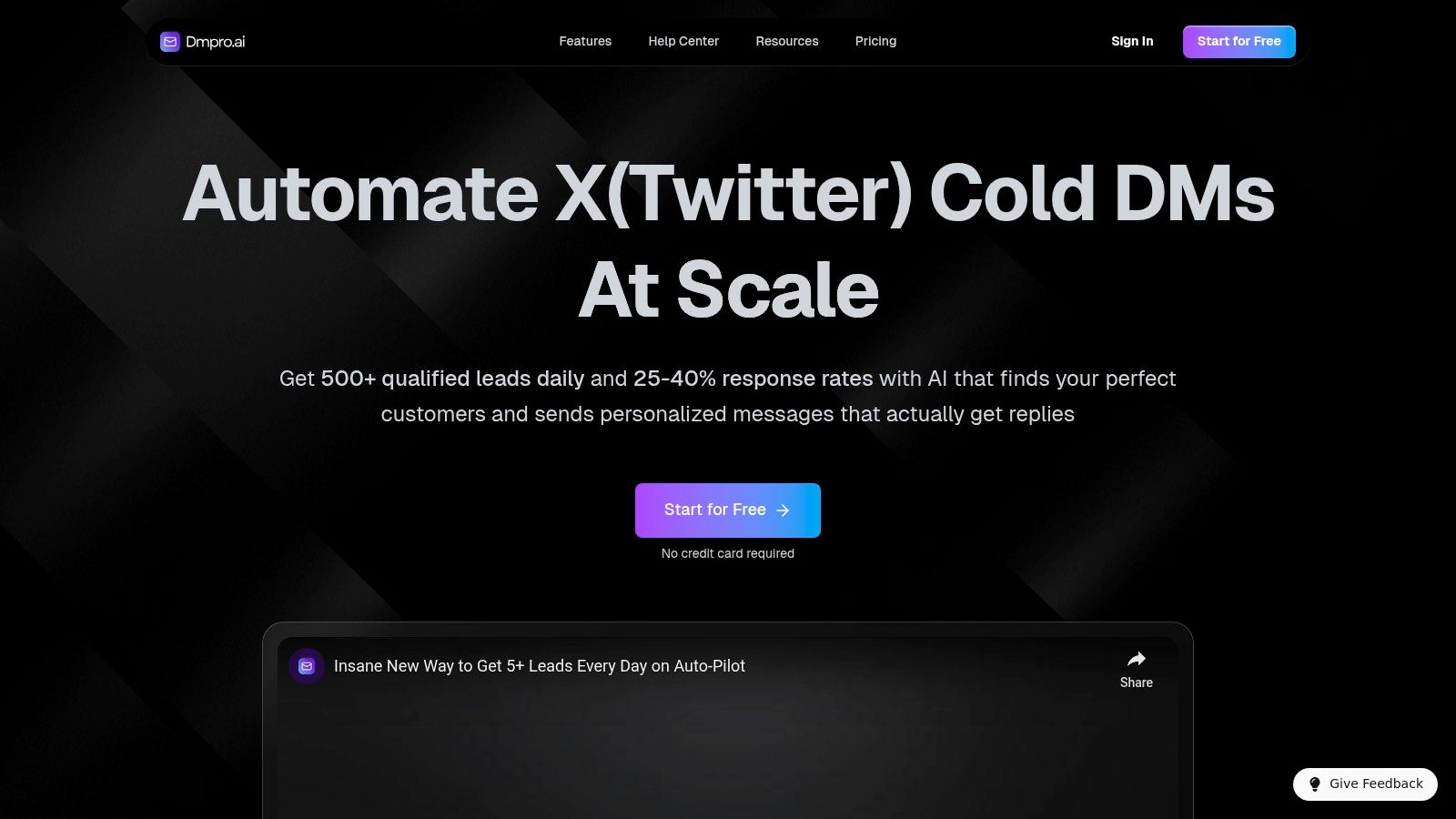
What makes DMpro so effective is its blend of scale and intelligence. The AI scans thousands of profiles to surface over 500 targeted leads a day based on your ideal customer. Then, it crafts and sends human-like, personalized DMs that reference a prospect’s name, interests, and recent activity. This is how you get impressive response rates of 25-40%. It replaces the manual grind with a system that runs 24/7, consistently filling your funnel with qualified conversations.
Key Features & Why It's a Top Choice
DMpro isn't just a bot; it's a complete outreach system built for founders who need to scale distribution.
- AI-Powered Lead Generation: It automatically finds and qualifies prospects, giving you a fresh list of hundreds of potential customers daily. This feature alone is a massive time-saver.
- Advanced Personalization: The AI doesn't just insert a name. It analyzes profiles to include relevant details, making each message feel unique and dramatically increasing your reply rate.
- Multi-Account Management: Built for scale, it supports multiple Twitter accounts with smart rotation to manage platform limits and protect your accounts.
- Built-in Safety Controls: DMpro includes real-time health monitoring and automatic safety features to manage deliverability and minimize account risk—critical for any automation tool.
Pricing and Plans
DMpro offers flexible pricing that works for solo founders and growing teams. A 30-day money-back promise and a free trial for 100 DMs (no credit card needed) make it easy to test its value.
| Plan | Monthly Price (Billed Yearly) | Key Features |
|---|---|---|
| Starter | $41/mo | 450 DMs/day, 1 account |
| Growth | $103/mo | 1.4k DMs/day, 3 accounts |
| Elite | $138/mo | 2.3k DMs/day, 5 accounts |
| Enterprise | Custom | Unlimited accounts & DMs |
Who Should Use DMpro?
This tool is perfect for SaaS founders, growth marketers, and B2B sales teams who need a scalable way to generate leads on Twitter. If you're tired of the manual DM grind, DMpro offers a powerful, automated alternative.
- Website: https://dmpro.ai
2. LinkedIn Sales Navigator
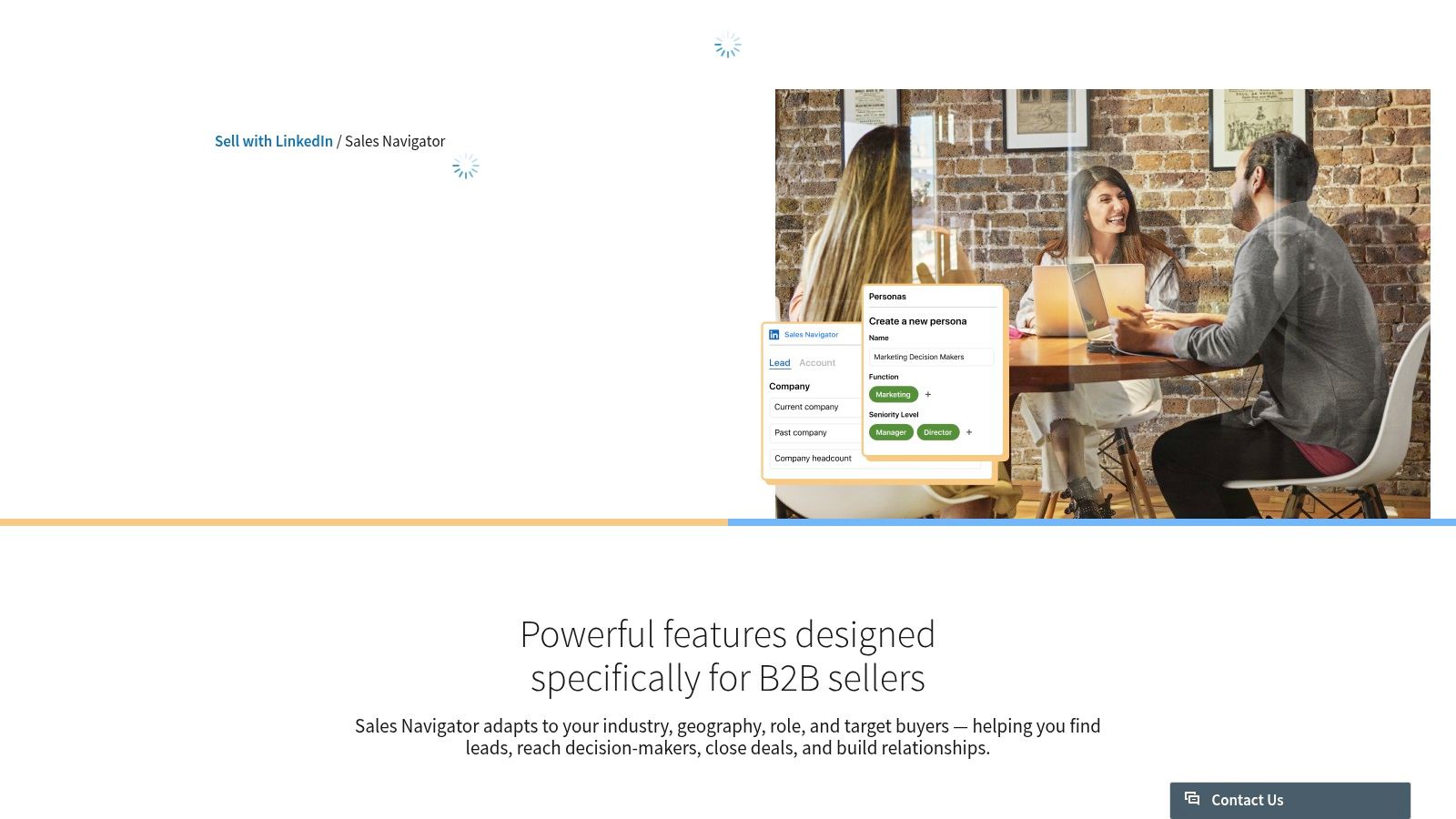
LinkedIn Sales Navigator is a must-have if your ideal customers live on LinkedIn. It’s the platform's premium tool designed specifically to help you find and engage with the right prospects. You can build highly targeted lead lists using advanced search filters that aren't available on the free version.
Its real power comes from leveraging "buyer signals" like job changes, company news, and who’s viewing your profile. This allows for timely, relevant outreach that feels much less cold.
Key Features & Benefits
Sales Nav gives you unparalleled access to company context and professional data. You can map out entire accounts and save lists that automatically update with new prospects matching your criteria.
- Advanced Search: Filter by seniority, company size, function, and more to pinpoint your ideal customer profile.
- Buyer-Signal Alerts: Get notifications on key events, giving you the perfect reason to start a conversation.
- InMail Messages: Send direct messages to prospects even if you aren't connected.
- CRM Integration: Higher-tier plans sync directly with your CRM, reducing manual data entry.
The main challenge is getting data out of Sales Navigator for multi-channel campaigns. This is where combining it with other tools is key. For example, you can learn more about how to scrape lead lists from Sales Navigator and use that data for outreach on other platforms.
| Pros | Cons |
|---|---|
| Direct access to the world's largest professional network. | Export limits require third-party tools to scale outreach. |
| Native LinkedIn workflow reduces platform switching. | Key features like CRM sync are gated to expensive plans. |
| Powerful buyer intent signals for timely outreach. | Less effective if your target audience isn't active on LinkedIn. |
Best for: B2B sales teams whose ideal customers are highly active on LinkedIn and who need deep organizational context for account-based selling.
Pricing: Plans start with Sales Navigator Core at around $99/month, with advanced tiers offering more InMails and features like CRM sync.
3. ZoomInfo SalesOS
ZoomInfo is a titan in the sales intelligence space, known for its massive B2B contact and company database. It's an enterprise-grade platform that gives you deep data insights, including direct dials, verified emails, and buyer intent signals.
Its core strength is the sheer volume of data and the powerful filters that let you build hyper-specific prospect lists. By combining contact data with intent data, it helps you prioritize accounts that are actively looking for a solution like yours.
Key Features & Benefits
ZoomInfo offers a centralized hub for data acquisition and enrichment, integrating directly into major CRMs to ensure data flows seamlessly across your tech stack.
- Large Contact Database: Access an extensive collection of contacts with direct-dials, emails, and detailed org charts.
- Intent Data: Identify companies actively researching your solutions.
- Data Enrichment: Automatically clean, update, and enrich your CRM records.
- Robust Integrations: Native integrations with Salesforce, HubSpot, and other major platforms streamline workflows.
While powerful, the platform's complexity and high-cost contracts can be a hurdle for founders and smaller teams. It’s a serious investment.
| Pros | Cons |
|---|---|
| Broad US B2B data coverage with strong admin controls. | Opaque, high pricing with mandatory annual contracts. |
| Deep enterprise features and robust CRM integrations. | Mixed user feedback on international data accuracy. |
| Mature partner ecosystem for expanded functionality. | The procurement process can be complex. |
Best for: Enterprise sales teams that require a comprehensive, all-in-one data intelligence platform and have a significant budget.
Pricing: Pricing is quote-based and tailored to your company's needs. Contracts are typically annual and represent a big investment.
4. Apollo.io
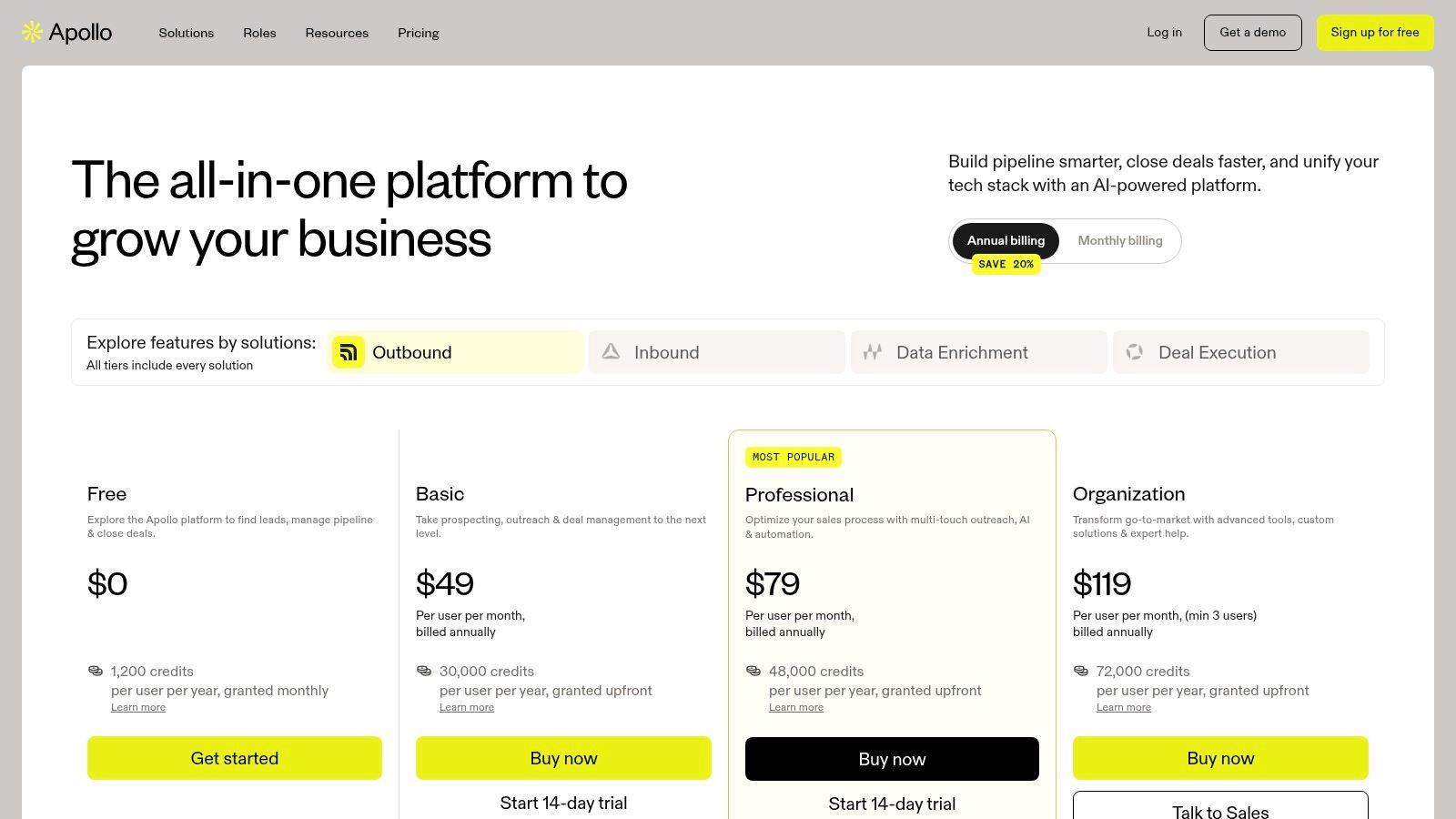
Apollo.io is a popular all-in-one sales intelligence and engagement platform that's a favorite among startups and SMBs. It combines a massive B2B contact database with built-in outreach tools, so you can find prospects and launch campaigns without juggling multiple subscriptions.
Its primary advantage is unifying data and action. You can search for leads and immediately add them to an email or call sequence within the same platform. This streamlined workflow is perfect for teams focused on speed and efficiency.
Key Features & Benefits
Apollo excels by providing both the "who" (the data) and the "how" (the engagement tools) in one place. Its Chrome extension is especially powerful, letting you pull contact data directly from LinkedIn profiles.
- B2B Database & Search: Access a database of over 275 million contacts with advanced filters.
- Sequencing: Build and automate multi-step outreach campaigns involving emails, calls, and LinkedIn tasks.
- Enrichment & Integration: Automatically enrich data in your CRM and sync engagement activities.
- Built-In Dialer: Make and record calls directly from the platform.
While Apollo handles email and calls well, integrating its data into a social outreach tool can supercharge your efforts. You can learn more about setting up multi-channel campaign automation to leverage Apollo's data across platforms like Twitter.
| Pros | Cons |
|---|---|
| Combines prospect data and outreach tools in one interface. | Database accuracy can vary in niche industries. |
| Strong value with a generous free tier and transparent pricing. | The credit system requires careful management. |
| Fast to deploy and easy for new reps to learn. | The user interface can feel crowded with all the features. |
Best for: SMB and mid-market sales teams who need a cost-effective, all-in-one solution for lead generation, sequencing, and engagement.
Pricing: Offers a free plan with limited credits. Paid plans start at $49/user/month (billed annually).
5. UpLead
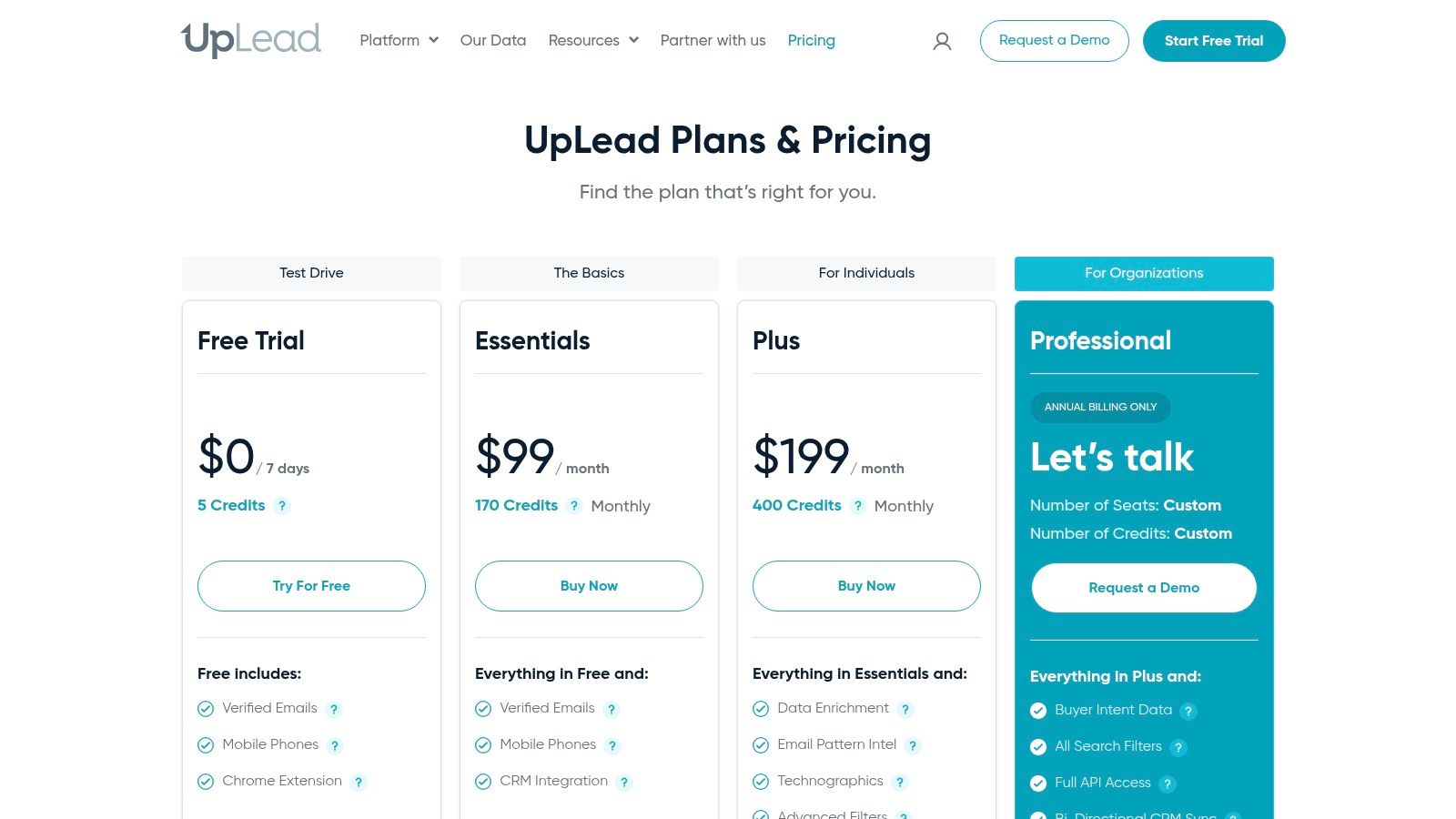
UpLead is a sales intelligence platform focused on one thing: delivering high-quality, verified B2B contact and company data. It stands out by guaranteeing 95% data accuracy and offering real-time email verification, which helps reduce bounce rates and improve your outreach effectiveness.
The platform is designed for quick time-to-value, allowing you to build targeted lists and enrich your CRM data without a steep learning curve. This makes it a solid choice for teams that need reliable contact information, fast.
Key Features & Benefits
UpLead prioritizes data quality and ease of use. It focuses on providing accurate direct dials and verified emails that fuel successful sales campaigns. You can filter prospects by over 50 criteria, including what software a company uses.
- Verified Emails & Direct Dials: Access a massive database of contacts with real-time email verification.
- Technographics & Intent Data: Identify companies using specific technologies or showing buying signals.
- Chrome Extension: Prospect directly from company websites and LinkedIn profiles.
- CRM Integrations: Seamlessly push data to popular CRMs like Salesforce and HubSpot.
While UpLead provides the data, combining it with an outreach tool is key. For example, once you have your target list from UpLead, you can use a tool like DMpro to automate outreach on social platforms like Twitter.
| Pros | Cons |
|---|---|
| High data accuracy guarantee with real-time email verification. | Smaller contact database compared to enterprise giants. |
| Clear, self-serve pricing and a simple credits model. | Credits can be used quickly by high-volume teams. |
| Easy to use interface and quick onboarding. | Intent data features are less mature than some competitors. |
Best for: SMB and mid-market sales teams who need a reliable source of verified contact data with straightforward pricing.
Pricing: Offers a free trial with 5 credits. Paid plans start at $74/month.
6. Lusha
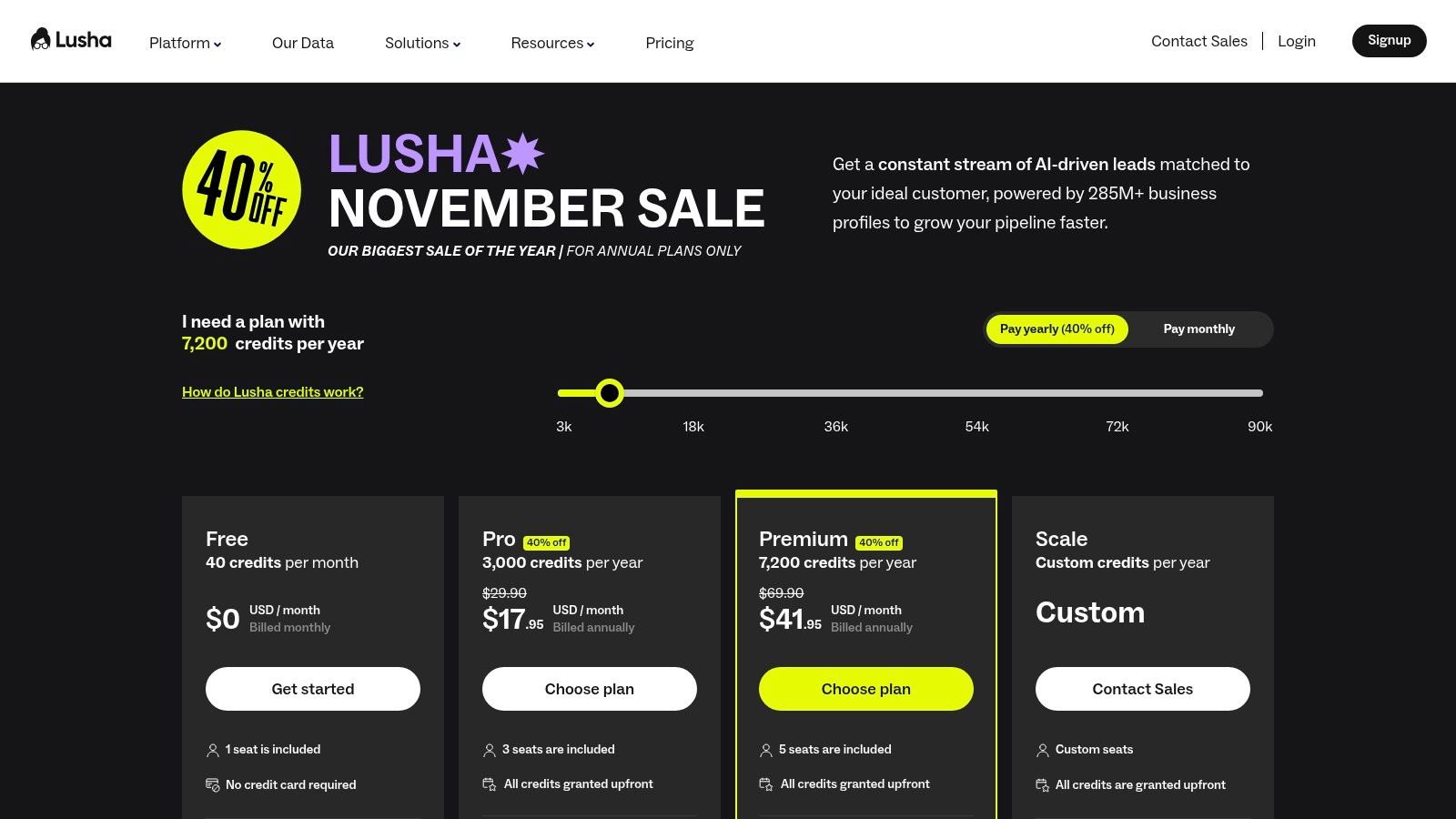
Lusha is a go-to tool for its popular Chrome extension that instantly reveals business emails and direct-dial phone numbers. It operates on a simple credits system, making it incredibly easy for sales teams to enrich prospect profiles directly on LinkedIn or company websites.
Its main strength is simplicity. Sales reps can find and verify contact details in a single click, which dramatically speeds up the process of building outbound call and email lists. The platform offers generous free credits, allowing you to test its accuracy before committing.
Key Features & Benefits
Lusha excels as a supplemental tool for enriching contact data, especially when it comes to direct phone numbers. The browser extension integrates seamlessly into a salesperson’s daily routine.
- Credit-Based Reveals: A simple system for unlocking emails and phone numbers one at a time.
- Browser Extension: Find contact information directly on LinkedIn profiles and company websites.
- CRM Integrations: Sync revealed contact data directly to platforms like Salesforce and HubSpot.
- Team Management: Admins can manage credits and user permissions across the team.
The platform is most effective when used to add a direct-dial or email channel to your outreach. It complements social media and email sequences perfectly.
| Pros | Cons |
|---|---|
| Easy to get started with generous free credits. | Costs can scale significantly, especially for heavy phone number usage. |
| Straightforward pricing and credit-based logic. | Advanced features are gated to higher-priced tiers. |
| Useful as a supplemental source for phone numbers and emails. | Data accuracy can vary, requiring verification. |
Best for: SDRs and sales teams who need a fast, simple way to find direct-dial phone numbers and emails to supplement their primary tools.
Pricing: Offers a free plan with 5 credits per month. Paid plans start at $36/user/month.
7. RocketReach
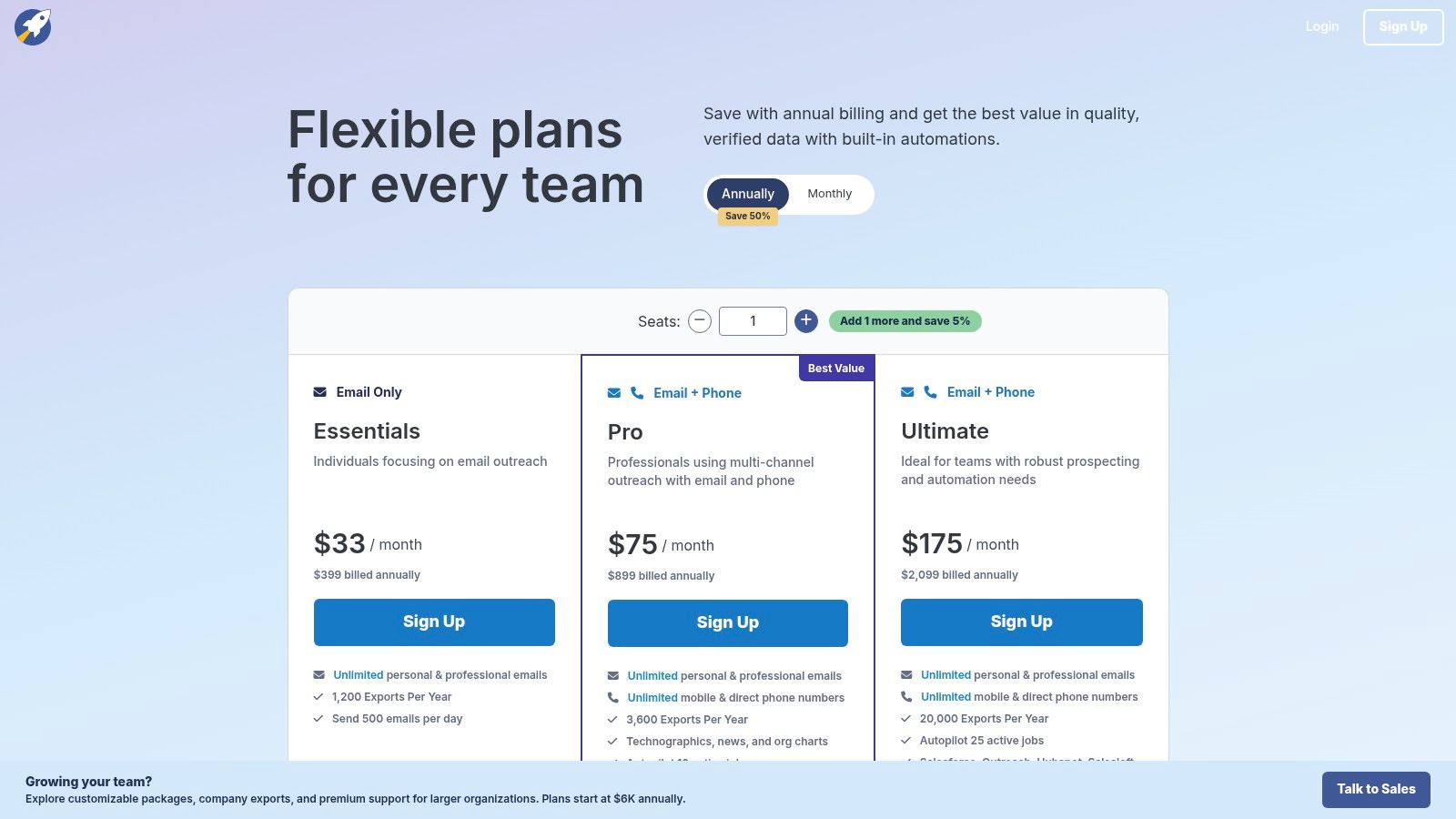
RocketReach is a popular contact lookup tool designed to help you quickly find verified email addresses, phone numbers, and social profiles. Its core value lies in its extensive database and a straightforward browser extension that lets you find contact information directly from company websites or LinkedIn.
The platform excels at finding those hard-to-locate emails, offering multiple potential contacts when available and ranking them by a confidence score. This simple, on-the-fly lookup capability makes it a strong contender for teams needing reliable data quickly.
Key Features & Benefits
RocketReach simplifies the process of turning a name and company into an actionable contact. You can perform bulk lookups by uploading a list or use its API to integrate contact data directly into your existing systems.
- Browser Extension: Instantly find contact details while browsing LinkedIn or company websites.
- Bulk Lookups & API Access: Enrich entire lead lists at once or automate data retrieval.
- Advanced Search: Search its massive database by title, industry, and location to build new prospect lists.
- Team Management: Higher-tier plans include centralized billing and usage reporting.
A key advantage is its balance of a large dataset with a simple user interface.
| Pros | Cons |
|---|---|
| Simple lookup workflow is great for finding hard-to-locate emails. | Phone and mobile number access can vary by plan tier. |
| Often competitively priced for individuals and small teams. | Pricing tiers and features can change; verify at checkout. |
| Browser extension makes for efficient, on-the-fly prospecting. | Data accuracy can be inconsistent. |
Best for: Individuals and small sales teams who need a simple, fast tool for ad-hoc email lookups and list enrichment.
Pricing: Offers a limited free plan. Paid plans start at around $39/month for individuals. You can review current options on their pricing page.
8. Hunter
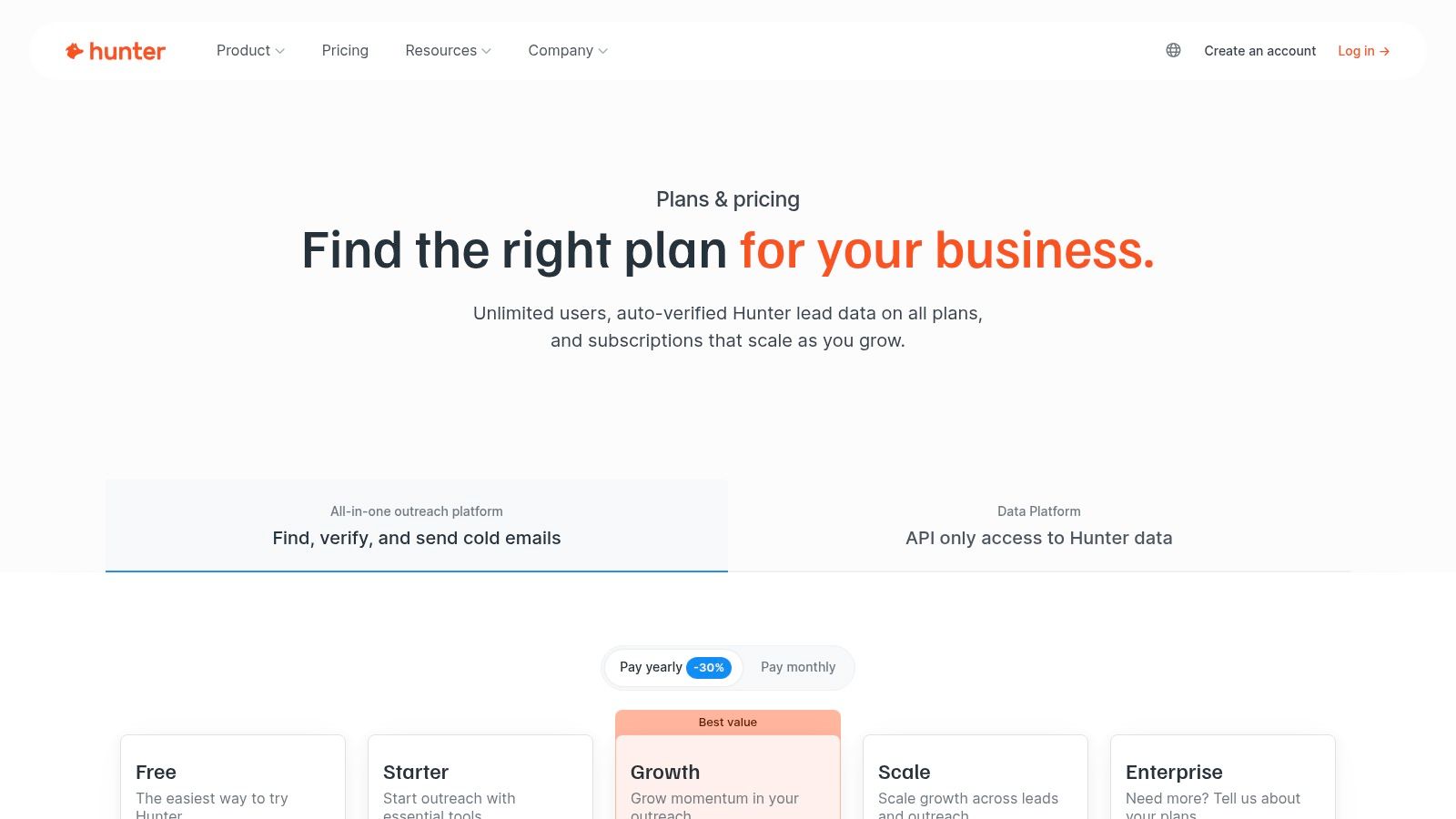
Hunter is a widely used email-finding tool that excels at one thing: quickly discovering professional email addresses associated with a specific company domain. It's a straightforward and effective solution for building targeted email lists for cold outreach campaigns. Its simplicity is its core strength.
The platform is designed for speed and accuracy, allowing you to find verifiable email addresses in seconds, either one by one or in bulk. This focus on email verification helps protect your sender reputation by reducing bounce rates.
Key Features & Benefits
Hunter’s main value is providing reliable contact data with minimal friction. The Domain Search feature uncovers all public email addresses from a company, while the Email Finder lets you pinpoint specific individuals.
- Domain Search & Email Finder: Quickly find email addresses by company domain or individual name.
- Email Verifier: Check the deliverability of any email address to maintain a healthy sender score.
- Campaigns Module: Send and track basic cold email sequences directly from the platform.
- Browser Extension & API: Integrate Hunter’s capabilities into your browsing workflow or other applications.
While Hunter provides the "what" (the email), you still need the "why" (the personalization). Combining Hunter’s verified emails with an AI tool can significantly improve reply rates. You can learn more about AI personalization to make your outreach stand out.
| Pros | Cons |
|---|---|
| Affordable and transparent pricing suitable for SMBs. | Focused primarily on email—no phone numbers. |
| Robust email verification to protect sender reputation. | Outreach features are basic compared to dedicated platforms. |
| Unlimited team members are included on all paid plans. | Data is limited to what is publicly available. |
Best for: Sales teams, recruiters, and marketers who need a fast, reliable, and cost-effective way to find and verify professional email addresses.
Pricing: Offers a free plan with 25 searches per month. Paid plans start at around $49/month.
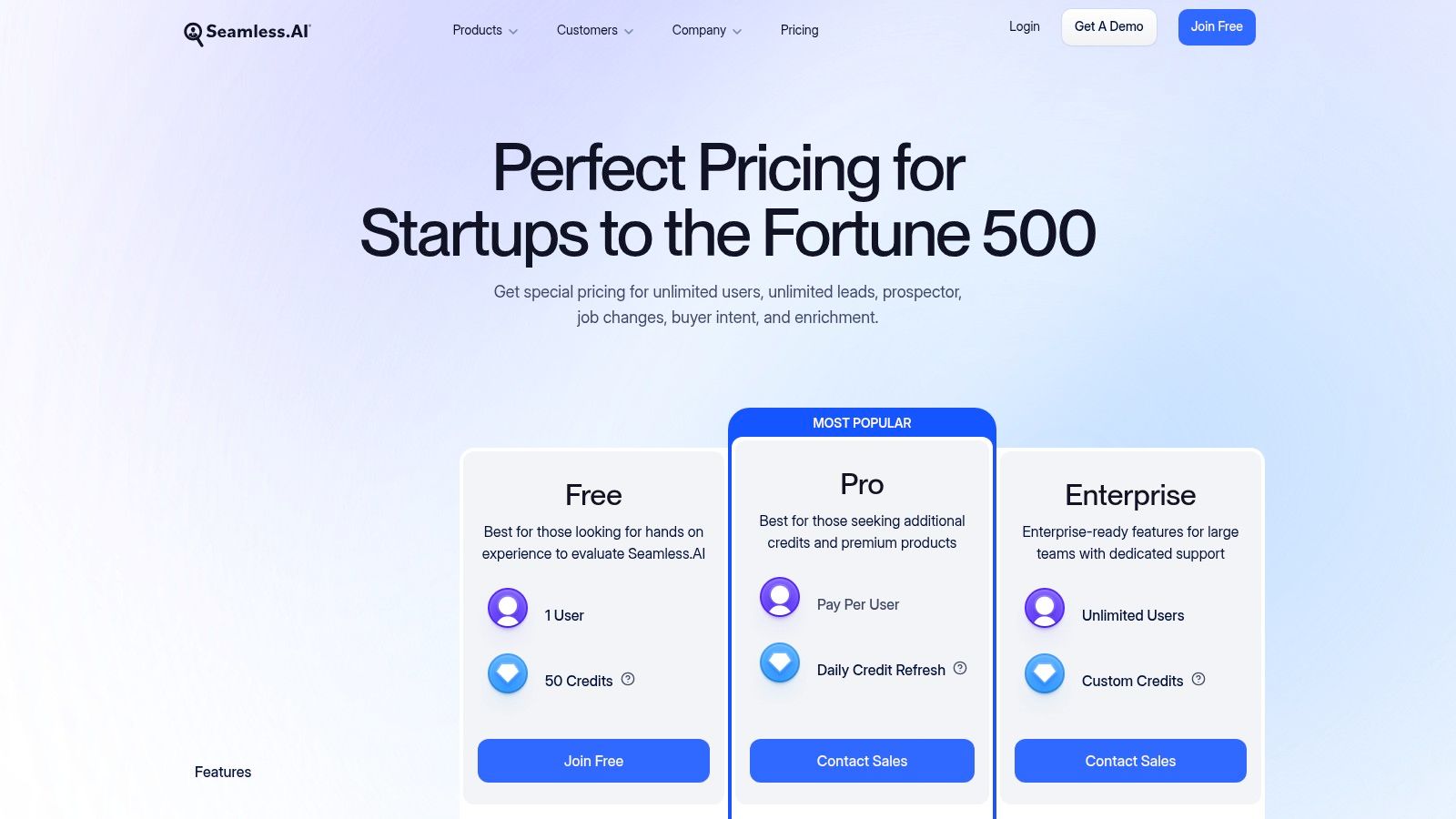
9. Seamless.AI
Seamless.AI is an AI-powered data provider designed to help you quickly build lists of verified emails, cell phone numbers, and direct dials. It positions itself as a real-time search engine for contact information, aiming to provide accurate data through its web platform and popular Chrome extension.
Its primary appeal is speed. You can find contact details for prospects on LinkedIn or company websites and add them to lists with a single click, streamlining top-of-funnel research.
Key Features & Benefits
Seamless.AI focuses on making data acquisition effortless. Its platform includes features like buyer intent data and job change alerts to help you time your outreach more effectively.
- Real-Time Search: Finds and verifies contact information on demand.
- Chrome Extension: Enables prospecting directly from LinkedIn, company websites, and Salesforce.
- Buyer Intent Data: Identifies companies actively researching solutions like yours.
- Data Enrichment: Cleans and updates existing CRM records.
A key consideration is its business model. Many advanced features are sold as add-ons, and its contracts often include strict renewal terms. Be sure to review everything carefully.
| Pros | Cons |
|---|---|
| Fast list building with its intuitive Chrome extension. | Pricing is not transparent; many features are expensive add-ons. |
| A free tier is available to test the core functionality. | Strict 60-day notice for cancellation and auto-renewal terms can be problematic. |
| Daily credit allotments encourage consistent use. | Public customer sentiment is mixed. |
Best for: Sales teams that need a high volume of direct dials and emails quickly and prioritize speed in their prospecting.
Pricing: Offers a free plan with limited credits. Paid plans are customized and require a demo.
10. Crunchbase
Crunchbase is a company intelligence platform that excels at account-based prospecting. Instead of starting with individual contacts, it helps you identify entire companies that fit your ideal customer profile using deep data like funding rounds, industry, and recent growth signals.
Its main advantage is providing timely "buying signals," such as a new round of funding or key leadership changes. This information gives you a powerful reason to initiate outreach, turning a cold call into a well-informed conversation.
Key Features & Benefits
Crunchbase is one of the best tools for building a high-quality list of target accounts. You can create saved searches that automatically update when new companies meet your criteria, ensuring a steady stream of qualified accounts for your pipeline.
- Advanced Company Search: Filter companies by funding stage, industry, employee count, and more.
- Buying Signal Alerts: Get notified about key events like funding rounds and acquisitions.
- CRM Integrations: Paid plans connect with CRMs like Salesforce to push account data into your workflow.
- Export Capabilities: Easily export company lists to use in other tools.
While excellent for company data, Crunchbase has limited personal contact details. The best workflow is to identify target accounts in Crunchbase and then use another tool to find the right contacts.
| Pros | Cons |
|---|---|
| Excellent for identifying companies with clear buying signals. | Not focused on direct dials or personal emails. |
| Powerful filters for building targeted account lists. | Contact data is limited, requiring you to pair it with another tool. |
| Complements contact databases perfectly for account-based prospecting. | Advanced features are on paid plans only. |
Best for: B2B founders and sales teams focused on account-based selling who need to identify companies showing strong growth or funding signals.
Pricing: Offers a free limited version. Paid plans start with Starter at around $29/user/month.
11. Clearbit (now part of HubSpot)
Clearbit is a B2B data enrichment platform designed to give you a complete picture of your prospects. Now part of HubSpot, it excels at turning anonymous website traffic into identifiable leads and enriching your existing contact records with valuable data.
Its core strength is its real-time enrichment engine. This allows you to understand who your buyers are, what their company does, and how to best engage them, making it one of the best tools for teams focused on inbound and account-based marketing.
Key Features & Benefits
Clearbit provides the context needed for highly relevant and personalized outreach. Its Reveal feature de-anonymizes website visitors, showing you which high-value accounts are browsing your site—even if they don't fill out a form.
- Real-Time Data Enrichment: Automatically adds company size, industry, and technology used to your lead records.
- Website Visitor Reveal: Identifies anonymous companies visiting your website.
- Lead Scoring and Routing: Helps prioritize high-intent leads and sends them to the correct person.
- Deep HubSpot Integration: As part of HubSpot, it seamlessly integrates into marketing and sales workflows.
Since its acquisition, Clearbit is now primarily accessible through the HubSpot platform. This makes it an ideal choice for teams already invested in HubSpot's CRM.
| Pros | Cons |
|---|---|
| High-quality data enrichment for precise lead qualification. | Free tools were discontinued after the HubSpot acquisition. |
| Powerful website visitor identification creates new opportunities. | No public pricing; it's now quote-based and bundled with HubSpot. |
| Strong for building and targeting ideal customer profiles. | Primarily serves teams already operating within the HubSpot ecosystem. |
Best for: B2B sales and marketing teams deeply embedded in the HubSpot ecosystem who want to maximize inbound lead conversion and enrich their CRM data.
Pricing: Pricing is quote-based and integrated into HubSpot's offerings. You can find more details on the Clearbit website.
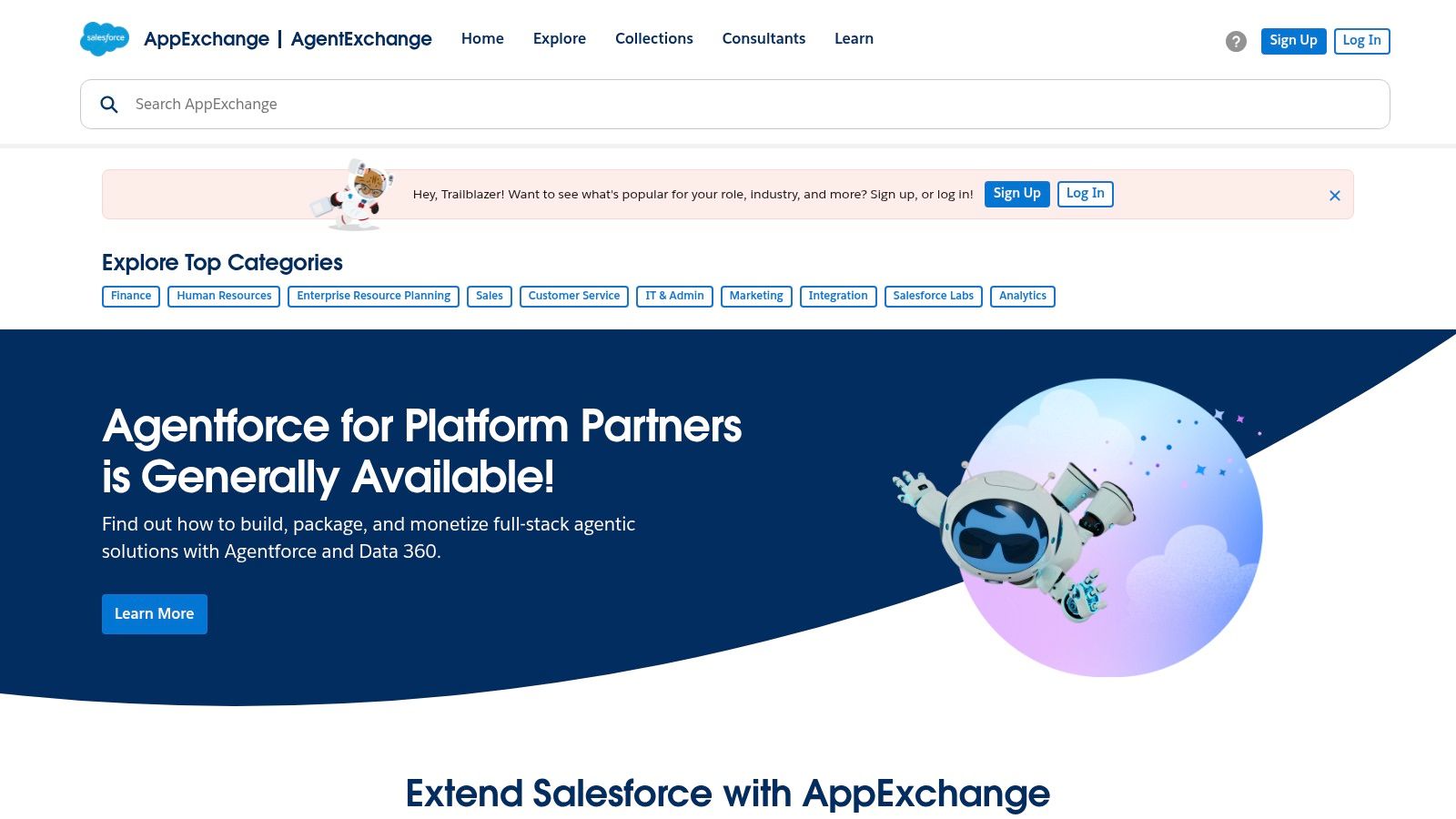
12. Salesforce AppExchange (Sales/Prospecting apps)
Salesforce AppExchange isn't a single tool but a massive marketplace for third-party apps designed to integrate directly into your Salesforce CRM. For teams already living in Salesforce, it's the ultimate hub for finding and deploying prospecting tools without complex integration projects.
Its core value is providing a curated, security-vetted ecosystem where you can find everything from data enrichment providers to sales engagement platforms. Instead of hunting for tools that might work with your CRM, you can choose from a library of pre-approved solutions guaranteed to connect.
Key Features & Benefits
The platform simplifies building a tech stack by centralizing everything. You can browse apps by category, read verified user reviews, and often start trials directly from the listing.
- Native Salesforce Integration: Apps are built to work with Salesforce, ensuring data flows smoothly.
- Security Reviewed: All listed applications undergo a rigorous security review process.
- Centralized Management: Manage licenses for multiple apps from one central location.
- Curated Collections: Easily discover top-rated apps for specific needs like lead generation.
While AppExchange is fantastic for finding CRM-native tools, much of modern outreach happens on social platforms. To bridge this gap, you often need to combine AppExchange tools with specialized automation platforms. You can learn more about how to streamline sales workflows to connect different parts of your tech stack.
| Pros | Cons |
|---|---|
| One place to compare and purchase Salesforce-ready apps. | Benefits are almost exclusively for organizations using Salesforce. |
| Streamlined deployment and clear compatibility. | Pricing and features vary widely by app. |
| User reviews and ratings help with selection. | Can be overwhelming due to the sheer number of options. |
Best for: Sales teams deeply embedded in the Salesforce ecosystem who want to extend their CRM's capabilities with pre-vetted, integrated prospecting tools.
Pricing: Varies entirely by the individual app. The AppExchange itself is free to browse.
Top 12 Sales Prospecting Tools — Quick Comparison
| Product | Primary use case | Data & reach | Automation & personalization | Pricing & value | Best for |
|---|---|---|---|---|---|
| DMpro | Automated cold DMs on X (Twitter) | AI-scans thousands, 500+ targeted leads/day | AI-personalized DMs, multi-account, smart rotation, health controls | Starter/Growth/Elite/Enterprise, free 100-DM trial, lifetime options | Growth marketers, SDRs, founders, agencies |
| LinkedIn Sales Navigator | Professional prospecting & account mapping | Largest professional graph, org context | Saved searches, InMail, buyer alerts, limited automation | Tiered subscriptions; some features gated to higher tiers | B2B teams relying on LinkedIn activity |
| ZoomInfo SalesOS | Enterprise sales intelligence & contact data | Deep US contact coverage, direct dials, org charts | Enrichment, intent signals, CRM integrations | Quote-based, typically high cost | Large enterprise sales & marketing teams |
| Apollo.io | All-in-one prospecting + outreach | Broad SMB/mid-market contact database | Sequencing, dialer, inbox, meeting booking | Transparent self-serve pricing, free tier | SMBs and mid-market teams needing quick ROI |
| UpLead | Verified contact data & validation | Real-time email validation, direct dials | Enrichment, API, CRM integrations | Clear self-serve pricing, credits model | SMBs needing accurate emails/phones |
| Lusha | Quick contact reveals via extension | Credit-based email & phone reveals | Browser extension, CRM syncs | Credit pricing; easy to start with free credits | Teams topping up contact data fast |
| RocketReach | Ad-hoc lookups & bulk enrichment | Email/phone lookups, bulk/API options | Extension, enrichment, team reporting | Competitive for individuals; team plans available | Individuals and small teams doing lookups |
| Hunter | Email discovery & verification | Domain search, email finder, verifier | Basic campaigns, API, extensions | Affordable, transparent pricing | SMBs/agencies focused on cold email |
| Seamless.AI | AI-assisted list building & prospecting | Emails, phones, buyer intent signals | Chrome extension, Autopilot (add-on) automation | Free/paid tiers; many capabilities as add-ons | Fast list builders who accept add-ons |
| Crunchbase | Company intelligence & ABM signals | Firmographics, funding, leadership signals | Alerts, advanced company search, exports | Tiered pricing; pairs with contact providers | Account-based teams finding in-market companies |
| Clearbit (HubSpot) | Enrichment & web visitor reveal | Real-time enrichment, Reveal for traffic | Form shortening, scoring, routing | Quote-based via HubSpot (post-acquisition) | ICP targeting, ABM, web-to-lead routing |
| Salesforce AppExchange | Marketplace for sales/prospecting apps | Access to curated, security-reviewed apps | Native Salesforce integrations per app | Varies by app; centralized license mgmt | Organizations using Salesforce CRM |
How to Choose the Right Prospecting Tools for Your SaaS
We've covered a lot of ground. The goal isn't to use every tool on this list—it's to build a lean, effective prospecting stack that works for your business. The best prospecting tools for sales are the ones that save you time, improve your outreach, and help you close more deals.
For most founders, the journey starts by identifying your single most effective outreach channel. Where do your ideal customers hang out? If your answer is Twitter, then a tool built to automate outreach there is your highest leverage point. If it’s LinkedIn, Sales Navigator becomes non-negotiable. Trying to be everywhere at once is a recipe for burnout.
A Simple Framework for Building Your Sales Stack
Don't overcomplicate it. Focus on the tool that solves your biggest bottleneck right now.
- Identify Your Primary Channel: Is it social DMs, email, or a mix? For a modern SaaS selling to other tech founders, a tool like DMpro for Twitter outreach is a direct line to your audience. For traditional B2B, an email-centric tool like Apollo.io might be a better fit.
- Define Your Data Needs: Do you need basic contact info or deep company data like funding rounds? UpLead offers great accuracy for SMBs, while ZoomInfo is better for enterprise-level needs.
- Consider Your Workflow and Budget: Your tools need to work together. A great stack is often a core outreach platform (your engine) and a data enrichment tool (your fuel). For example, you could use DMpro to automate initial conversations on Twitter and then Hunter to find their email for a follow-up. Start lean and prove the ROI before you add more tools.
Key Takeaways and Your Next Steps
The central theme is leverage over complexity. Your first prospecting tool should give you back your most valuable asset: time. Manual prospecting is a necessary starting point, but it doesn't scale. Smart automation is how you build a predictable sales pipeline without hiring a massive team.
Your next step is to run a small, focused experiment. Pick one tool from this list that aligns with your primary channel and commit to using it for 30 days.
- If you're targeting founders on Twitter: Set up a DMpro campaign.
- If you're focused on LinkedIn: Invest in Sales Navigator.
- If you're running cold email: Sign up for Apollo.io and launch a sequence.
Measure the results. The data will tell you if you've found the right fit. The search for the best prospecting tools for sales is an ongoing process. Don't get stuck in analysis paralysis. Choose a starting point, take action, and build momentum from there.
If you’re tired of manually sending DMs every day, try DMpro.ai — it automates outreach and replies while you sleep. Find your next customer with DMpro.ai.
Ready to Automate Your Twitter Outreach?
Start sending personalized DMs at scale and grow your business on autopilot.
Get Started Free